Don't you just need to change the signature in the HFS Plus Volume Header from 0x4858 to 0x482b?
Google says no. The format changes the way names are indexed and managed.
It says "The safest way to do this is to back up your data, erase the drive with the new format, and then restore your files."
Since the names are case sensitive, there could be name collisions when transferring to a case insensitive file system. For example,
Cat and
cat are two different names in a case sensitive file system but are the same name in a case insensitive file system.
Google says Carbon Copy Cloner and SuperDuper! "can handle copying files from a case-sensitive source to a case-insensitive destination more reliably than standard drag-and-drop or Time Machine."
Most of this Google info comes from:
https://www.macworld.com/article/23...fs-partition-into-a-case-insensitive-one.html
It mentions utilities by Coriolis Systems which you can find at
https://coriolis-systems.com
Those utilities still seem to work ok for me (I'm running Monterey).
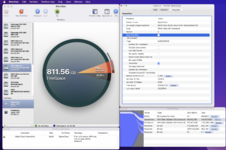
I haven't tried iPartition.app's case-sensitive conversion function before. Do a backup before attempting.
View attachment 28696