On @JDW ’s thread regarding the Macintosh Portable (https://tinkerdifferent.com/threads/powerbook-100-170-owners.4811/), he posted a link to a technical note (https://ia600306.us.archive.org/vie...owerBook-ADB_Mouse_Q_and_A_3-93_(TA40592).pdf) that revealed Apple created a special mouse for use with the Portable. The mouse has a longer ADB connector (possible built-in EMI filter) and lower power usage. This got me to wondering about whether any of the Apple ADB devices really used significant power.
To measure current, I purchased an S-Video splitter from Amazon (https://amzn.to/44O361f). S-Video uses the same 4-pin mini DIN connectors as ADB. A splitter includes both male and female connectors and a short length. This allows the test device to be plugged into the female end of the splitter, with the male end connecting to the Mac, while keeping the tester's cable length relatively short.
To access the wires, I cut the splitter about halfway on the male end. As the wire colors have a different meaning on S-Video, I needed to tone them out to determine which ADB pins they connected to. Annoyingly, on this particular cable, red=data, green=gnd, black=power on switch, gray=+5V, and bare copper is for the shield.

With this knowledge, I inserted a scrap breadboard PCB between the cut ends of the wire.

All wires except the +5V wire are simply connected across (with a nice little loop for attaching a multimeter hook). The +5V wire goes to a two-pin header. With a jumper attached, the +5V goes directly across. Without a jumper, a multimeter can be inserted to measure the ADB device’s current.

(Although both female ports work on the S-Video splitter, only one is used during current testing to avoid reading the current of multiple devices. Also, make sure you have the multimeter in DC current mode, not AC.)
The cable ends are secured with loops of soldered wire and some epoxy.
The male S-Video connector does not quite fit into the ADB port of the Macintosh IIci. Snippers trimmed the square corners off the S-Video connector to allow it to be fully inserted.

Current Readings
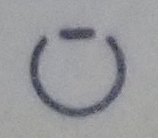
On the original series of Apple Desktop Mouse models (before Apple Desktop Mouse II), the underside label includes a circle with a flat spot to indicate which mouse model has low-power usage.

I was pleasantly surprised that Apple was absolutely honest about the difference in power usage. The original mouse uses 70-80 mA (350-400 mW) but the low power models used only 5 mA (25 mW)!
Given that Macs before the Portable were always connected to mains, I understand why Apple engineers never bothered to concern themselves with mouse current. But, after they tackled the problem, they made it standard technology in all mice manufactured after that.
Idle
The Apple Desktop Mouse II series have some variants that reduced power further on idle, going from 5 mA to around 1.5 mA when it wasn’t being moved. Well done.
Third Parties
All of the third-party mice I tested use less power than the original ('high power') Apple Desktop Mouse. Generally, third party mice use around 5-7 mA of current.
A third-party trackball, the Kensington Turbo Mouse (both v4 and v5), hovers around 15 mA. But, the massive EMAC trackball thingy approaches 58 mA. In fairness, I didn’t install any drivers for the EMAC. I noticed that some devices do not enter an ‘idle’ state unless the ADB bus finishes initializing and/or an appropriate driver set the device's mode. For example, you see increased power usage when the Mac is first powered on, followed by a decline when the ROM drivers initialize the mouse.
The Dreaded Black Ball
Everyone seems to dislike the lightweight black balls used about mid-series in the Apple mice. The original mouse ball was gray with a 25-mm diameter and 50-gram mass. A later model switches down to a cheap and ineffective black ball at 22 mm and only 7.5 grams. Then, with the Apple Desktop Mouse II, Apple upgraded to a gray ball still at 22 mm, but much heavier at 33 grams.
Because the diameter is the same, you can pull the heavier gray ball from the Apple Desktop Mouse II and replace the lightweight black ball in the Apple Desktop Mouse.
The Other Black
The black keyboard and mouse produced for the Apple Macintosh TV use the same current as their beige counterparts.
Keyboards?
Keyboards tell a different story from mice. Unexpectedly, the larger keyboard models (Apple Extended Keyboard and Apple Extended Keyboard II) sip around 4 mA (LEDs off). But the smaller keyboards are hogs; going from 61 mA for the IIgs original model and SE period Apple Keyboard, down to 25 mA for the Apple Keyboard II, and then back up to a horrible 117 mA for the cost reduced fixed-cable Apple Design Keyboard.
While I understand it was unlikely that Portable or PowerBook users were going to attach a separate keyboard that they had to haul around with them, I’m flabbergasted that Apple didn’t just use the low power chips they already developed for the Apple Extended Keyboard.
Models
Although Apple kept the same product name and model number for the Apple Desktop Mouse it actually went through a series of changes. For example, the low power revision and the change from a large gray heavy ball to a smaller lightweight black ball. I did not open the mice to inspect the boards, but other sites have reported many revisions to the internal guts.
The first ADB mouse series was produced in at least three countries (USA, Malaysia, and Tawain). The Apple Desktop Mouse II was produced in at least Malaysia, Tawain, and China. Perhaps Puerto Rico as well.
The labels and ball covers changed over the years, despite keeping the same product name.
It would be fun to determine the actual release order of these mice. Perhaps the original Macintosh manuals / user guides describe how to clean the mouse -- which might provide clues as the mouse variant at the time. For now, below are the variations in my collection.
If the serial number is to be believed, I assume the black retaining ring was produced earlier than the gray ring.


Now we move into the lower power models. The Macintosh Portable model is not shown, because I don't have one. But, after that, a fair guess is the ribbed retaining ring with a low power symbol was produced next.

Then, a lot more industry standard marks appear on the label. The retaining ring switches to a push down arrow. But, the mouse ball remains gray, large (25 mm), and heavy.

Finally, the dreaded lighweight black ball.

To measure current, I purchased an S-Video splitter from Amazon (https://amzn.to/44O361f). S-Video uses the same 4-pin mini DIN connectors as ADB. A splitter includes both male and female connectors and a short length. This allows the test device to be plugged into the female end of the splitter, with the male end connecting to the Mac, while keeping the tester's cable length relatively short.
To access the wires, I cut the splitter about halfway on the male end. As the wire colors have a different meaning on S-Video, I needed to tone them out to determine which ADB pins they connected to. Annoyingly, on this particular cable, red=data, green=gnd, black=power on switch, gray=+5V, and bare copper is for the shield.
With this knowledge, I inserted a scrap breadboard PCB between the cut ends of the wire.
All wires except the +5V wire are simply connected across (with a nice little loop for attaching a multimeter hook). The +5V wire goes to a two-pin header. With a jumper attached, the +5V goes directly across. Without a jumper, a multimeter can be inserted to measure the ADB device’s current.
(Although both female ports work on the S-Video splitter, only one is used during current testing to avoid reading the current of multiple devices. Also, make sure you have the multimeter in DC current mode, not AC.)
The cable ends are secured with loops of soldered wire and some epoxy.
The male S-Video connector does not quite fit into the ADB port of the Macintosh IIci. Snippers trimmed the square corners off the S-Video connector to allow it to be fully inserted.
Current Readings
On the original series of Apple Desktop Mouse models (before Apple Desktop Mouse II), the underside label includes a circle with a flat spot to indicate which mouse model has low-power usage.
I was pleasantly surprised that Apple was absolutely honest about the difference in power usage. The original mouse uses 70-80 mA (350-400 mW) but the low power models used only 5 mA (25 mW)!
Given that Macs before the Portable were always connected to mains, I understand why Apple engineers never bothered to concern themselves with mouse current. But, after they tackled the problem, they made it standard technology in all mice manufactured after that.
Idle
The Apple Desktop Mouse II series have some variants that reduced power further on idle, going from 5 mA to around 1.5 mA when it wasn’t being moved. Well done.
Third Parties
All of the third-party mice I tested use less power than the original ('high power') Apple Desktop Mouse. Generally, third party mice use around 5-7 mA of current.
A third-party trackball, the Kensington Turbo Mouse (both v4 and v5), hovers around 15 mA. But, the massive EMAC trackball thingy approaches 58 mA. In fairness, I didn’t install any drivers for the EMAC. I noticed that some devices do not enter an ‘idle’ state unless the ADB bus finishes initializing and/or an appropriate driver set the device's mode. For example, you see increased power usage when the Mac is first powered on, followed by a decline when the ROM drivers initialize the mouse.
The Dreaded Black Ball
Everyone seems to dislike the lightweight black balls used about mid-series in the Apple mice. The original mouse ball was gray with a 25-mm diameter and 50-gram mass. A later model switches down to a cheap and ineffective black ball at 22 mm and only 7.5 grams. Then, with the Apple Desktop Mouse II, Apple upgraded to a gray ball still at 22 mm, but much heavier at 33 grams.
Because the diameter is the same, you can pull the heavier gray ball from the Apple Desktop Mouse II and replace the lightweight black ball in the Apple Desktop Mouse.
The Other Black
The black keyboard and mouse produced for the Apple Macintosh TV use the same current as their beige counterparts.
Keyboards?
Keyboards tell a different story from mice. Unexpectedly, the larger keyboard models (Apple Extended Keyboard and Apple Extended Keyboard II) sip around 4 mA (LEDs off). But the smaller keyboards are hogs; going from 61 mA for the IIgs original model and SE period Apple Keyboard, down to 25 mA for the Apple Keyboard II, and then back up to a horrible 117 mA for the cost reduced fixed-cable Apple Design Keyboard.
While I understand it was unlikely that Portable or PowerBook users were going to attach a separate keyboard that they had to haul around with them, I’m flabbergasted that Apple didn’t just use the low power chips they already developed for the Apple Extended Keyboard.
Models
Although Apple kept the same product name and model number for the Apple Desktop Mouse it actually went through a series of changes. For example, the low power revision and the change from a large gray heavy ball to a smaller lightweight black ball. I did not open the mice to inspect the boards, but other sites have reported many revisions to the internal guts.
The first ADB mouse series was produced in at least three countries (USA, Malaysia, and Tawain). The Apple Desktop Mouse II was produced in at least Malaysia, Tawain, and China. Perhaps Puerto Rico as well.
The labels and ball covers changed over the years, despite keeping the same product name.
It would be fun to determine the actual release order of these mice. Perhaps the original Macintosh manuals / user guides describe how to clean the mouse -- which might provide clues as the mouse variant at the time. For now, below are the variations in my collection.
If the serial number is to be believed, I assume the black retaining ring was produced earlier than the gray ring.
Now we move into the lower power models. The Macintosh Portable model is not shown, because I don't have one. But, after that, a fair guess is the ribbed retaining ring with a low power symbol was produced next.
Then, a lot more industry standard marks appear on the label. The retaining ring switches to a push down arrow. But, the mouse ball remains gray, large (25 mm), and heavy.
Finally, the dreaded lighweight black ball.