Are you sure the SATA controller is not the one in SLOT-2? ASMedia (1b21) ASM1060 is a SATA controller PCIe 2.0 x1.I currently have the card populated in a 4 lane pcie slot but I do have access to an 8 lane slot. Maybe I'll stick it in there this week and see what xbench says.
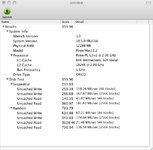
Interestingly, the card doesnt show up as pcie, rather under PCI>bridge at 2.5Gigabit speed (see above), so with the advertised maximum read speed of the msata at 500mb sec & the advertised OWC accelsior pcie card read speed of 380mb sec, I assume it is saturating the pcie1 4 lane bus at up to 250mb sec per lane? It seems to me that the bottleneck here would be the gen 1 pcie 8lane vs 4lane slot. I should see an improvement in throughput using the 8 lane slot vs 4 lane. We'll see!
The bridge chip says the connection is only 1 lane so putting it in a x8 slot is not going to improve things (unless that slot is closer to the CPU?). You'll always be limited to 250 MB/s (PCIe 1.0 single lane). To get more speed, you would need to connect the card to a PCIe 2.0 bridge.
The PCI tab in System Information.app is not very useful because it doesn't list all PCI devices and doesn't show the hierarchy of devices. A dump from ioreg may be more informative. You can also try my pcitree.sh script which requires my pciutils fork and DirectHW fork.
https://gist.github.com/joevt/e3cd4ff08aae06279134969c98ca3ab7