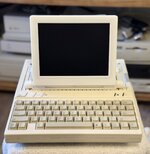
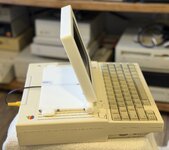
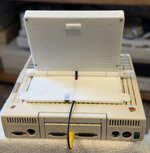
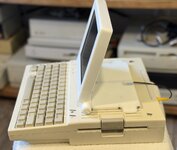
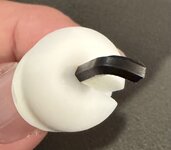
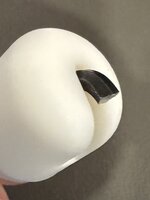
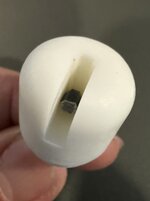
Got the screws and nylon washers in. I was able to get it to work, but I think using socket head cap screws made it harder. Basically, I had to insert the knobs in their holder with the hex key not fully pressed in, then rotate the knob while pushing the hex key in with tweezers until it was inserted into the hex head screw. Also, I only needed 35mm long screws, not sure if that is because of how I positioned my nut in the resin print I did. So far it is holding fine, although I do have to re-tighten after moving the screen up or down. I suspect that is just a factor of using a screw that will loosen when the screen is moved.
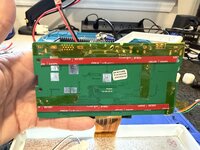
Anyway, here's some additional shots that hopefully will help others with their assembly.
The side pieces shouldn't be attached to the base until after the hex screw has been installed in the hinge. Once you have it installed and somewhat tightened, then you attach the sides using 3 3mm screws per side. Before inserting the screw, you should also install the nylon washers in between the hinge pieces.
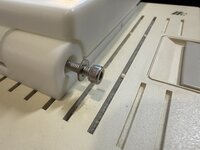
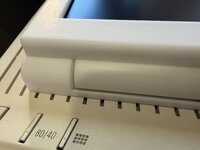
After you've done that, take the hex key and insert it into the hex head screw, and mark the depth to the inside lip of the side piece. That should tell you roughly how much the hex key needs to stick out of the knob.
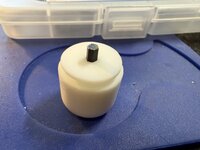
You can see in my picture, with the socket head cap screws, it didn't leave much sticking out. I think that is probably why I had a harder time inserting the knob into its holder. With a normal pan head screw, there would be more room and a longer hex key portion to insert it at an angle and then lower the knob into its holder. With mine, I was unable to insert it with the hex key fully protruding, so I pulled the hex key back out a bit, put the knob in it's slot on the side piece, then rotated the knob while pushing the hex key with tweezers. When the hex key aligned with the socket on the screw, it would allow itself to be pushed in to the correct depth. Adding the little slices that complete the knobs was helpful in holding the hex key at its correct depth. The superglued nuts seem to be holding, but I did take care not to over-tighten, going just enough to ensure there was friction to keep the screen at the current angle.
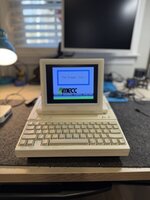
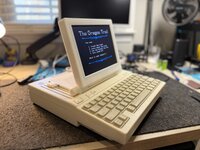
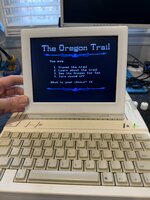
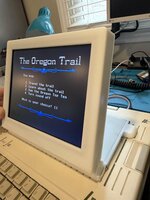
Anyway, here's the final result of the resin print: