G4 Quicksilver successful rescue

phunguss

Active Tinkerer
Dec 24, 2023
531
455
63
57
Stillwater, MN
Stopped by Free Geek Minneapolis last week and found this Quicksilver $10 project. Labeled "Won't boot to any external media, For parts / project HDD, RAM removed $10"
QS733-tendollars.jpg

I can't say no, so I took it home. I threw in a single 256MB DIMM and a mechanical hard drive from another old G4 and powered it on. Data plate on back:
QS733-serial.jpg

It gave me a chime, then a warning that a CPU failed, and another warning about another failure... then it froze. I suspect it was an upgraded dual CPU from the single 733MHz listed on the label. Ok, I have never seen a cooler like this. Obviously home brew.
QS733-cooler-removal.jpg

And a dual 800Mhz was revealed.
QS733-dual800.jpg

Cooler comparison
QS733-cooler1.jpg

and another
QS733-cooler2.jpg

I have a spare 867MHz from my other QS when I upgraded it to dual 1GHz, so I installed that single CPU and the correct cooler.
QS733-boots.jpg

QS733-hardware.jpg

Then I wiggled a wire and it powered off. Oops. This one has a zip drive and I did not see a power cable going to the zip drive... but the plug was installed. Strange... so maybe the wires were yanked out and somehow shorted when I wiggled them.
QS733-pwryanked.jpg

I removed the PSU, and will find some spare wires and rebuild the 4 power cables for the drives and then reinstall everything.
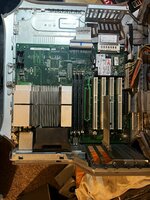
QS733-teardown.jpg

Very dusty, so the tear down is useful.
 
Last edited:

jeffburg

Tinkerer
Aug 17, 2025
34
29
18
My very first Mac was that exact same model (without the Zip drive). If I remember correctly the 733MHz model of quicksilver was an education only model. Because I was in high school at the time, I was able to buy it. It was bare bones but it was a Mac and it was beautiful. It came with Mac OS 9 and Mac OS X 10.0 preinstalled, but Mac OS 9 was still the default boot OS. I had no interest in 9, I only switched to Mac to get Mac OS X. Luckily it came with a "drop in" 10.1 upgrade disc. So I promptly installed 10.1 and never looked back. Thanks for preserving this one. What a nice machine!
 

Certificate of Excellence

Active Tinkerer
Nov 1, 2021
776
538
93
48
United Sates
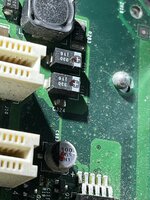
Very nice :) The same exact 733 education QS sans zip was my first PowerPC mac as well. I guess technically that was actually an imacg3 but that was really my wifes, not mine. Anyhow, I have acquired a few extra $10 Quicksilver projects sitting around that I rescued from CL. I need to do something with them (well one has a dead PSU so I need to recap that one first I guess) - just no time right now to do so.

Anyhow, this reminds me, I need to rotate in my QS and use it for a while - still is my favorite PPC mac I have.

I wonder if the daughter card is toast or if the mac was complaining because the homebrew heatsink wasnt doing the job and you have a nice dual cpu card there.
 
  • Like
Reactions: phunguss

iantm

Tinkerer
Sep 8, 2025
89
35
18
Michigan
iantm.com
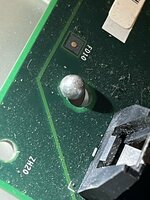
I just acquired one and it booted but it’s clear the logic board needs to be recapped. I’ve been following this iFixit guide and can’t figure out what they mean by “remove the pins by the RAM” Then slide the whole logic board off.

I see what looks like pins… I think. But they don’t seem removable? What am I missing here? I’ve removed the four screws. It won’t budge.
 

Attachments

  • IMG_7225.jpeg
    IMG_7225.jpeg
    1.1 MB · Views: 9
  • IMG_7224.jpeg
    IMG_7224.jpeg
    1.1 MB · Views: 9
  • IMG_7211.jpeg
    IMG_7211.jpeg
    2 MB · Views: 9

phunguss

Active Tinkerer
Dec 24, 2023
531
455
63
57
Stillwater, MN
I just acquired one and it booted but it’s clear the logic board needs to be recapped. I’ve been following this iFixit guide and can’t figure out what they mean by “remove the pins by the RAM” Then slide the whole logic board off.

I see what looks like pins… I think. But they don’t seem removable? What am I missing here? I’ve removed the four screws. It won’t budge.
The pins in your photos do not move. The 4 screws hold the motherboard is a position that engages the pins. So in the 3rd picture, the motherboard should slide away from the back IO plate towards the Airport card, just about 1/8 of an inch. Then the motherboard will lift up off the frame.

I think the guide is talking about the 4 offsets that the CPU screws down onto... remove the 3 supports by the ram, but not the 4th one.

  • Lift off the heatsink and remove the 4 screws of the CPU board
    There are 4 pins: remove the 3 pins near the RAM but not the pin nearest You.