How to remove opencore from mac pro 5 .1

Destroyer1976

New Tinkerer
Sep 8, 2025
20
1
3
Queensland, Australia
I have a mac pro 5.1. I had 'Mojave' installed on it. I attempted to use opencore to install 'Sequoia'. I totally messed up somehow. I blanked the hard drive and tried to install 'Mojave' again fresh. When I install 'Mojave', I get near the end of theinstallation and it goes to a white screen and sits idle doing nothing. When I reboot to re-install 'Mojave' I see opencore in the boot picker. Can anyone please assist me in getting rid of opencore.
 

phunguss

Active Tinkerer
Dec 24, 2023
588
492
63
57
Stillwater, MN
Please clarify if you are using OpenCore (Dortania mostly for hackintosh) or OCLP (OpenCore Legacy Patcher). If you built an installer USB stick for Sequoia with OCLP, it should install fine on a Macpro5,1 even without a metal card (A metal card should be used for Sequoia or it will be terribly slow).

So how did you "blank the hard drive"? If you simply press "Erase" from Disk Utility (with a partition selected), it does nothing to the partition scheme. Make sure you have View -> show all devices selected, then choose the device (not a partition) and erase it (you can then choose the partition scheme, which should be GUID).

Otherwise, if you have a secondary bootable device, there are several utilities out there that can mount the EFI partition so you can manually erase the EFI/OC folder. Clover Configurator and EFIMounter to name two.
 
  • Like
Reactions: Arbystpossum

Destroyer1976

New Tinkerer
Sep 8, 2025
20
1
3
Queensland, Australia
Thanks for answering so soon. "OCLP (OpenCore Legacy Patcher)" is the one I was using. I originally had 'Mojave' installed, then I dumbly thought "Hey, I'll use this Opencore program to install 'Sequoia'". I was having problems with my graphics card (rx580) & using enablegop, Which I'm sure I've sorted out since. So I thought I'd just re-install 'Mojave' and get rid of opencore because I was growing tired of my mac pro not working and formatted/erased the hard drive.

I'll try that "Make sure you have View -> show all devices selected, then choose the device (not a partition) and erase it (you can then choose the partition scheme, which should be GUID)." and see if that works. will that get rid of opencore

I don't have any other drive with mojave running on them.
 

Destroyer1976

New Tinkerer
Sep 8, 2025
20
1
3
Queensland, Australia
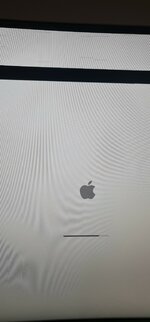
I think I got rid of OCLP (OpenCore Legacy Patcher). But now Mojave just doesn't finish installing. gets near the end of installation then corrupt graphics shows on the screen. I think something is up with the mac pro. It did this with my 2TB SATA drive and my 1TB NVME running on a pcie card
 

Attachments

  • 20260304_140404.jpg
    20260304_140404.jpg
    470.6 KB · Views: 11

Destroyer1976

New Tinkerer
Sep 8, 2025
20
1
3
Queensland, Australia
I wasn't counting, but it may've been 3-4 minutes of nothing moving like the photo. Does it matter if I plug the USB drive into the back of the mac pro? The USB drive is currently plugged in the front.
 

phunguss

Active Tinkerer
Dec 24, 2023
588
492
63
57
Stillwater, MN
I wasn't counting, but it may've been 3-4 minutes of nothing moving like the photo. Does it matter if I plug the USB drive into the back of the mac pro? The USB drive is currently plugged in the front.
I would wait at least an hour. Front or back USB should not make a difference. A lot of times with the USB2.0, it seems the machine has frozen. Sometimes I put a piece of blue tape on my monitor just to see if the progress bar is moving. It should take a minimum of 30-45 minutes to do an install, depending on your USB stick and your internal drive speed. One report on reddit said it took the user 7-9 hours.