https://github.com/milagrofrost/imagewriter-pi
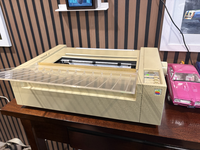
ImageWriter attached to a Raspberry Pi via USB to Serial cable.
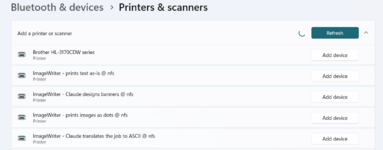
RPi serves a print server and Claude agent. RPi advertises "four" print servers. Just one printer but four different print functions.
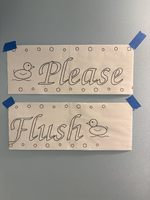
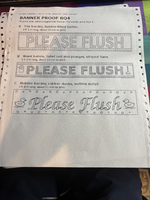
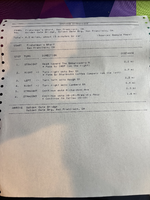
Banner function - You "prompt" it via a print job. In the print job is your text prompt. RPi receives the text prompt "print job" and passes it to Claude. Claude proposes 3 banners and prints them out as a preview. You choose the banner you want by sending a 2nd "print job" that says something like "Print option C" and it'll print the whole banner for the third option.
Raw text mode - only text, no images allowed.
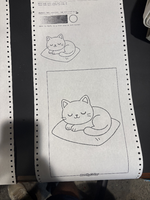
Image printing as dots - no changes to the print job, just print as it arrives and use dots to make the page
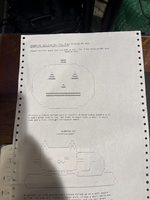
Translate to ASCII - Claude takes the print job and turns images to ASCII art and/or takes tables and other formatting to turns them into straight ASCII.
Video Demo:
ImageWriter attached to a Raspberry Pi via USB to Serial cable.
RPi serves a print server and Claude agent. RPi advertises "four" print servers. Just one printer but four different print functions.
Banner function - You "prompt" it via a print job. In the print job is your text prompt. RPi receives the text prompt "print job" and passes it to Claude. Claude proposes 3 banners and prints them out as a preview. You choose the banner you want by sending a 2nd "print job" that says something like "Print option C" and it'll print the whole banner for the third option.
Raw text mode - only text, no images allowed.
Image printing as dots - no changes to the print job, just print as it arrives and use dots to make the page
Translate to ASCII - Claude takes the print job and turns images to ASCII art and/or takes tables and other formatting to turns them into straight ASCII.
Video Demo: