InventoryDifferent - Managing your vintage device collection

wottle

Active Tinkerer
Oct 30, 2021
875
612
93
48
Fort Mill, SC
I've been collecting vintage Apple hardware for a few years now and kept running into the same problem: nothing out there really fits how collectors actually think about their stuff. Spreadsheets are clunky, generic inventory apps don't seem to capture the types of things I care about in my collection and don't streamline my workflow like I'd prefer, and most tools assume you're a business tracking assets, not someone who just wants to know where they put their Macintosh SE or whether they'd replaced the caps in it.

So I built one. It's called InventoryDifferent and I'm looking for people to kick the tires before I announce it more widely.

What it does:
  • Track your collection with photos, notes, maintenance logs, and condition history
  • Works across a web admin dashboard, a public storefront (if you want to sell), and a native iOS app
  • Ships with 280+ pre-built device templates for common Apple hardware, so you're not typing "Motorola 68000" from scratch every time
  • Has an AI chat assistant that can answer questions about your collection ("which of my machines haven't been powered on in over a year?")
  • Supports English, German, French, and Spanish, for now
  • Custom fields let you track whatever matters to you that isn't built in
  • Only a name and category is required to add a device. Fill in the rest as you go or need
  • Asset tagging for devices and locations with a scanner built into the iOS app and web app for quick device lookups (can also scan serial number bar codes)
It's self-hosted via Docker, so your data stays yours. Setup takes about 5 minutes if you're comfortable with a terminal or have a helper like portainer.

I built this primarily for my own use, but designed it to be useful for a range of collectors -- not just Apple, and not just computers. Whether you track 10 machines or 500, it should scale reasonably well.

If you want to give it a try, the repo and setup instructions are at [github link]. I'd genuinely love feedback on what's missing, what's confusing, or what doesn't match how you actually manage a collection.

Availble now in GitHub: https://github.com/wottle/InventoryDifferent2

Thanks for taking a look. And if you do install, let me know what you think. What doesn't make sense, what could be optimized, what is missing, etc.
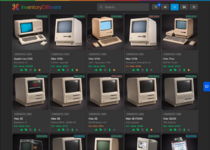
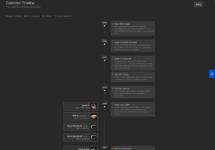
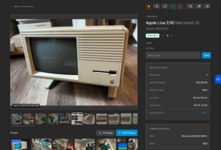
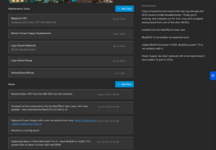
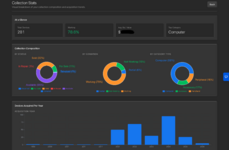
Main_List_Page.png Time_Line.png Device_Details_Screen.png Device_Tasks_And_Notes.png Collection_Stats.png

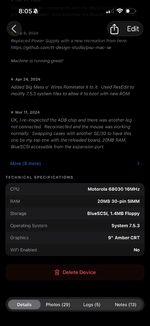
I also recently re-designed the iOS device detail screen to look a bit nicer, while adding quick buttons for transitioning a device in its "lifecycle" (e.g. from "For Sale" to "Pending Sale" or "Sold".
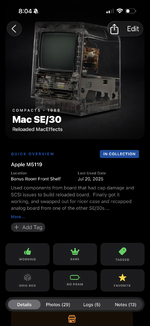
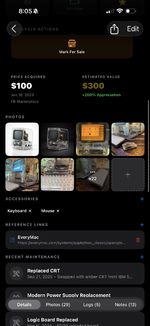
IMG_6669.png IMG_6670.png IMG_6671.png
 

wottle

Active Tinkerer
Oct 30, 2021
875
612
93
48
Fort Mill, SC
Like some others, I’ve been dabbling with Airtables, but I love the idea of something purpose built for our hobby. I’ll check this out. Thanks!
Yeah, I had air tables, but I feel like some of the things I did most frequently were kind of a hassle, and I also didn't like it being a SaaS. I have too many images to use the free tier, and even if I could have squeezed under the limits, there's the uncertainty of knowing it could shut down at any time, or raise the rates, etc. I prefer something I manage and can grow without concerns over cost. But hopefully I can keep improving it into something others can use to keep tabs on their collection. I've got some other ideas for improving the app and building other services around it to augment the whole experience, but I need to wrap up my work on this first.
 

wottle

Active Tinkerer
Oct 30, 2021
875
612
93
48
Fort Mill, SC
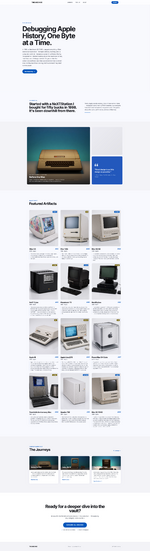
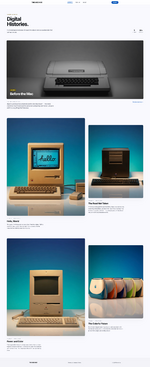
One of my goals was to be able to show off my collection in a way that is a bit more narrated than a list of devices with photos and specs, etc. So I added another docker container to host a showcase for your app. It's slightly customizable, but fairly limited at the moment. It allows you to create "journeys" with chapters that allow a bit of story-telling around the devices you have. I basically threw together some sample journeys just to test the functionality and there's still a decent amount of tweaking I need to complete, but it's started.

If you want to check it out and provide feedback, you can see my instance at https://thearchive.inventorydifferent.com/

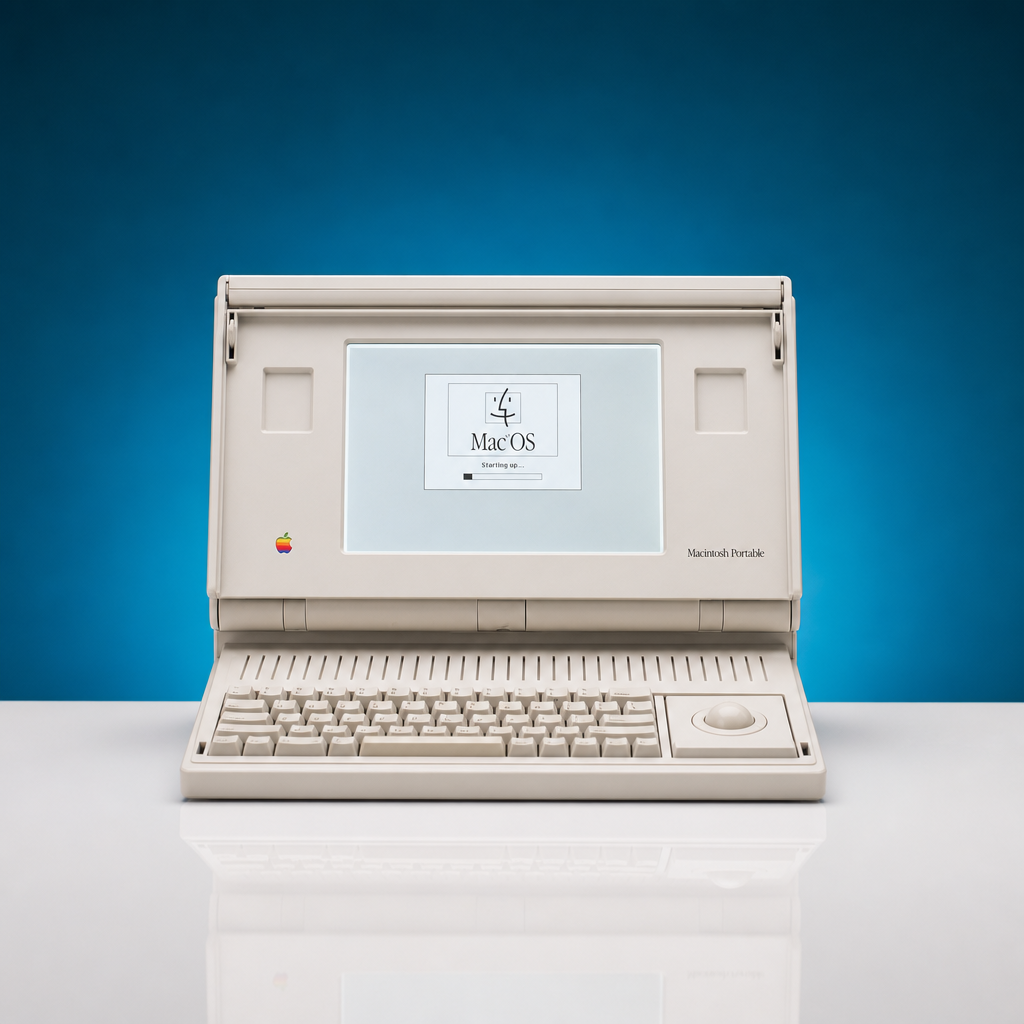
I need to make a good space for taking professional looking product shots for my devices, but for now I used the AI image generation in the app to try to make the somewhat consistent.


The Collection.filled.png The Collection-Journeys.filled.png

Curious on everyone's feedback on this. I plan to go back and create better journeys once I get all the kinks worked out. I also need to verify the data I have on my devices because I'm sure I've entered some wrong, relied too much on search, etc.
 

wottle

Active Tinkerer
Oct 30, 2021
875
612
93
48
Fort Mill, SC
And now I am so curious what happened to InventoryDifferent1 😂
Ha, it was my first attempt and I decided to scrap it and work from scratch. I may have some conversion code in there that was used for me to migrate from the old system to the new. I shared screenshots of it back on another post.

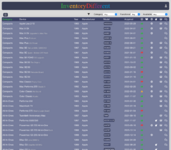
ZZZScreenshot 2024-01-22 at 3.49.05 PM.png

Looking back now, the design (I was trying to go for a retro aesthetic) does look like it was built in the late 90's. Unfortunately, it looks like it was built in the late 90's by a 10 year old.
 

wottle

Active Tinkerer
Oct 30, 2021
875
612
93
48
Fort Mill, SC
Been adding some new features based on feedback across various forums.
  • Added multi-language support in the showcase app.
  • Added the ability to import from a CSV, as well as export to a CSV.
  • Added the ability to add relationships between devices that are bi-directional (e.g. Color Classic <contains> Apple IIe Card, Apple IIe <installed inside> Color Classic).
  • Added ability to export / import the showcase data.
  • Cleaned up the iOS app navigation a bit
  • Made enhancements to the financials area to show a monthly / annual spending chart.
Going to try to make a short video showing the system in action to demonstrate what it can do. Also trying to think of ways it can be more community focused. I think some may love to just have the isolated system for managing their collection, but I'm thinking maybe some shared server that could be used to curate information about more devices so that when adding a device, it could have a more robust, community driven set of data about devices. I added several hundred pre-packaged templates, but maybe moving the templates to a shared server that could be kept updated would be a better approach, with users able to create their own one-off templates for their own needs.
 

wottle

Active Tinkerer
Oct 30, 2021
875
612
93
48
Fort Mill, SC
Great job @wottle. It was a breeze to install and get it up and going. I got Claude to help import my files from a rudimentary google doc inventory. Looks good.
Awesome! Glad it installed well. Let me know if you find any bugs!

It's funny you mention Claude because I've had others ask me why it was InventoryDifferent2 - it was previously a system I had built a few years ago that was not particularly well built, and was limiting in how easily I could make changes. So when I built the new version, I had to migrate my data over. Because I had hundreds of devices and a couple thousand images, I didn't want to only import the metadata and have to re-upload all the images, so I used Claude to write the migration script for me, using the REST APIs of the old system to extract everything, then pushing them to the new collection with the new GraphQL APIs. It is incredibly helpful for those types of tasks. I have also enjoyed using Claude with the MCP server to ask things about my collection. It gets it right most of the time, and can even help with bigger questions like "What set of devices should I cover nest for the showcase and what would the story be?".
 

RetroViator

Tinkerer
Oct 30, 2021
132
160
43
retroviator.com
First, let me say that I'm a novice with Docker, so I'm sure I'm missing something obvious.

I was able to get the project running on my Synology NAS, and I can access the site at https://myipaddress:3000, but when it loads, there is a spinning command symbol saying it is loading my devices, and if I click on any link I get a spinning circle. It does not ask for a password, though I set one in YAML configuration.

UPDATE: After writing the message above, I went back to the tab, and saw a login screen asking for my password. I supplied it, and it spun for a long time, then said it was unable to connect to server. It's acting like its on a very slow network.

UPDATE 2: It hit me that the problem was likely the Synology firewall. Sure enough, I needed to allow the docker ports through the firewall (4000, 3000, 3001), which means those ports are now open to the Internet. I didn't think about the firewall at first because I'm on my local network, which is set to allow all. In any case, the spinning stopped, but I got the following: "Error: Invalid `prisma.device.findMany()` invocation: Can't reach database server at `postgres:5432` Please make sure your database server is running at `postgres:5432`."

So, this told me to open port 5432. After I did so, I got the following: "Error: Invalid `prisma.device.findMany()` invocation: Authentication failed against database server at `postgres`, the provided database credentials for `inventory` are not valid. Please make sure to provide valid database credentials for the database server at `postgres`." I did set a postgres password in the YAML config, but I guess I don't know where to enter it now.

UPDATE 3: After spending more time on this, I noticed that the docker-compose.prod.yml configuration is recommended for NAS installs, but that requires a Traefik install, and since I don't know what that is, I'll pass on that one. I'm closing the firewall ports, especially 5432, and I think the problem is the way Synology Container Station set this up through the GUI.
 
Last edited:

wottle

Active Tinkerer
Oct 30, 2021
875
612
93
48
Fort Mill, SC
First, let me say that I'm a novice with Docker, so I'm sure I'm missing something obvious.

I was able to get the project running on my Synology NAS, and I can access the site at https://myipaddress:3000, but when it loads, there is a spinning command symbol saying it is loading my devices, and if I click on any link I get a spinning circle. It does not ask for a password, though I set one in YAML configuration.

UPDATE: After writing the message above, I went back to the tab, and saw a login screen asking for my password. I supplied it, and it spun for a long time, then said it was unable to connect to server. It's acting like its on a very slow network.

UPDATE 2: It hit me that the problem was likely the Synology firewall. Sure enough, I needed to allow the docker ports through the firewall (4000, 3000, 3001), which means those ports are now open to the Internet. I didn't think about the firewall at first because I'm on my local network, which is set to allow all. In any case, the spinning stopped, but I got the following: "Error: Invalid `prisma.device.findMany()` invocation: Can't reach database server at `postgres:5432` Please make sure your database server is running at `postgres:5432`."

So, this told me to open port 5432. After I did so, I got the following: "Error: Invalid `prisma.device.findMany()` invocation: Authentication failed against database server at `postgres`, the provided database credentials for `inventory` are not valid. Please make sure to provide valid database credentials for the database server at `postgres`." I did set a postgres password in the YAML config, but I guess I don't know where to enter it now.

UPDATE 3: After spending more time on this, I noticed that the docker-compose.prod.yml configuration is recommended for NAS installs, but that requires a Traefik install, and since I don't know what that is, I'll pass on that one. I'm closing the firewall ports, especially 5432, and I think the problem is the way Synology Container Station set this up through the GUI.
Hey, you don’t need to have traefik for the docker-compose install. The docker-compose.simple.yaml will install all the containers in such a way that the components can talk to each other without exposing the sensitive components to the outside world.

Traefik is a docker container that allows you to easily support https with a custom domain, doing all the certificate management for you. If you only plan to have the web app accessible on your own network, with http, it wouldn’t be needed.

However, if you just installed each container as an independent docker container, you would end up needing to expose each component’s port on your NAS. No need to also export those ports externally through your internet router.

It sounds like I probably need to improve the documentation to make that more clear. Appreciate the feedback!