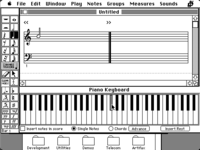
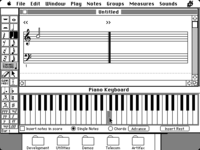
ThinkC digesting MIDI in with C on 68k macs - video

  • Board Nominations
    Nominations have now closed and the results are available here.
  • Hey Guest, MARCHintosh 2026 is upon us. Check out community projects, join GlobalTalk, and have fun!
Relating to ThinkC Development

Mu0n

Active Tinkerer
Oct 29, 2021
676
642
93
Quebec
www.youtube.com
[The full video I'm working on will be pasted here when it's ready]

If you feel like this thread looks like a previous one I made, then you're right. I made a separate post for MIDI out, but this is about MIDI in.


Quick difference primer:

MIDI out: the mac produces MIDI out commands through code or through parsing a standard midi file, sends them on a specially tweaked serial port and it goes to a MIDI module, oftentimes passing through a mac serial MIDI interface first.

MIDI in: an external device sends its MIDI commands to the mac's specially tweaked port, often through a mac serial MIDI interface first and pure code has to interpret the MIDI commands and what to do about them.

That's where I come in with this thread. Here are the milestones I've accomplished as I try to push this into a finished application, launched for #MARCHintosh 2026 before the end of the month.


Goals achieved:

* Figure out if a command is a Note On or Note Off event
* Dispatch it back on on the same serial port as a MIDI out event, driving a MIDI module like the Roland MT-32, or Sound Canvas, or any MIDI device that can deal with those (including other computers...)
* Dispatch it to drive a monophonic square wave synth of the old Sound Driver (System 6 and below)
* Dispatch it to drive a polyphonic arbitrary 256-byte defined wave of the four-tone synth of the old Sound Driver
* Dispatch it to drive a monopĥonic free form wave synth of the old Sound Driver. These can be found in aiff files, or snd resources. (1)
* (accomplished March 11th) Leave the crude text-only console-like application and make a "Macintosh" application with a simple GUI.

Goals left to be achieved:

* Programatically mix multiple freeform waves together to create polyphony - a goal of 6 simultaneous sounds would be good and imitate Studio Session's technology
* Load up arbitrary sound files, including Studio Session instruments
* A piano graphics that highlights notes being played in real time
* Add a typing keyboard scheme for those who can't use or don't have MIDI in gear

Long term goals (past March 2026 probably)

* Create a simple looping system; record loop one by one; tweak with quantization; play them back and layer new sounds over it


Notes:
(1) There is a requirement for freeform waves as you have to provide what musical note the sound file should be associated with, so that it can be properly placed on a standard piano layout for its default pitch.
 
Last edited:

Mu0n

Active Tinkerer
Oct 29, 2021
676
642
93
Quebec
www.youtube.com
The GUI elements are going along well, I zeroed in on using a standard WindowPtr and just populating it with GetNewControl one by one, it felt easier than doing it as a Modal dialog.

This is the About screen, collab with Japhy Riddle who provided the graphic of the jar in flames.

1773407111581.png
 

Mu0n

Active Tinkerer
Oct 29, 2021
676
642
93
Quebec
www.youtube.com
My current wish is to reverse highlight the note graphics as they are interacted with and i thought I'd make a Code Resource of a note shape in a rectangle. I read and tried to dig in these materials:

* Original Inside Macintosh vol 1
* Later inside macintosh : control manager
* Think C primer vol 1 and 2
* Ultimate Mac Programming

None carry you all the way with all the steps needed in both ResEdit and Symantec C++ 6.0 which I'm using.

I know I have to:
* Set the project type to code resource
* Set the signature type to either CODE or CDEF
* Set the main function as pascal long main
* Deal with a switch with a short variable to deal with all cases associated with controls
* Add the built resource to my main project's resource fork either as a CDEF directly or a CODE
* Use a ControlHandle with a procID of 16*CDEF_id + variantNb

After all is said and done, I should have 7 rectangles representing my crude octave (white notes only for now) but all I get is a large rounded rectangle surrounding the area I wanted my first test in, as if it reverted to a single normal button.

Questions:
1) must I build a CODE and then resedit-make a CDEV with 0000 0080 (to link it to is 128) or do I build a CDEV directly?

2) should I have used empty text labels with programmed click behavior and bypassed all this mess instead to get my rectangular shapes? And call a FrameRect on their updating?
 

Mu0n

Active Tinkerer
Oct 29, 2021
676
642
93
Quebec
www.youtube.com
If I bypass custom controls completely and do my own mouseDown and mouseUp event detection, and mathematically figure out what rectangle to invert based on the MIDI note value, I can sorta do what I want with InvertRect.

I just tested it on real hardware and so far, the amount of logical tests isn't enough to make it noticeably slow. It's still very snappy indeed.
It would be a pain to do the whole white note around the black ones, which was the whole point in the beginning to do these as custom CDEF and let the Control Manager deal with all that. I'm still very interested to learn how to do it.

1773603789295.png
 

Mu0n

Active Tinkerer
Oct 29, 2021
676
642
93
Quebec
www.youtube.com
huge milestone, FINALLY cracked this real time note shading while I play with either:

-mouse
-regular keyboard
-midi keyboard

this is using a custom, heinously complicated CDEF control resource that can be reused in any project. Just load it with a LoadResource and...a few steps, but it's very reusable. I tried to use control "hilites" but got nowhere for a week. It's all stashed inside a big ol' struct for all its data, anchored in its contrlData Handle.
 

Attachments

  • real time note gfx.mp4
    2 MB · Views: 0

sunvalleylaw

Tinkerer
Jan 7, 2026
59
64
18
Subscribed to this now and will read and watch through. I have bought a bunch of MIDI stuff to use with my new and vintage Macs, and can make some of it work but mostly through trial and error and don't really know what I am doing yet, so this thread looks really useful. Thank you.
 

joevt

Tinkerer
Mar 5, 2023
257
103
43
Looks great.

White keys with no black keys or with only one black key have their entire area hilited.

White keys with black keys on both sides only get their bottom half hilited. I suppose that can't be helped if the black keys are only two pixels apart. I can't tell how far apart they are in the video.
 

Mu0n

Active Tinkerer
Oct 29, 2021
676
642
93
Quebec
www.youtube.com
I pre calculated the Regions for all keys, and did an Inset so that they keep a border when their visual is toggled. Then, i stashed them as an array, tucked in the piano controller's contlData field, which I declared as a Handle to all that data. I stashed a struct actually, but that handle to an array is one of the struct's elements.
 

thecloud

Tinkerer
Oct 2, 2025
42
44
18
Maybe you can use a 50% or 75% gray pattern for the highlight, so it's easier to see whether black keys are held down? Inverting them to white looks odd when I'm looking for a chord pattern consisting of mixed white and black keys that visually reads the same. Just a thought.

This project looks amazing! Great progress. Are you still planning to have it use Studio Session instruments? :)

I recently found my Apple MIDI adapter box, so am also looking forward to this as a future user, but getting it all connected up is a post-MARCHintosh project for me.
 

Mu0n

Active Tinkerer
Oct 29, 2021
676
642
93
Quebec
www.youtube.com
Maybe you can use a 50% or 75% gray pattern for the highlight, so it's easier to see whether black keys are held down? Inverting them to white looks odd when I'm looking for a chord pattern consisting of mixed white and black keys that visually reads the same. Just a thought.

This project looks amazing! Great progress. Are you still planning to have it use Studio Session instruments? :)

I recently found my Apple MIDI adapter box, so am also looking forward to this as a future user, but getting it all connected up is a post-MARCHintosh project for me.

Hey, that's a cool idea. Check it out.

Yes, I can already load 'snd ' files and I plan to do the whole Studio Session instrument files. That's a bit more complex since you have an intro part, then a loop interval and a decay part. Shouldn't be too hard.


1774585585581.png


btw, "getting it all connected up" is absolutely easy. There's no software needed if you steer clear of System 7.5+ era Macs and go older.

Mac's modem serial port ---- Apple MIDI interface ---- MIDI in to your midi piano, MIDI out to an external midi module

Software that don't need MIDI drivers, nor system extensions: cubase 2.5, space quest III, Master Tracks Pro and.....my upcoming FireJam
 

thecloud

Tinkerer
Oct 2, 2025
42
44
18
Hey, that's a cool idea. Check it out.
That looks good. I still agree with @joevt that the insets need tweaking a bit. There is a white line where the white key touches the black keys. If you keep that, then maybe that white line should go all the way around the inside border of the key?

btw, "getting it all connected up" is absolutely easy. There's no software needed if you steer clear of System 7.5+ era Macs and go older.
Yes, that part's easy. The hard part is finding space for a setup. My MIDI keyboard and stand are in storage with access blocked by large heavy items. I also need to use a machine with a mini DIN-8 serial port, which rules out my 512Ke unless I can bodge together enough adapters to get there.
 

thecloud

Tinkerer
Oct 2, 2025
42
44
18
here we go, I changed the order to doing the Inset first with pure rectangles, then removing the intersecting black note region last
Ooooh! I like that version!

I was trying to remember where I've seen a similar keyboard, and I think it's the one from Deluxe Music Construction Set. One difference is that they don't bother with the full key region, only highlighting an inset rectangular portion. Your full key highlighting is an improvement. Here's what their highlight looks like for both white and black keys (couldn't find a way to play multiple keys and still take the screenshot!)
 

Attachments

  • dmcs-1.png
    dmcs-1.png
    3.2 KB · Views: 3
  • dmcs-2.png
    dmcs-2.png
    3.4 KB · Views: 3
Last edited:

joevt

Tinkerer
Mar 5, 2023
257
103
43
I wonder if a dark gray pattern would be better for the black keys instead of the 50% gray pattern?
Conversely, maybe a light gray pattern would be better for the white keys?
Maybe those patterns would be too dark or too light?
Or maybe they might have a phase problem that makes different keys look different (if the pattern doesn't align the same with all the keys - which could happen if the keys have a width that is not the same as the pattern, or the pattern position in relation to the position of the key is not the same for each key).