Hey folks, I have been working to get my iMac G4 to a state where I could share it with everyone here, so please give me a moment to introduce いちご大福 (Ichigo Daifuku). When I was in high school, I was becoming so obsessed with Macs (mostly because of the promise of OS X). When the iMac G4 was announced I was completely amazed and I wanted one so badly. But at the time they were only 15" and I already had my big "flat glass" 19" CRT at home. And to make matters worse, these could not do dual display over VGA, only mirroring. So I ended up getting a Quicksilver G4. But I always wanted one of these iMacs and now I have one and ITS AMAZING!
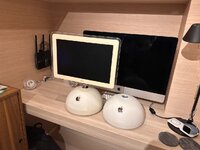
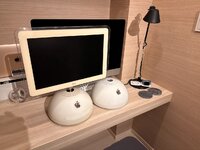
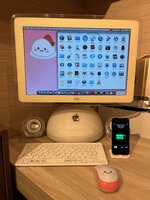
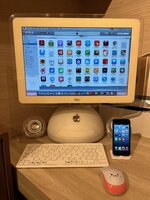
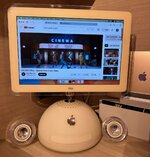
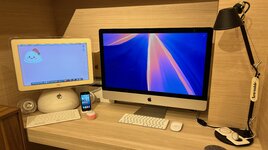
I live in Tokyo and in Japan they call iMac G4's "Daifuku" Macs because they look like the Japanese dessert. My favorite variety is the strawberry kind, thus Ichigo Daifuku is her name. She is a top of the line 17" model (which I prefer over the 20" in terms of looks):
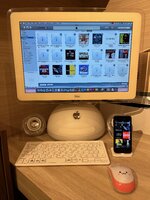
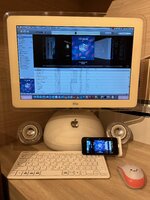
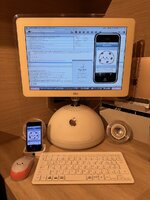
 . Lastly, I spent an inordinate amount of time getting old iPhone app IPAs so I could also manage them in the library and sync them with my iPhone 5.
But the iPhone 5 was tricky because Apple never allowed iPhone 5 and newer to sync with PowerPC Macs. But I found a way to reverse engineer iTunes to defeat this artificial limitation. I wrote a whole blog post on it here. Now I am finally starting to realize my goal of using an iOS6-powered iPhone as my "main" iPhone with my iPhone 13 mini as as a backup in case needed. This isn't a post about iPhones so I will leave it there... but there is a lot more to come.
What do I do with this iMac?
Well besides the above-mentioned retro iTunes setup. I also have a suite of period-correct apps such as:
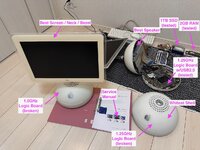
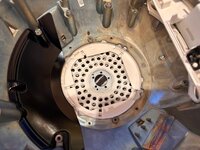
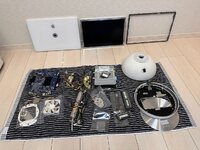
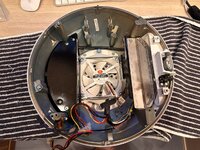
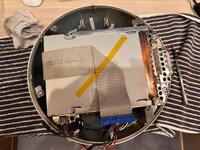
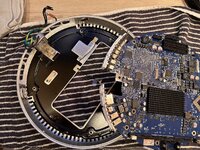
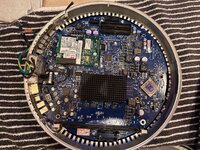
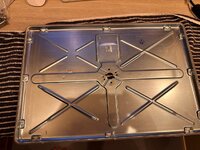
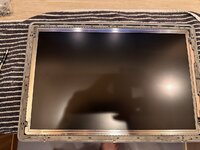
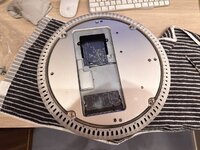
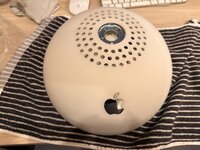
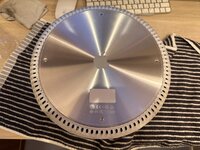
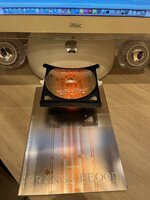
Anyway, this is getting long, in the thread I will leave photos of the full teardown. I cleaned every single surface inside and out before installing the 1TB SSD and new RAM.
I live in Tokyo and in Japan they call iMac G4's "Daifuku" Macs because they look like the Japanese dessert. My favorite variety is the strawberry kind, thus Ichigo Daifuku is her name. She is a top of the line 17" model (which I prefer over the 20" in terms of looks):
- 1.25GHz G4
- 2GB RAM
- 1TB SSD
- SuperDrive
- Pro Speakers
- Firewire 400
- USB 2
- 10/100 Ethernet
. Lastly, I spent an inordinate amount of time getting old iPhone app IPAs so I could also manage them in the library and sync them with my iPhone 5.But the iPhone 5 was tricky because Apple never allowed iPhone 5 and newer to sync with PowerPC Macs. But I found a way to reverse engineer iTunes to defeat this artificial limitation. I wrote a whole blog post on it here. Now I am finally starting to realize my goal of using an iOS6-powered iPhone as my "main" iPhone with my iPhone 13 mini as as a backup in case needed. This isn't a post about iPhones so I will leave it there... but there is a lot more to come.
What do I do with this iMac?
Well besides the above-mentioned retro iTunes setup. I also have a suite of period-correct apps such as:
- iLife '09
- iWork '09
- Adobe CS3 (I actually use this as I have not had Adobe on my main Mac in ages)
- NetNewsWire
- MacTheRipper
- Max Payne
- Starcraft
- World of Goo
- iStat Menus
- Xcode 3 (with iPhone OS 3.1.3 Development Enabled)
Anyway, this is getting long, in the thread I will leave photos of the full teardown. I cleaned every single surface inside and out before installing the 1TB SSD and new RAM.
Attachments
Last edited: