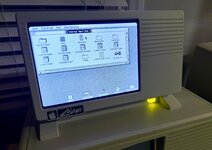
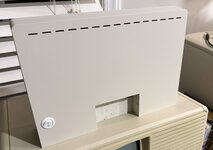
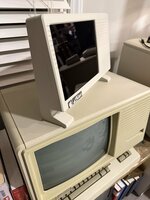
Apple Lisa 3d Case Project

wottle

Active Tinkerer
Oct 30, 2021
937
693
93
49
Fort Mill, SC
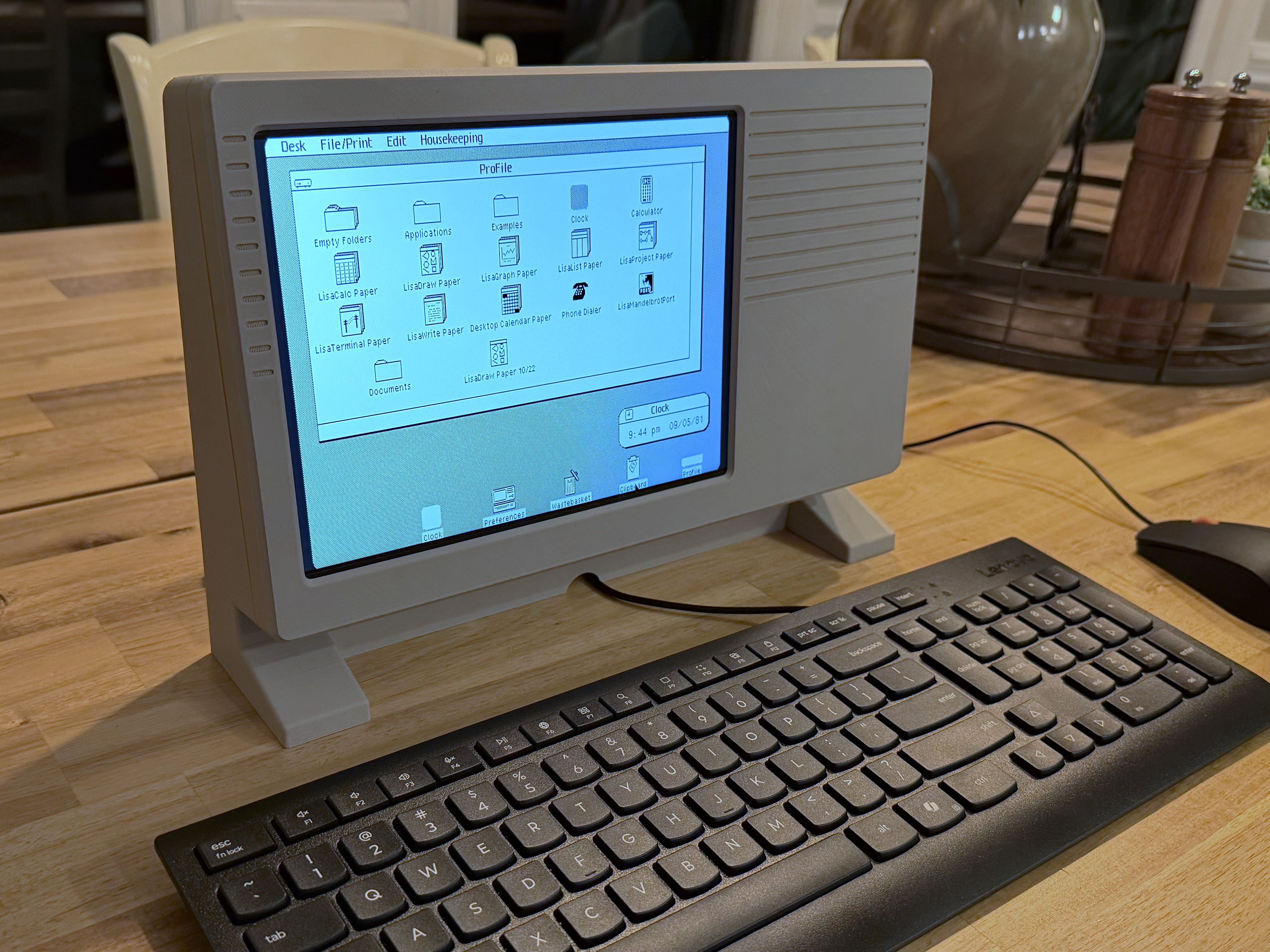
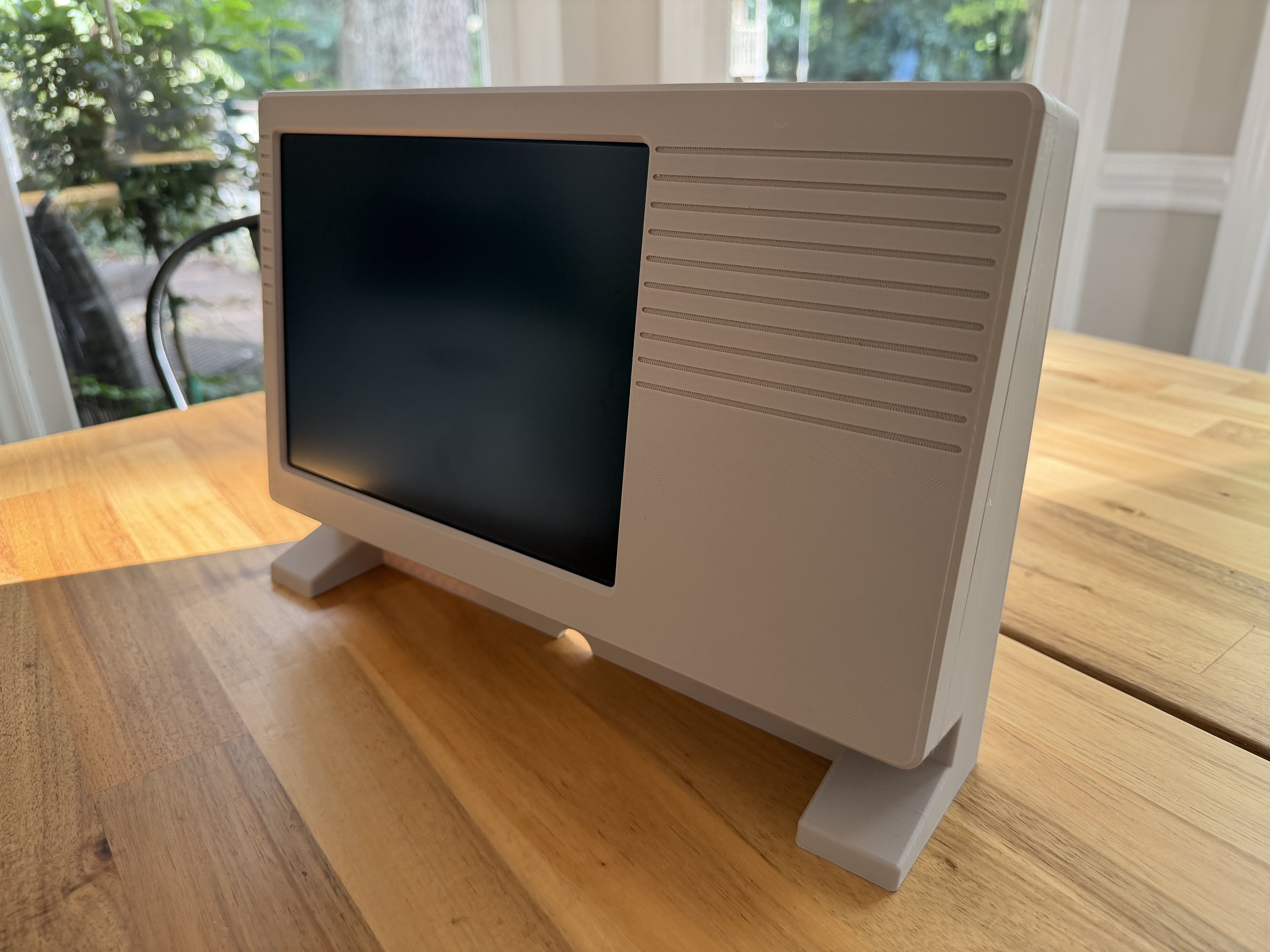
OK, got a replacement LCD controller and this one seems much better. I did, however, change how I was powering everything . I now have it set up with a 12v DVC jack as input, split into two buck converters to drop the voltage to 5v. One to power the LisaFPGA and one to power the new LCD controller board. Unfortunately, the LCD controller board I got has tiny holes for mounting, and I didn't want to reprint the whole front piece to take into account the new LCD controller size and hole locations, so I just used double sided tape to secure it to the back of the LCD panel itself. I may try to add a new model with the mounting in the correct location, but having to mount the controller off to the side seems to put a lot of strain on the flex cable, so I think double sided tape may actually be the best option. I'll try to get a picture of the insides at some point.
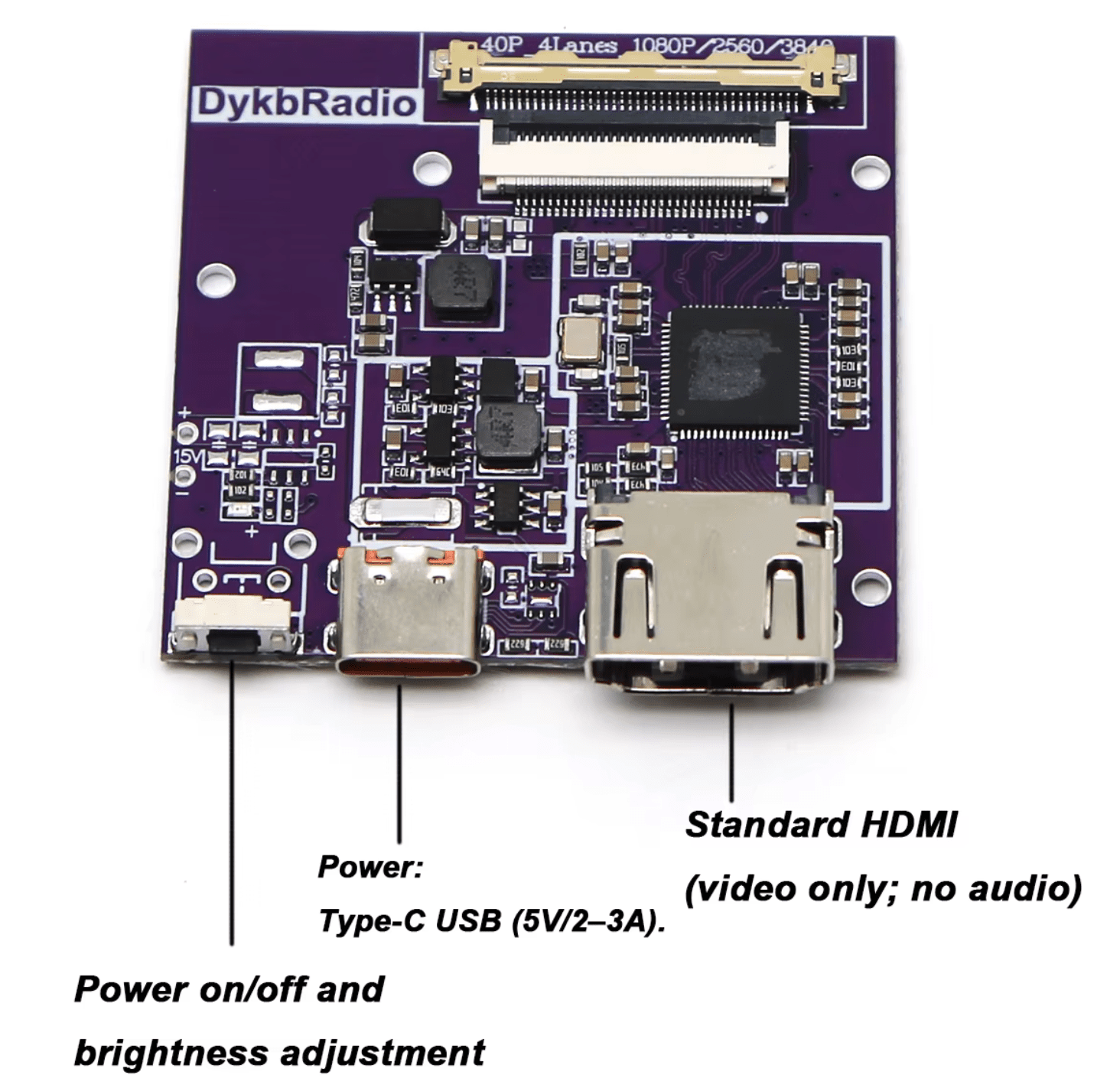
1788730108004.png


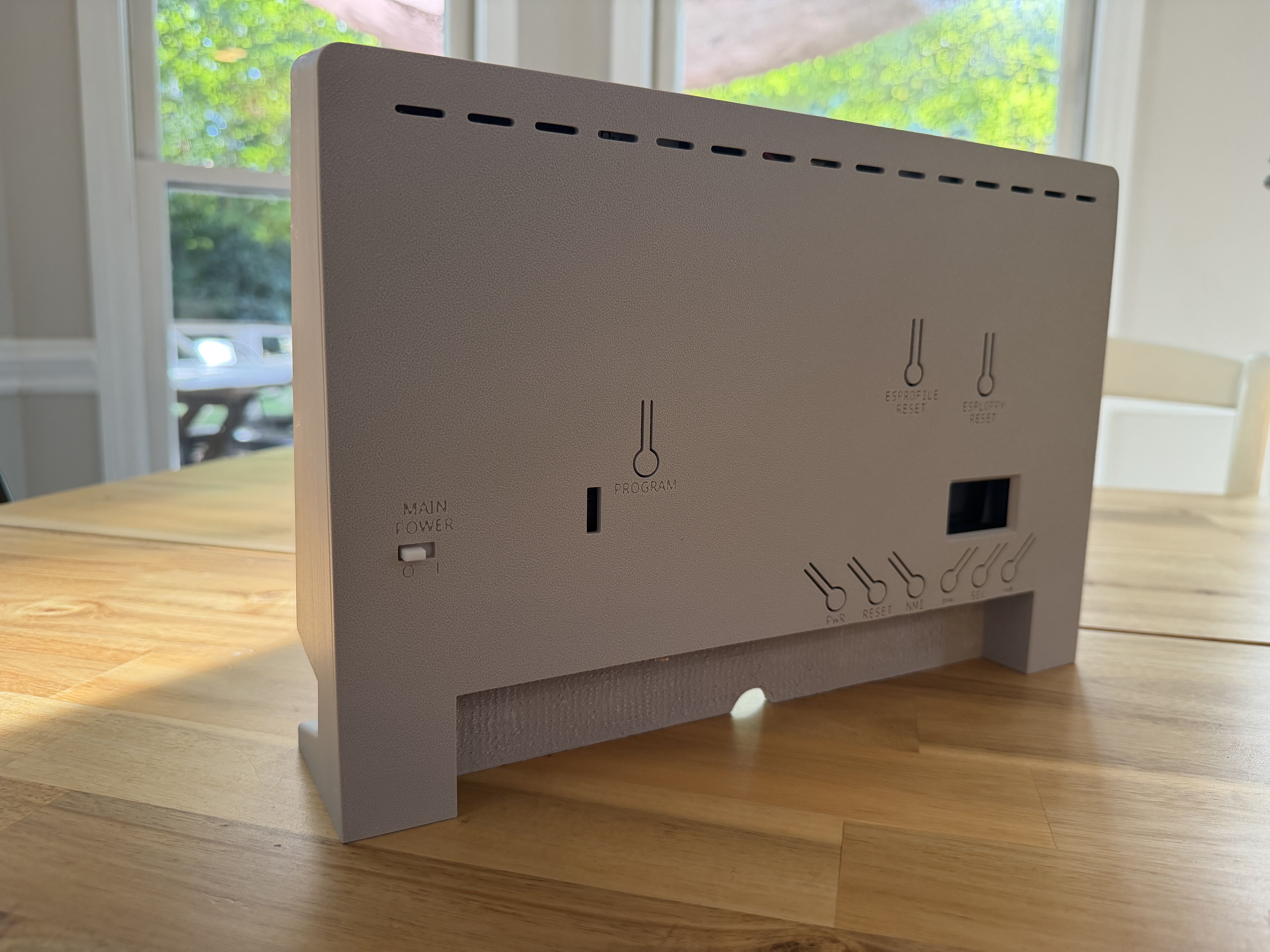
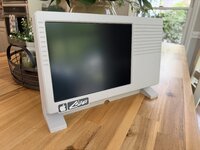
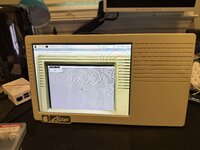
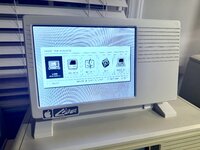
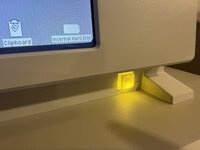
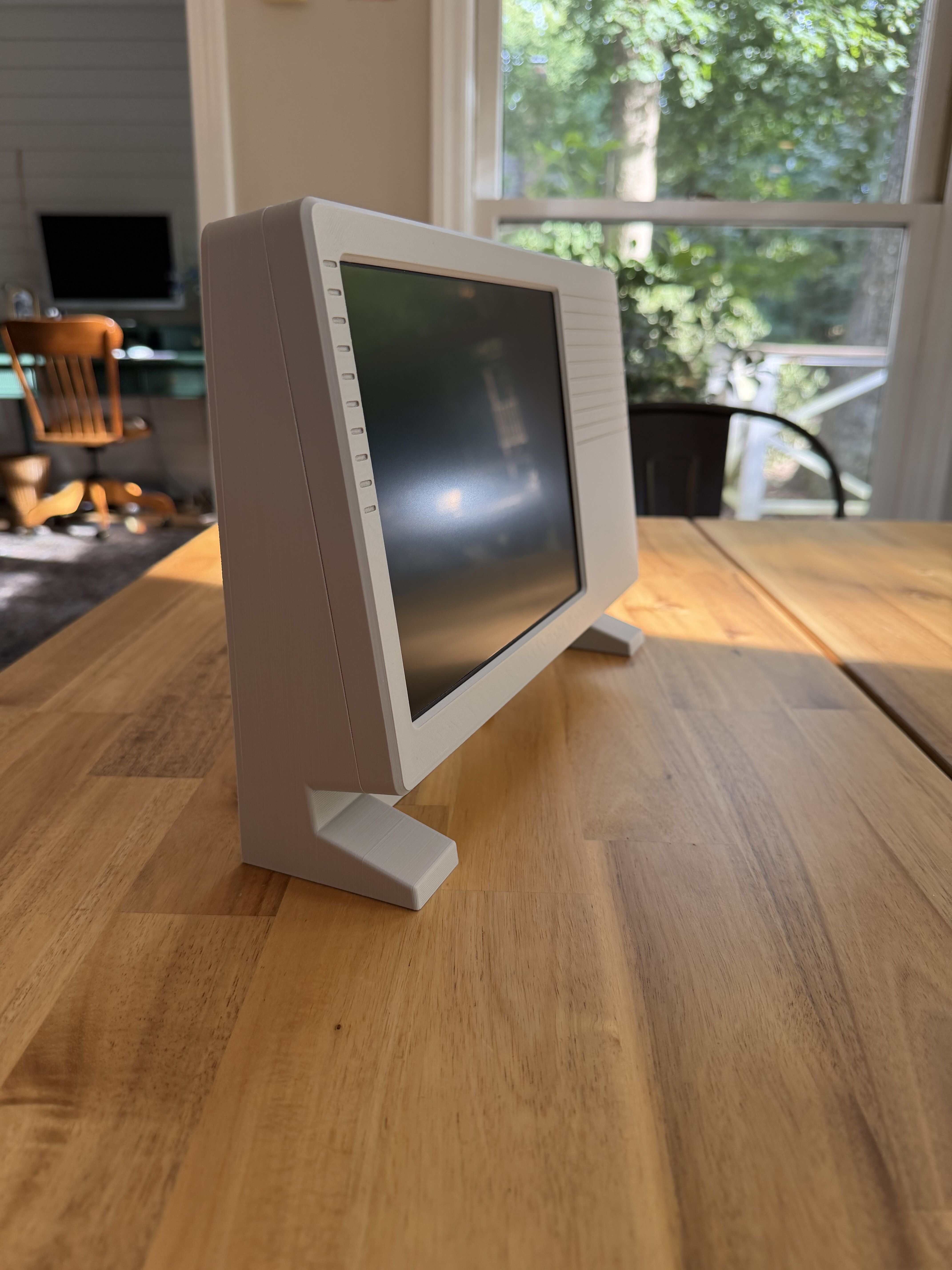
The latest model I printed uses little bumps on the front piece with corresponding indents on the back piece to keep the two pieces together. Seems to hold securely enough, but able to pry them apart if needing to get in side. The back has a power switch for the main power, and integrated button cutout levers for the LisaFPGA buttons. The controller board I was able to get working for this is very simple. It has no breakout board for menu buttons. Just a single button on the controller that supports single press and double press to do different things. But I didn't have to do anything to get it to work, so no plans to make that button accessible from the outside of the case.

I'd really love to get GutBomb's design because his approach to the buttons (they are raised) and the standoffs for the ESFloppy screen to make it sit flush against the case are big improvements over mine. It also uses light pipes to extend the activity LEDs to the surface. But I think the model isn't available - it's only available for purchase from JCM.

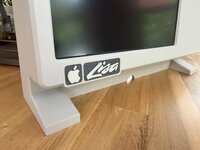
I think I want to try to make a new front with a bump out on the bottom left under the screen with the Lisa Logo. May leave off the Apple for copyright reasons, but I feel like it will be a nice nod to the original. Overall, I really like how it turned out.

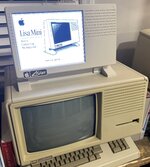
Will also be working on a Raspberry Pi powered on with an iPad LCD running LisaEm at some point. Now I need to figure out how to improve the USB support and get some better matching input devices. Also, want to set it beside my Lisa 2/10 and get some shots of both in action at the same time.
IMG_1379.jpeg

IMG_1383.jpeg
IMG_1384.jpeg
IMG_1389.jpeg
 

Attachments

  • 1788730063084.png
    1788730063084.png
    307.6 KB · Views: 18

JDW

Administrator
Staff member
Founder
Sep 2, 2021
2,829
2,209
113
55
Japan
youtube.com
Wow. That looks pretty nice, and not just the case. The LCD looks quite sharp.

What is the availability and price of that LCD?
 

wottle

Active Tinkerer
Oct 30, 2021
937
693
93
49
Fort Mill, SC
Wow. That looks pretty nice, and not just the case. The LCD looks quite sharp.

What is the availability and price of that LCD?
Yeah, I was pleasantly surprised with the quality. It was ~$50 USD from Aliexpress with a controller board (that I subsequently killed in my efforts to power it from a single 5v USB-C trigger board. So my setup also has a new generic $20 LCD controller added to it.
 
  • Like
Reactions: JDW

JDW

Administrator
Staff member
Founder
Sep 2, 2021
2,829
2,209
113
55
Japan
youtube.com
Never thought I'd be glad to hear its an AliExpress item, but in this new world of our precious vintage Macs being labeled as e-Waste and US Customs now blocking exports to destinations outside the USA, it's nice to know that I, being in Japan, could obtain that LCD without issue. Whew!
 
  • Like
Reactions: wottle

wottle

Active Tinkerer
Oct 30, 2021
937
693
93
49
Fort Mill, SC
Got a pretty cool email this morning. Apparently this design on Thingiverse was put as the first featured design on the main Thingiverse landing page! Not bad for a design that probably has a possible audience of less than 50 people (not sure how many LisaFPGAs total have been sold, but It's a subset of that...
:)

IMG_1468.png
 

wottle

Active Tinkerer
Oct 30, 2021
937
693
93
49
Fort Mill, SC
It's a thing of beauty all right! Still curious about the methods (trials and tribulations) of the LCD image shift.
Honestly, I was able to get the image shifted very easily (and by I, I mean Claude was able to make the change easily) and even the on screen menu that comes up when long pressing the ESFloppy center button. The thing that took me quite a bit of wrestling was saving the location to persistent storage. That part seemed to not work and Claude seemed to struggle getting it to happen. I forget what Claude said the problem was and how it was fixed, but it's all baked into my fork of Alex's GitHub repo.
 

wottle

Active Tinkerer
Oct 30, 2021
937
693
93
49
Fort Mill, SC
OK, I have the case all set up for a Raspberry Pi and an iPad LCD. So yesterday I moved on to what I thought was the easy part, getting the emulators set up.
Sadly, it seems the state of LisaEm on Raspbian is not good. As in, it doesn't work and it doesn't appear anyone is trying to get it to work. I believe ArcaneBytes forked the repo and has done some recent work, but it looks like it is largely to try to get it to work on Mac (and maybe windows. They seem aware of the Debian issue, at least: https://github.com/arcanebyte/lisaem/issues/43

So, has anyone gotten a Lisa emulator to work on a modern Raspberry Pi machine? I know the guy who created the life-sized 3d printed replica of a Lisa did it, but I noticed in one of his pictures the emulator not in fullscreen mode and it appeared to maybe be using the older IDLE emulator.

If I can get this set up, I will be sure to write up a good guide for others who want to do the same thing. Thanks for any help!
 

wottle

Active Tinkerer
Oct 30, 2021
937
693
93
49
Fort Mill, SC
OK, I have the case all set up for a Raspberry Pi and an iPad LCD. So yesterday I moved on to what I thought was the easy part, getting the emulators set up.
Sadly, it seems the state of LisaEm on Raspbian is not good. As in, it doesn't work and it doesn't appear anyone is trying to get it to work. I believe ArcaneBytes forked the repo and has done some recent work, but it looks like it is largely to try to get it to work on Mac (and maybe windows. They seem aware of the Debian issue, at least: https://github.com/arcanebyte/lisaem/issues/43

So, has anyone gotten a Lisa emulator to work on a modern Raspberry Pi machine? I know the guy who created the life-sized 3d printed replica of a Lisa did it, but I noticed in one of his pictures the emulator not in fullscreen mode and it appeared to maybe be using the older IDLE emulator.

If I can get this set up, I will be sure to write up a good guide for others who want to do the same thing. Thanks for any help!
OK, making some progress at getting LisaEm running on a Pi. Seems like on Linux/ARM, chars are unsigned, which was causing the CPU to hang at 100% and cause the boot to fail and segfault. I've been able to successfully get the ROM to fully load and show an image on my Pi!

IMG_2042.jpeg

Now I need to get it to load from a HD disk image. On the first boot, I did get a boot error 45. So trying to track that one down. But excited to make some progress, and hopefully be able to contribute to the AcaneBtye fork to get it working for Debian...
 

wottle

Active Tinkerer
Oct 30, 2021
937
693
93
49
Fort Mill, SC
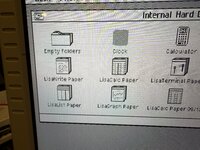
Made some progress on the LisaEm emulator on Linux/ARM (Pi). I got it working now, although it is painfully slow on a Pi 3b. I'm going to borrow a Pi 4 from another project and see if it can perform acceptably. I'm trying to avoid the Pi5 because it is very picky with its power requirements and I'd still like to power this whole thing off one 12v input with a couple of buck converters. Anyway, I made some changes to the emulator to add a new 1024x768 display mode. Originally I tried a "nearest neighbor" approach and the text did not look good (left image), so I switched to use blending and the results are probably as good as I can get (right image)

IMG_2059.jpeg IMG_2062.jpeg

I also fixed a centering bug, fixed an issue with the HQX display mode. I also am going to add a setting to the preferences to delay when to leave full screen mode when the mouse moves to the top of the screen. Trying to avoid dropping out of full screen mode for when using in this scenario - we want it to be as close to a Lisa once you've booted as possible. I also plan on giving the option to boot into Basilisk II if you want.

But here it is, running on a Raspberry PI with a cheap iPad 1 LCD as the screen. I'm adding a rocker power switch in the back so you can leave it plugged in but shut down the LCD and the Pi when not in use. Should be able to publish these soon, but have some work to better support centering the LCD. Also want to get a iPad 3/4 screen with higher resolution to see if I can get better dithering results. So I need to possibly change the case to accommodate that as well.

IMG_2061.jpeg
 

nilobject

Tinkerer
Nov 21, 2023
35
25
18
great work!
where are you up to with the emulator? what can i do to help?
add a raspberry pi pico(rp2040) or esp32 as a "coprocessor" that can do things like turn the lcd screen off for you after a certain amount of time of inactivity, etc. Communicate via serial