BlueSCSI Toolbox

JDW

Administrator
Staff member
Founder
Sep 2, 2021
2,795
2,186
113
55
Japan
youtube.com
#4 Flashing

Click "Auto-Flash" and when it's rapidly flashing it will update the firmware. Rapid flashing is the bootloader waiting to see if you will be flashing for ~2 seconds. Any doc updates are welcome in the wiki.
Eric, using Auto-Flash caused my BlueSCSIv1 to become non-functional.

I will send you a PM with a video and other details.
 

eric

Administrator
Staff member
Sep 2, 2021
1,283
2,257
113
MN
bluescsi.com
Updated to 1.0.2 - Few bug fixes.

Notable new feature that required no code changes is the SD Transfer app now works in the Snow emulator's bleeding edge build! I actually prepared the 1.0.2 release inside of Snow.

Changes
1.0.2 - 2025-09-29
- Fix issue with 0 byte files
- Fix issue with logo not appearing on some systems
- Fix apps not quitting on shutdown or restart
- Fix handling file names exactly 32 chars long
1.0.1 - 2023-11.12
- Fix issue with only 13 files being listed in CD and Transfer.
1.0.0 - 2023-10-12
- Initial Release

1759154097456.png
 
Last edited:

Blinkz

New Tinkerer
May 5, 2025
5
11
3
Hello there.

I have a question quick regarding the 1.0.2 release. Is there any additional prerequisites needed? I have three Mac SE/30's running internal and external BlueSCSI's and I found that on the latest release that System 7.1 reports an Error Type of 1 or bus error when ran on 7.0.1. When I go back to using the 1.0.1 Toolbox I have no errors and the applications work properly. Debug shows that it sees files in the Shared folder and the app starts to run but then quickly throws the messages listed above.

Let me know if there is anything else I can do to troubleshoot further.
 
  • Like
Reactions: JDW

eric

Administrator
Staff member
Sep 2, 2021
1,283
2,257
113
MN
bluescsi.com
Odd there's an issue between 1.0.1 and 1.0.2 as the changes are pretty non-invasive. I'm working on a v1.1.0 now and will test it on my SE. I'll post a preview build here when ready if a few people want to try it when it's ready.
 

mmaseda

New Tinkerer
Dec 16, 2025
26
1
3
Trying to use the Bluescsi toolbox for the first time. I have a V2 external with the latest version of the firmware and toolbox and am running MacOS 7.1 on a Mac SE. I have a folder on root of the SD card called named shared where I have several files. When I launch the transfer app I get a ‘No compatable BlueSCSI’s found’ error. CD switcher app works fine. Any ideas what I might be doing wrong?

Manuel
 

eric

Administrator
Staff member
Sep 2, 2021
1,283
2,257
113
MN
bluescsi.com
Great! Thanks for the feedback. I'll add the 1.0.2 back to the page and take a closer look at why the beta is failing (thats why it's a beta!)
 
  • Like
Reactions: JDW

eric

Administrator
Staff member
Sep 2, 2021
1,283
2,257
113
MN
bluescsi.com
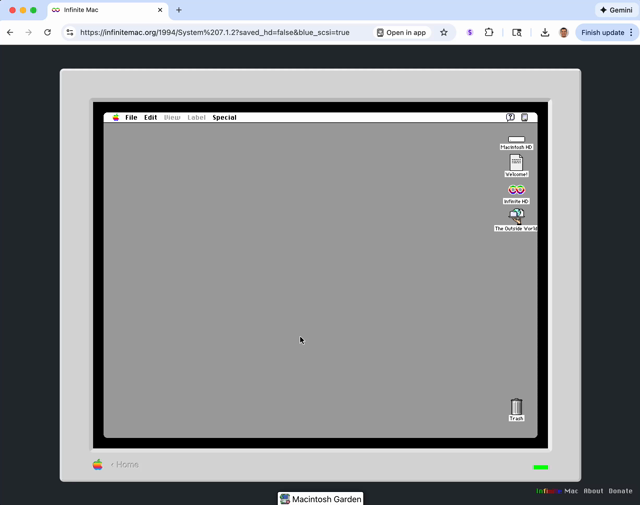
Mihaip and I got BlueSCSI Toolbox working in DingusPPC and now mihaip has it working in Infinite Mac as a way to get files to a machine running dingusppc in IM!


Playing around with adding BlueSCSI Toolbox protocol support to DingusPPC. Though somewhat roundabout, the end result is that you can transfer files in and out of more emulated machine types on Infinite Mac. As a bonus, it also makes the Macintosh Garden library integration work.
It works for the 6100 running 7.1.2 (https://infinitemac.org/1994/System 7.1.2?saved_hd=false&blue_scsi=true), and you can try to enable it for any other machine via the "Customize…" dialog.
Many thanks for @nulleric for @BlueSCSI in general and specifically for fixes to the SD Transfer app and my DingusPPC virtual device (code for the curious: https://github.com/mihaip/dingusppc/commit/6c002e81e58eb336b345bca27973726fd150c139).
 
  • Like
Reactions: Byte Knight

eric

Administrator
Staff member
Sep 2, 2021
1,283
2,257
113
MN
bluescsi.com
Promoted 1.1.0 out of beta and now the current stable release!

Grab it here: https://bluescsi.com/toolbox

New Features
- New application icons by Steve (Mac84) @Mac84 for SD Transfer, CD Changer, and Debug Toggle
- MiSTer device support
- Directory navigation - open subfolders on the device, ".." returns to the parent
- Double-click a file in the list to download it
- About box shows the connected device's firmware version
- Upload Firmware menu item (disabled when device firmware lacks support)
- App runs in the background under MultiFinder
- Automatic MacBinary encoding/decoding of files with resource forks
- File sizes shown in the file list
- Type-ahead support in the file list
- Device capabilities detection

Improvements
- "File N of M" progress
- Faster uploads - larger buffers and multi-block writes
- Progress bar while decoding MacBinary files
- Faster SCSI transfers - larger buffers, better SCSI Toolbox API usage

Bug Fixes
- Crash on locked disks - write-protected volumes detected at startup
- Downloads truncated at 4096 bytes - transfers track bytes actually delivered
- Cursor disappearing after download on System 6
- Crash on System 6 from System 7-only traps
- Crash during file type detection in the FAF module
- Apple Menu behavior
- Snow device logo identification
- Upload buffer issues with buffered transfers

Preview of Steve's Icons:

1787238881199.png