How to build the ultimate BlueSCSI Compact Mac images - complete with games and apps?

  • Board Nominations
    Nominations have now closed and the results are available here.
  • Hey Guest, MARCHintosh 2026 is upon us. Check out community projects, join GlobalTalk, and have fun!

GreenBar0n

Tinkerer
Dec 22, 2025
91
53
18
East Bay Area, CA
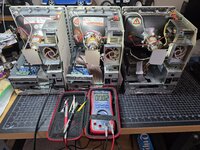
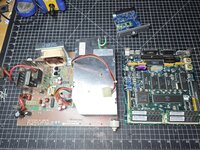
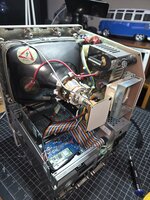
I have no other Mac's, except (2) SE's that were given to me, and (2) SE/30's that I bought and repaired. Was a Commodore and Windows kid from long ago, so Mac is new to me.

I was able to build the OS's with BlueSCSI - 7.5.5 for the SE/30's, and 7.0.1 for the SE's - thanks to this excellent video:

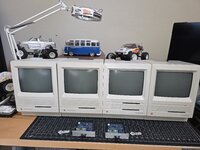
I now have (4) BlueSCSI v2 desktop's and want to fill each of the OS's with games and apps, but am having trouble copying over the .SIT files from Macintosh Garden.

I was hoping to use the BlueSCSI Toolbox and Basilisk II to drag and drop the .SIT files, but I keep getting an error when I drag the .SIT files in to the emulator. I do have Stuff it Expander installed on the emulator and Mac's.

What's the best way to copy over a lot of these games and apps, with the intention of making them available on (4) BlueSCSI SD cards for the Mac's, if I only have Windows and Basilisk II?

Thanks!
 

Attachments

  • 20260419_110509.jpg
    20260419_110509.jpg
    1,006.6 KB · Views: 11
  • 20260124_122611.jpg
    20260124_122611.jpg
    1.9 MB · Views: 12

Mark_W

New Tinkerer
Feb 2, 2026
11
8
3
I use minivmac if the source file is a floppy image. It emulates a black and white 68k mac (plus iirc) so not the fastest emulator to work with, but on the plus side you can accelerate it and make file operations much faster.

For sit files I use basilisk II or sheepshaver and enable the option "Enable my computer icon on your mac desktop":
1776625754434.png


it will mount a shared folder on the desktop where i put sit files to be copied over:
1776625648847.png


You can't drag and drop sit files into the emulator like vmware. Btw extract the sit file in the emulator first then copy the extracted content to your bluescsi image, you don't want to extract them on a 68k mac which could take ages..
 
  • Love
Reactions: GreenBar0n

GreenBar0n

Tinkerer
Dec 22, 2025
91
53
18
East Bay Area, CA
Thanks! I was trying to drop a folder containing many games and apps in .sit form, all at once. Sounds like I need to go one at a time.

Basilisk II does recognize that I'm dragging a file in to the emu, but then tries to make a disk out of it. I'll try this all later tonight when I return.

Thanks again for the reply.
 

GreenBar0n

Tinkerer
Dec 22, 2025
91
53
18
East Bay Area, CA
This is the step I was missing, and is exactly what I was trying to do to be able to move the entire Games folder over to Bailisk II, thanks so much for this!

1776625754434-png.27971


I dragged the the entire Games folder from Windows 'This PC' to Bailisk, then deleted the Games folder in Basilisk - even emptied the Trash - after deciding to fix the organization; I then realized that the Games folder was moved from 'This PC', and not copied, so I deleted my entire collection of Mac games. Will have to start over, but now I know what not to do.

Thanks again!
 

GreenBar0n

Tinkerer
Dec 22, 2025
91
53
18
East Bay Area, CA
Got the games copied over and working, I think I have a handle on the .SIT files now. Really enjoying this!

But for the Apps, I'm having a bit of difficulty with .BIN, .HQX, and image files.

I was able to get After Dark 3.0 copied over in .SIT form to the SE/30's, and it's working, but Flying Toasters Pro needs 16 colors.

It looks like After Dark 2.0 might work with B&W, but I can't figure out these Disk Copy v4.2 800K images.
https://macintoshgarden.org/apps/after-dark-20 - Downloaded #2 - after-dark-2x-1993.sit (572.37 KB)

I get them decompressed:
20260419_193513.jpg


Double-click the .image:
20260419_193523.jpg


Click Load image file:
20260419_193559.jpg


Select the After Dark disk image:
20260419_193610.jpg


Then I can't find where the install is located.

What am I doing wrong here?

Thanks!
 

jmacz

Tinkerer
Mar 21, 2025
91
108
33
Try the newer Disk Copy 6.3.3. It will allow you to mount it, unlike Disk Copy 4.2. I think 6.3.3 will work under System 7.
 
  • Love
Reactions: GreenBar0n

GreenBar0n

Tinkerer
Dec 22, 2025
91
53
18
East Bay Area, CA
Would never have figured that out, much thanks!

The image I had built from savagetaylor.com and Ron's Computer Videos tutorial, had both versions, Disk Copy v4.2 and 6.3.2 - threw 4.2 in the trash and 6.3.2 instantly installed the After Dark 2.0 image:
Disk Copy 6.3.2.png


B&W flying toast ensued.
20260419_231050.jpg


Will have all (4) Mac's flying toast at some point tomorrow.

Really appreciate the help, jmacz, thanks again!
 
  • Like
Reactions: jmacz