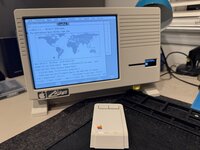
LisaNet - remote management of ESFloppy and ESProfile images

wottle

Active Tinkerer
Oct 30, 2021
967
729
93
49
Fort Mill, SC
Working on adding a way for me to manage my ESFloppy and ESProfile images without having to pop open the side of my Lisa Mini case for my LisaFPGA. I have an on demand on screen menu that allows me to change settings. I thought the on board ESP32s for the ESFloppy and ESProfile might have wifi, so originally I thought I could do it with just the existing hardware. It turns out that you cannot use Wifi on them. However, you can get a tiny ESP32 @3 device that does have wifi (with an external antenna) that you can use, along with some unused GPIO header pins on the LisaFPGA, to make this work.

Basically, the ESFloppy and ESProfile modules will have two modes. One is in SDCard access mode, and the other will be the drive emulation mode (their current mode). And the ESP32 S3 will have a mode to serve up a web interface when on of the two are in SD card access mode. This means, when the Lisa is off, I can pull up the menu, change to one of the two WiFi Modes, and I can see the contents of the cards. I can add another floppy or hard drive image. I can move, delete files. I can select which floppy will be mounted next. I can set which hard drive is the profile.image (the boot image). I can download an image. Similar to what you get with the RaSCSI...

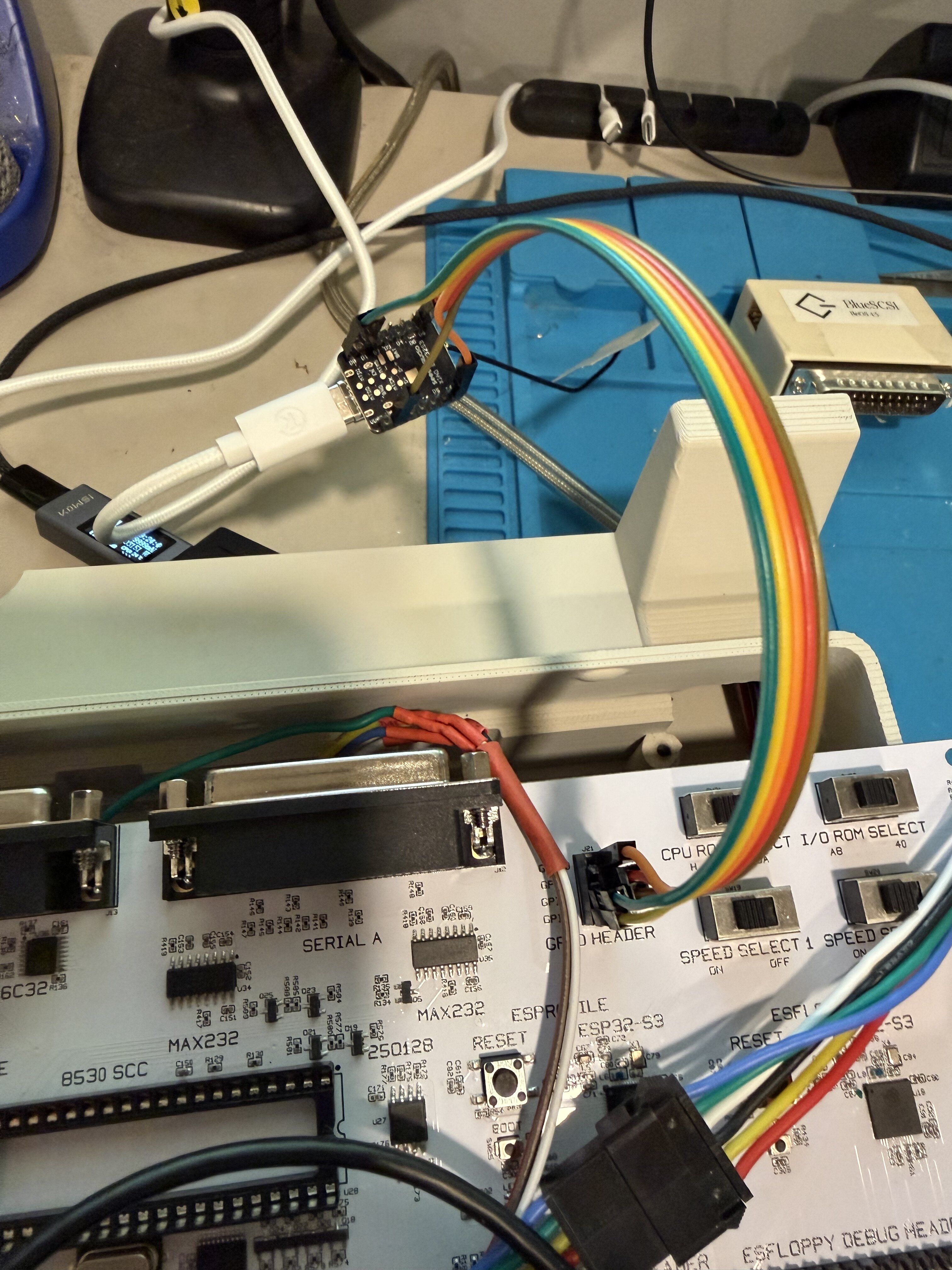
My goal here is to have my Lisa Mini be mostly self contained, and I can add more software and customize it without having to be shuffling SD cards in and out. Here's what I have so far:

The tiny thing with the rainbow Dupont wires going into it at the top (not much larger than the USB connector) is the ESP32 S3. That runs the LisaNet interface, wifi management, etc.
IMG_2730.jpeg


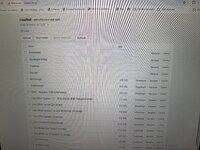
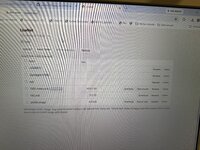
And here is the web interface for the ESFloppy and ESProfile cards:
IMG_2729.jpeg IMG_2732.jpeg

I do need to figure out how to do first time setup. My plan is if it is turned on and not connected, it will create its own wifi network where you can connect and it will show a config page with the existing wifi networks allowing you to connect to yours.
 
  • Love
Reactions: JDW

wottle

Active Tinkerer
Oct 30, 2021
967
729
93
49
Fort Mill, SC
OK, got it installed and everything buttoned up.

The first time setup isn't ideal, but it's pretty common for devices without a screen / input that need to connect to wifi. If unable to connect to wifi, (or for a first time setup), it will create its own WiFi network you can connect to (with a fixed password. Then you can set up the device with an admin password (if not already set) and connect to your WiFi. Once you connect, the temp network goes away and it will server up a local web interface on lisanet.local. It works surprisingly well. I appreciate being able to swap HD images without having to go through selector every time. 99% of the time I want to boot into LOS. But it's nice to switch without having to pop out the SD card and move files around.

Will post a video of everything now that it's all in its final state. May wait until my replacement LCD is in so you can see what's going on on the ESFloppy.
 
  • Love
Reactions: JDW

wottle

Active Tinkerer
Oct 30, 2021
967
729
93
49
Fort Mill, SC
Added the ability to control the settings from the ESP32 web UI. (Ignore the error on the screen, I had powered off the lisaFPGA when k took the screenshot. Unfortunately, it can only see the files for the ESFloppy or the ESProfile one at a time, so you have to switch modes for one or the other. You can also control the screen location, CPU speed, etc from the settings. I’ll see what other settings I can allow to be controlled from here (scanlines, I/O ROM, CPU ROM, video inversion, etc). My goal is to be able to make it as configurable as if I had access to all the switches on the board, without having to open the case or complicate the back of the case with a bunch of switches.

1791980515173.png


It also shows the temperature of the FPGA chip, which seems a bit high. I might be adding a small fan to my case to help try to cool it a bit. Or at least some slots above it to try to help with fresh air being pulled across it. I’ll also be doing some testing of the cores temperature with and without my USB implementation to make sure that isn’t causing any meaningful difference in the temperature.

I also added the ability to update the firmware over the web interface so I don’t need to plug it into my computer every time I make a change. My goal is to have it buttoned up in my case and hardly ever need to open the case.

it’s definitely a selfish driven set of features! But I will say, now that I’ve had the usb hub / wireless keyboard and mouse for a bit, I cannot imagine going back to using the terrible usb kb / mouse I had been using. I think that’s the main improvement, and it doesn’t require any changes other than a re-flash of the software on the LisaFPGA. This WiFi functionality is a nice quality of life improvement for people who want the remote management of the SD cards and should require only a ~$15 ESP32 board, a WiFi antenna, and some DuPont wires. So trying to provide solder free solutions.

Will thoroughly document the process for flashing the LisaFPGA and the esp32 board in a GitHub repo.
 
Last edited:
  • Love
Reactions: JDW

wottle

Active Tinkerer
Oct 30, 2021
967
729
93
49
Fort Mill, SC
So I 've been working through some issues I ran into where my ESFloppy was not working intermittently. After a couple of days of troubleshooting, I found out that it actually is due to the fact that my ESFloppy screen is broken. Apparently, because it is misbehaving, there is a timing issue with the signals being sent to and response received from the LCD, which throws off the timing of the ESFloppy, which caused the floppy to be seen as corrupt on the Lisa OS side.

I added a guard on the ESFloppy side to protect against this scenario if others have a malfunctioning LCD. Hopefully my new LCD will come in soon and I can wrap up all my work here and publish it.

The other issue I've been working on is that the FPGA temperature has been high. I think having it in an enclosure with minimal space above the FPGA chip is causing it to stay hotter, but also my changes for USB, supporting 1024x768, etc. required new clock generator which added some power usage (and therefor heat). So I'm working on figuring out how much I can optimize things. Most likely I will be updating my case to have a fan over the FPGA core. I'd really like to get the core in the 60-70 degree range, which it is already above when running the stock firmwares. However, having to go back to the stock software (and losing my wireless input devices) has proven to me I can't go back! :) More to come on this side and the case side.
 
  • Wow
Reactions: JDW

wottle

Active Tinkerer
Oct 30, 2021
967
729
93
49
Fort Mill, SC
OK, worked a bit on the thermals. Basically the enclosure is a contributing factor, as are my changes that added clock generators. The stock firmware from Alex was getting in the 72-76 degree range. With all my original software changes, It was around 86 degrees during extended use. The FPGA chip is rated to perform properly at 85 degrees or less. I ended up removing the 1024x768 support. With the different refresh rate, it had its own clock generator and that was responsible for about a 2 degree increase. I also was able to move the full USB implementation to the same clock generator from the 1080p60 HDMI output. That dropped another 1-2 degrees. However, without better active or passive cooling, I likely am fighting a losing battle with the heat remaining in the case.

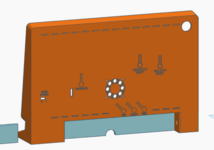
So I added an opening for a fan. I'm curious if the opening right above the FPGA chip alone will have a big enough improvement. But, I added a 40x40x10mm Noctua fan. There's not enough clearance for it to be optimal. but I'll be running some tests with it installed on the inside (probably less than 5mm from the FPGA chip) and maybe on the outside of the case (which would give it closer to 15mm between the fan and the chip. I'd prefer it to be inside the case for aesthetics.

Screenshot 2026-10-20 at 10.17.18 PM.png

More to come when I get the new case printed.

You may also notice the "skirt" is a different color. That's part of another change I'm making to the model to optimize it for 3d printing. With the skirt, and the case printed with the back down, it was a massive cantilevered area that required a tone of supports (and in my case, since I use PETG as an interface layer, it caused a large number of filament changes, which was wasteful of filament and time. With it being its own piece that can be printed separately, it changed the print time from 12 hours down to 6.5. The skirt itself does take less than an hour, but it's still way better, and much less filament wasted. With that change and some other tweaks, I've got the back pieces able to be printed with no supports at all, which is a big improvement. I'll be posting a final video in the other thread about the project to show it fully assembled, with a now working ESFloppy screen (my replacement finally arrived), and all my software improvements.
 
  • Love
  • Like
Reactions: JDW and phunguss

wottle

Active Tinkerer
Oct 30, 2021
967
729
93
49
Fort Mill, SC
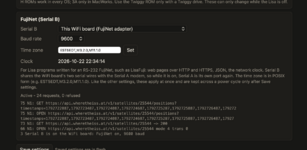
Added FujiNet support in the latest version, which can be used with Tim O'Connors FujiNet enabled apps. https://lisalist2.com/index.php?topic=884.0

Screenshot 2026-10-22 at 10.34.15 PM.png

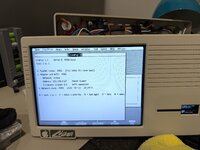
So I can do things like see where the international space station is at this very moment!

IMG_2924.jpeg IMG_2926.jpeg

Very cool! And looking forward to using this to enable more cool apps on the Lisa that could benefit from limited network capabilities.

I finally got everything squared away inside the (hopefully) final version of the case. It's working well and I love the wireless USB support, the ability to manage the ESFloppy and ESProfile SD card contents, and to enable WiFi on the Lisa. It feels like the Lisa is finally getting the love that Apple II and early Mac's have gotten all these years.