Mac IIsi Repairathon

  • Please can you read through and vote on the following proposition for changes to the board structure by clicking here.

RetroViator

Tinkerer
Oct 30, 2021
113
127
43
retroviator.com

Alpha is A-Okay​

After spending time on Bravo's audio problems, I decided to check out Alpha's speaker problem while the subject was still fresh in my mind. Alpha was working perfectly after I restored it back in 2021, but I was using it as a known-good system for testing, and along the way, my sloppy probe work resulted in the speaker dying.

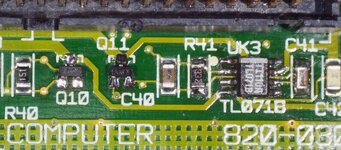
To get things started, I verified the signal coming out of the Sony ICs and followed it to the bottom of the board. Everything was making sense up to the TL071B op amp at UK3. The signal was coming into pin 2, but the output from pin 6 was garbage. It was coming out a -8.8V and there was just the faintest hint of a signal. All the other pins looked normal, so it seemed something had gone amiss with the op amp.

I ordered replacements, so I installed a new TL071B--and the problem remained. Maybe I ordered the wrong part; so I scavenged one off the battery-bombed Foxtrot--and the problem remained. I was now scratching my head, because all the signals and voltages coming into the op amp were correct, but output was wrong.

I pitched the question to ChatGPT and it suggested the problem was coming downstream of pin 6, keeping it from producing good output. I followed its recommendation and removed R41 to isolate the downstream circuit, and sound came out of the speaker! The sound was a bit hissy, but it was something.

So, I reinstalled R41 (not easy given how small it is) and removed Q11 (an NPN). The probem was back. So, I reinstalled Q11 and pulled Q10 (a PNP), and the speaker was working again. So, apparently I had damaged that transistor with my probe. I had ordered new MMBT3906s from Mouser, but I remembered the issue I had with Bravo, and I supected the pin orientation did not patch the footprint on the board. Since this circuit was easier to follow, I was able to figure out that collector and base were reversed on the new MMBT3906 compared with how the board is oriented. Luckily, I was able to scavenge yet another part from Foxtrot, and with its Q10 installed, the speaker sounded great.
20250219_033921_2.JPG

In the end, I replaced UK3 (twice), and I had to reinstall nearby C41 when it came off while replacing UK3. I also pulled and reinstalled R41 and Q11, then finally replaced the faulty Q10. I was distracted by the odd output coming out of UK3, but after working my way down the cirucit, I found the shorted transistor.
 
Last edited:
  • Like
Reactions: Byte Knight

RetroViator

Tinkerer
Oct 30, 2021
113
127
43
retroviator.com

Bravo is Beautiful​

Bravo is the system I've worked on the longest (technically, I started working on it in 2021), and it is finally good to go.

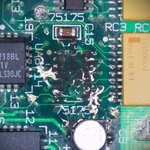
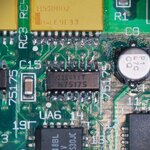
It's last problem was bad serial communication. TechStep was reporting a Serial Communication Controller test failure. Most specifically, it said there was a problem with the handshake input. So, I followed the handshake input pin on the jack to UA6, which is a 75175 (a quadruple differential line receiver). This IC is right next to C9, C10, and C11, and the legs did not look great. After some continuity testing, it looked like several of the IC's pins were not making good contact.

I decided to remove it, and yep, it was pretty dirty. It took quite a while to get the corrosion off the pads and fresh solder in place.

20250224_012327.JPG 20250224_023840.JPG

Once I reattached the IC, I connected the TechStep, and for the first time, Bravo passed all its tests!

IMG_1974.jpeg

What work remains?
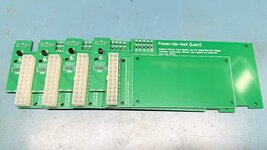
  • Figure out why Charlie won't shut down properly with the Power-Up IIusi replacement PSU
  • Cobble together one more working floppy from the remaining parts
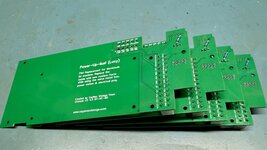
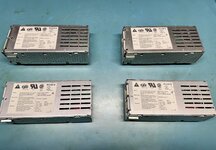
  • Build four more Power-Up IIusi PSUs
 
Last edited:
  • Like
Reactions: Byte Knight

RetroViator

Tinkerer
Oct 30, 2021
113
127
43
retroviator.com

Charlie is Copacetic​


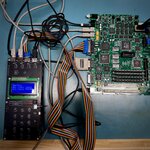
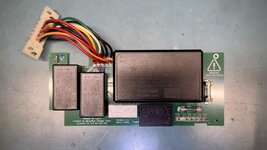
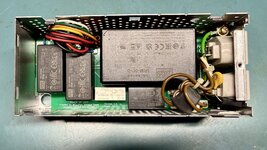
Charlie was working well after the recap, except it would not properly shutdown with Caymac's Power Up IIusi replacement PSU. I followed the power signal on the PSU's pin 9 (J15) back to the Egret chip, a 68HC05, at UB1. The connection seemed good, so the issue was either with the Egret or the PSU.

With an original Magnetek PSU, I was getting 12.2V, 5.11V, and -12.07V. With the replacement IIusi PSU, I got 12.2V, 4.9V, and -11.2V. One interesting thing is I got a flash on all the power rails when I plugged in the PSU.

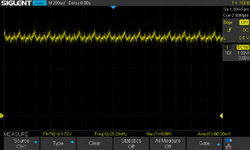
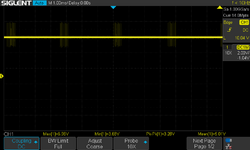
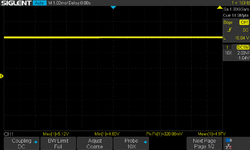
When I scoped the signals coming from the new PSU, pin 9 had a jaggy sawtooth signal.

SDS00001.png

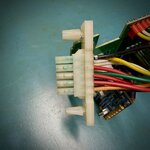
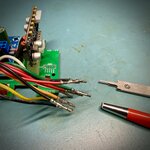
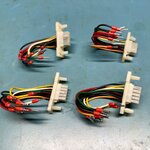
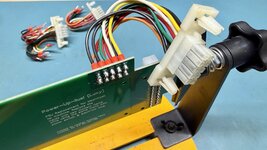
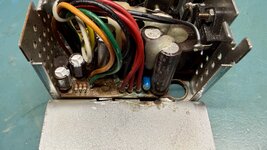
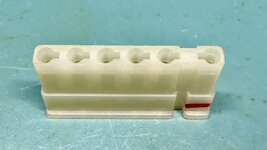
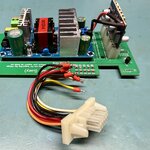
I had harvested the wiring harness off an old PSU, and the pins were a bit green. So I depinned all the wires coming from the PSU and cleaned them with a fiberglass pen and some IPA. I also cleaned up J15, which looked rough too.

IMG_1979.jpeg IMG_1980.jpeg

After clearning, I tested again, and while the shutdown still didn't work, the power rails no longer flashed when I plugged the PSU into J15 and the sawtooth signal was gone. While cleaning helped, it did not solve the problem.

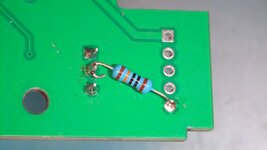
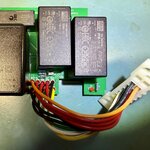
When triggering a shutdown from the Mac's menu, the signal on pin 9 dropped very briefly but then jumped back up. I confirmed that the computer would shut down immediately when pin 9 was grounded, but would immediately power back on when the ground was removed. After plugging this problem into ChatGPT, along with the pertient schematics, it recommended installing a 100k resistor between the base of Q1, a 2N4401, and ground, providing a better base pull-down. As with my eariler post on the IIusi replacement PSU, all the issues seem to flow back to Q1.

20250225_060038.JPG

After putting that in place, the shutdown worked perfectly! I tested the new PSU on all five of the IIsi boards, and they all worked just fine.
 
Last edited:
Byte Knight

Tinkerer
Oct 21, 2021
139
118
43
I'm really enjoying reading your updates from the BBS using the TinkerDifferent telnet server. I did a ton of BBS'ing with my IIsi, so it seems very appropriate. I can't comment from the BBS since the telnet server is read-only for now, but I'm following with great interest!
 
  • Like
Reactions: RetroViator

RetroViator

Tinkerer
Oct 30, 2021
113
127
43
retroviator.com

Software Slows Things Down​

I've reached the point in this project where I need to get the software squared away. As usual, this slows things down.

I don't want to give the wrong impression — this is so much better than it used to be, thanks to the great work of so many in our community. The good folks on the E-Maculation forum, who keep Basilisk II and SheepShaver up to date; Mihai Parparita, who pours so much into InfiniteMac.com; Thomas, for his work with the impressive new Snow emulator; @fogWraith, who generously cultivates the incredible Macintosh Garden; and @eric and the amazing BlueSCSI team have all significantly improved the quality of vintage Macintosh software.

I took this opportunity to clean up several messes I had made. I started by gathering together all the various volume and device images I had created and assembled over the years. After getting the latest version of Basilisk II and Snow running on my systems (Mac, Linux, and Windows), I set about opening each image and pulling together the best of what I had collected. What I discovered is that most of what I had pieced together was not as good as what @eric provided here.

I then updated my external BlueSCSI v2 with a new image that incorporated System Picker, allowing me to switch between System 6.08, System 7.01, System 7.1, and System 7.5.3 as needed. I also added the Utilities from the MacPack, along with other useful system software I've scavenged over the years. Of course, the Apple Legacy Recovery CD was as invaluable as always.

I then set about building a solid BlueSCSI image for the IIsi. I decided that System 7.1 was just about right. Even though the system originally shipped with System 6.07, it ended its run after System 7.1 was released. So I gathered era-appropriate software and copied it onto SD cards for insertion in my BlueSCSI. I had two older BlueSCSI v2s with Raspberry Pi Pico boards, lacking WiFi. So, I ordered two updated BlueSCSIs to play around with WiFI transfers. I haven't decided yet which systems will get BlueSCSIs and which will keep their spinning-rust drives. In any case, I am finally ready to get the hard drives squared away and then build the remaining replacement power supplies to wrap up this project.
 
Last edited:
RetroViator

Tinkerer
Oct 30, 2021
113
127
43
retroviator.com

Hero System​

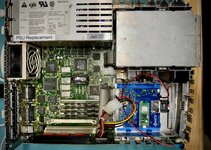
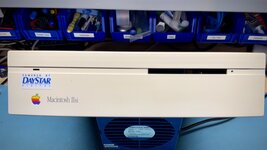
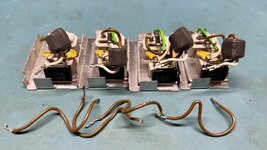
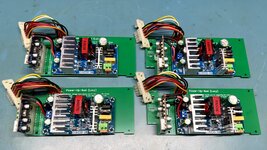
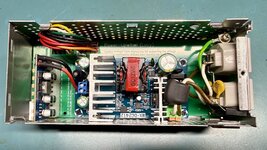
I pulled together the best of my working components and assembled a hero unit. I went with the Echo logic board because it looks clean and doesn't have any bodges. I put in four 2MB RAM SIMMs, to get the system up to 9MB. Then, I selected a clean non-yellowed case, picked a good floppy drive, hard drive bracket, fan, and the first of the Power Up IIusi replacement power supplies. I also installed the latest BlueSCSI v2 with a Pico W, providing WiFi capabilities.

IMG_2023.jpg

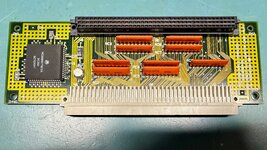
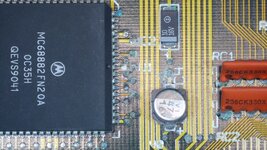
To add a cherry on top, I installed my one-and-only direct slot adapter card, with its floating-point co-processor (FPU). This card extends the PDS slot at a right angle. Apple released another card (also with an FPU), to accommodate NuBus cards. When I installed the card, I heard the dreaded chimes of death, so I knew something was wrong. After looking at it for a second, it was obvious. The card's one and only electrolytic capacitor had leaked.

IMG_2022.jpg 20250225_061840.JPG

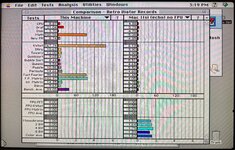
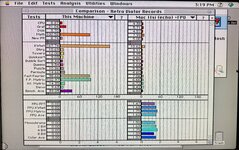
I replaced the cap, and I also pulled the nearby tantalum capacitor, to re-flow its solder. After replacing the electrolytic and reinstalling the tantalum, I cleaned up the nearby vias and removed any visible corrosion. I put the card back in the IIsi, and it chimed happily. However, I ran the FPU tests in Snooper 2, and the FPU failed. So, I pulled the card again, this time paying close attention to the FPU. I added flux and went around the chip with my iron, keeping a bit of fresh solder on the tip. The side of the IC next to the leaky cap was dull and questionable. I worked on all the vias until they were silver again. Then I checked for shorts on the FPU. I had to bring up a datasheet because there are a number of ground pins, but it toned out properly--giving me hope the chip had not shorted internally. So, I put it back in the IIsi, and this time Snooper reported good test results!

IMG_2028.jpeg


I now have a tricked out IIsi, or at least tricked out enough for me. This computer will never be a speed demon, but it is working well. I may play around with overclocking it, but I might not, as that might be an issue for the PDS-connected FPU.

P.S. You can see in the photo above that the status light is both green and blue. I installed a blue LED on the BlueSCSI's hard drive indicator. However, I kept the original green power-on LED next to it. I was suprprised that the light pipe is wide enough to cover both LEDs, so I see a bit of green when the computer is on and bit of blue with the hard drive is accessed.