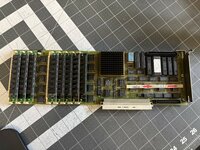
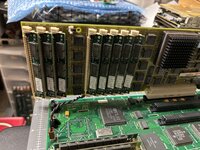
A few months back, I picked this card up from eBay sold as "untested." I've never had a Rocket and was excited, so I paid too much and pulled the trigger. Finally got around to testing it last night in my IIci. First I installed RocketWare 1.5 under System 7.5.3. After some reading, it appears the rocket only supported System 6-7.1, so I downgraded the IIci to System 7.0.1. Thinking that this v1 Rocket was also not compatible with the RocketWare 1.5 software, I installed RocketWare 1.3.
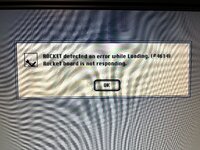
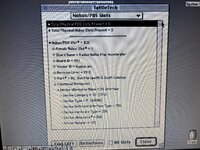
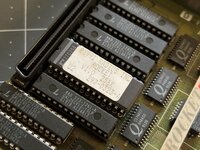
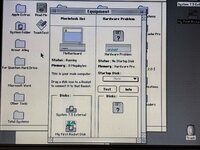
What happens regardless of the version of OS or Radius driver, is the rocket extension loads (with splashscreen and fun sound effect), it sits idle for ~1min, then a dialog box appears saying the Rocket isn't responding. I know the system is detecting it, because the card shows up in TattleTech. This tells me at least the ROM is likely valid.
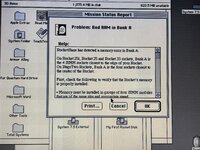
Rocket experts - what am I doing wrong? Is my combination of driver/OS never going to work? Should I be looking at something else entirely? I can't find any documentation to tell me what Error 4614 refers to (if anything). I also have not touched the RAM installed on the card. I don't even know if it's required for successful initialization.
What happens regardless of the version of OS or Radius driver, is the rocket extension loads (with splashscreen and fun sound effect), it sits idle for ~1min, then a dialog box appears saying the Rocket isn't responding. I know the system is detecting it, because the card shows up in TattleTech. This tells me at least the ROM is likely valid.
Rocket experts - what am I doing wrong? Is my combination of driver/OS never going to work? Should I be looking at something else entirely? I can't find any documentation to tell me what Error 4614 refers to (if anything). I also have not touched the RAM installed on the card. I don't even know if it's required for successful initialization.