Modding the Kodak Reels 8mm Film Digitizer (Firmware Hack)

Erwin

New Tinkerer
Nov 28, 2025
8
0
1
Here is v7.2, a month more of tinkering. This adds more debugging, Qp level (showing the current encoding quality) and a live frame counter (mainly showing the 25 fps update rate.) When running the English language mode, "Tint" has been replaced with "Saturation".

Hacks relates to jitter, even less is running at encoder start.

Running C v7.2. Took a gamble and put a 50 year old reel in, about 30m super-8. Loaded in PC, start of clip was excellent. Came out with much better colors and detail than the "professional" scan done by my parents years ago (expensive back then).

However, towards the end I see "jitter" in the bottom of the frame. It slowly creeps in, observable after 1 minute or so and at the end is very obvious. I put jitter between quotes, because if I step through it frame by frame, it is NOT random. It has a very distinct pattern that repeats. A frame is shifted up at the bottom about 1/3, then 4 of frames okay, then again about 1/4 up, then 4 frames okay, then 1/8 up... and so forth until it repeats after 52 frames if I counted correctly. I can DM you a link to a clip if interested. This must be something software/electronic related.
 

0dan0

Active Tinkerer
Jan 13, 2025
272
430
63
Anyone else seeing the jitter appear after the capture started correctly? I have never seen that, so I would like to see examples to understand if there is drift on some units and not others.
 

Grandson

New Tinkerer
Nov 21, 2025
8
0
1
Here is v7.2, a month more of tinkering. This adds more debugging, Qp level (showing the current encoding quality) and a live frame counter (mainly showing the 25 fps update rate.) When running the English language mode, "Tint" has been replaced with "Saturation".

Hacks relates to jitter, even less is running at encoder start.


View attachment 25008View attachment 25009View attachment 25010
Hello 0dan0,

I have also tested the v7.2 firmware B.
The boot logo appears clearly visible, but unfortunately all function keys are still not working :-(

Is there anything I can do to help?
I would really like to test the firmware with a better frame rate.
 

ThePhage

Tinkerer
Oct 30, 2024
33
26
18
Anyone else seeing the jitter appear after the capture started correctly? I have never seen that, so I would like to see examples to understand if there is drift on some units and not others.
I messaged you a link to a recent capture file that potentially demonstrates this. (7.1.1, model C, Super8, lens mod)
 

Xanadude

New Tinkerer
Dec 2, 2025
4
0
1
Hey all! I’m not as technically inclined with all the code stuff in the firmware I read here. So I was wondering if I may ask for help.

I’m an artist working on my documentary and digitizing 8 mm. I’m hoping to get better results with flashing the firmware

I have the RODREELS V2.0. The serial number is D2825148BK00713. I used the serial tool but it said out couldn’t be found.

i’m not sure if the serial number indicates which firmware to use.

Any help would be super appreciated!
 

0dan0

Active Tinkerer
Jan 13, 2025
272
430
63
Hey all! I’m not as technically inclined with all the code stuff in the firmware I read here. So I was wondering if I may ask for help.

I’m an artist working on my documentary and digitizing 8 mm. I’m hoping to get better results with flashing the firmware

I have the RODREELS V2.0. The serial number is D2825148BK00713. I used the serial tool but it said out couldn’t be found.

i’m not sure if the serial number indicates which firmware to use.

Any help would be super appreciated!

Does it say "V2.0" on the back, or only in the About screen?

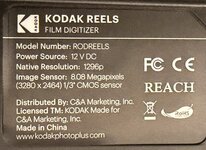
If the back looks like this:
1764694139887.png


it will be pretty safe to try either Type C (first) or Type B, the two most common "REELS" units. If the display is weird using C, try Type B.

However, if you rear ID plate looks different, maybe there is a fourth variation of the hardware. This would be a far greater risk.
 

0dan0

Active Tinkerer
Jan 13, 2025
272
430
63
Hello 0dan0,

I have also tested the v7.2 firmware B.
The boot logo appears clearly visible, but unfortunately all function keys are still not working :-(

Is there anything I can do to help?
I would really like to test the firmware with a better frame rate.
Restore original Type B firmware, and return that unit as it seems just broken. Likely not a firmware issue as no one else has reported this, and others do have EU models.

However, if it is another variation of the hardware, someone would need to have extracted the firmware before the update (or requested it from the manufacturer -- super unlikely.) Without the original firmware, there is nothing that can be done.
 

Xanadude

New Tinkerer
Dec 2, 2025
4
0
1
Does it say "V2.0" on the back, or only in the About screen?

If the back looks like this:
View attachment 25039

it will be pretty safe to try either Type C (first) or Type B, the two most common "REELS" units. If the display is weird using C, try Type B.

However, if you rear ID plate looks different, maybe there is a fourth variation of the hardware. This would be a far greater risk.
Thanks for the reply. I appreciate it!

On the display, it says 2.0. Is that the same as V2?

Our labels on the back seemed to look the same.
 

Attachments

  • IMG_0267.jpeg
    IMG_0267.jpeg
    652 KB · Views: 17
  • IMG_0251.jpeg
    IMG_0251.jpeg
    308.1 KB · Views: 17

Xanadude

New Tinkerer
Dec 2, 2025
4
0
1
This seems to be the same hardware. Type C or B will likely work.
Thanks, Dan! From what I’ve been reading it seems like B is the safer bet for higher bitrates?

Sorry about asking so many questions, I’m actually a huge technology geek but this kind of technology is new to me.
 

0dan0

Active Tinkerer
Jan 13, 2025
272
430
63
Type A, B & C are for slight hardware differences, not for bitrate benefits (same for all.)
 

0dan0

Active Tinkerer
Jan 13, 2025
272
430
63
Here is v7.3, after only a day or so. This adds Qp level control, allow you to set the minimum Qp the device will try for. Previously this was fixed at 20, but this may have caused some jitter drift (unconfirmed) on some units. During capture there is a new settings controls which should be easier then remember all the buttons. Up and down arrows move the square braces between controllable settings, +/- change the settings.

1764721467497.png


1764721508195.png


BootLogo1600x1200-V7.3A.png
BootLogo1600x1200-V7.3B.png
BootLogo1600x1200-V7.3C.png
 

Attachments

  • FWDV280-TypeA-V73-0dan0.zip
    5.5 MB · Views: 10
  • FWDV280-TypeB-V73-0dan0.zip
    5.5 MB · Views: 16
  • FWDV280-TypeC-V73-0dan0.zip
    5.5 MB · Views: 14

Erwin

New Tinkerer
Nov 28, 2025
8
0
1
Here is v7.3, after only a day or so. This adds Qp level control, allow you to set the minimum Qp the device will try for. Previously this was fixed at 20, but this may have caused some jitter drift (unconfirmed) on some units. During capture there is a new settings controls which should be easier then remember all the buttons. Up and down arrows move the square braces between controllable settings, +/- change the settings.

Thats a nice feature, as discussed in DM for me a minimum of Qp=23 seems to work to avoid the jitter/skew in frames. But of course datarate and required processing power still depends on how much the picture changes between frames and the amount of detail and grain present. I will do a lot more scans with this setting and see how it turns out. In any case, very happy with the latest updates - Thanks!
 

ThePhage

Tinkerer
Oct 30, 2024
33
26
18
Here is v7.3, after only a day or so. This adds Qp level control, allow you to set the minimum Qp the device will try for. Previously this was fixed at 20, but this may have caused some jitter drift (unconfirmed) on some units. During capture there is a new settings controls which should be easier then remember all the buttons. Up and down arrows move the square braces between controllable settings, +/- change the settings.

View attachment 25048

View attachment 25049

View attachment 25050View attachment 25051View attachment 25052
This sounds wonderful. Do the previous methods of adjusting those settings (White Balance, Tint, Saturation, Frame Rate) still work?
 

Mac84

Administrator
Staff member
Founder
Sep 4, 2021
294
414
63
New Jersey, USA
www.mac84.net
Thank you very much for your replies ThePhage and fishgee!

I tested the firmware from 0dan0 (post Oct 22, 2025) v7.1 for both TypeB and TypeC. Unfortunately, without success.

With TypeB, as before, all buttons are dead.
With TypeC, nothing works either, and the screens also have color shifts.
4 attachments are included for reference.

What can I try next?

Many thanks in advance!
Best regards,
The grandson
There is a small chance my A / B / C firmware files got disorganized at some point. I think specifically for the "unmodified" versions.

I will have to try and reorganize things when I find the time.

@Grandson can you please tell us the serial # on the bottom of your device? Or feel free to PM me. I'll compare it with a list I'm compiling to try and figure out versions.

Sadly the data I used in my lookup tool is 2+ years out of date, since the Kodak firmware site is offline and was not updated.
 

sheider

New Tinkerer
Oct 17, 2025
16
6
3
Here is v7.3, after only a day or so. This adds Qp level control, allow you to set the minimum Qp the device will try for. Previously this was fixed at 20, but this may have caused some jitter drift (unconfirmed) on some units. During capture there is a new settings controls which should be easier then remember all the buttons. Up and down arrows move the square braces between controllable settings, +/- change the settings.

View attachment 25048

View attachment 25049

View attachment 25050View attachment 25051View attachment 25052
@0dan0 Thanks so much for continuing to share the results of your tinkering with this group. Your new settings control with on-screen brackets is a brilliant solution to the "minimal button" problem! The new Qp control worked well for me at the "best" level of 15 on the roll I tested (using the stock lens with sharpness set at -1.0), mostly bouncing between 15 and 20 during the scan.

If you are currently accepting feature requests, then I have one: a user-controllable exposure lock toggle. Every so often (~5% of shots), I'll encounter footage with frequent exposure "bounces" up and down that confounds your "gentle" AE adjustment algorithm. This results in rapid flickering in the digitized shot. It seems that a simple fix to this problem would be the ability for the user to lock the exposure at the beginning of the challenging shot, and then to unlock it at the end of the shot. Your thoughts?

Also, now that you have changed the label from "Tint" to "Saturation" in the settings, have you considered doing the same on your splash screen? It still refers to "Tint".

Keep up the great tinkering, and thanks again for sharing with us!
 

0dan0

Active Tinkerer
Jan 13, 2025
272
430
63
This sounds wonderful. Do the previous methods of adjusting those settings (White Balance, Tint, Saturation, Frame Rate) still work?
The Picture controls in menus are the same. Green tint is also still using left and right arrows, can be done at any time (like before.) However the up/down and +/- are no longer overloaded with two meanings. Setting fps, ev, and qp min, can only be done during capture.
 

0dan0

Active Tinkerer
Jan 13, 2025
272
430
63
Crazy progress continues V7.4

@sheider " feature requests: ... a user-controllable exposure lock toggle."

As I have a short film project this weekend, where I will be developing and scanning about 10 rolls of Ektachrome, and I too thought an exposure lock could be very helpful.

The current exposure setting are now at the bottom of the list and I've adding [A] for Auto exposure (default.)
1764815901207.png


[l] for a Locked exposure.
1764815977446.png


The exposure lock can survive, clip capture stops/starts, power cycles and firmware updated.

I've also finally made white balance, sharpness and saturation will now survive firmware updates (for the update after this one.) I do so many updates, it is annoying to reset all my defaults.

BootLogo1600x1200-V7.4A.png
BootLogo1600x1200-V7.4B.png
BootLogo1600x1200-V7.4C.png
 

Attachments

  • FWDV280-TypeA-V74-0dan0.zip
    5.5 MB · Views: 8
  • FWDV280-TypeB-V74-0dan0.zip
    5.5 MB · Views: 7
  • FWDV280-TypeC-V74-0dan0.zip
    5.5 MB · Views: 2
Last edited:

Erwin

New Tinkerer
Nov 28, 2025
8
0
1
Flashed the above 7.4, boot screen says 7.4, folder name is FilmScnC7.3. Set the Qp to 23 min, sharpness -1, loaded a reel, scanned for 90 minutes, and got 1.7GB of jittering bad scan result begin to end... sigh.. its already bad at the start, but worse at the end.

EDIT: changing minimum Qp doesnt seem to do anything. Bitrate for all clips is about 22.1 to 22.5 Mbit/s. Even if I put it on 39 (the max value). Actually the same as previous scans on Qp=20 or Qp=23. What I saw once with min Qp=39 I get a few blocky frames, but then the quality is back as usual. So perhaps the minimum value that you set is displayed but it is not respected by the encoder.

Just tried another clip on Qp=39, 180 frames, 27 MB, mediainfo reports 22 Mb/s wich is correct looking at file size.
 
Last edited: