2026 PowerPC Challenge, is it happening?

phunguss

Active Tinkerer
Dec 24, 2023
542
459
63
57
Stillwater, MN
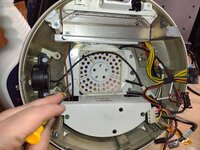
Yes, as it turns out I was confused. The single pump LCS I was working on is actually from the dual 2.5GHz that I converted to air last year. I thought it was the quad G5, because of the large metal plate on the bottom. But it does not line up with the G5 Quad... so looking at the dual pump LCS from the quad, it appears I don't have the bottom plate. I either misplaced it, have it in storage somewhere, or recycled it. So I ordered some PC air coolers and will convert the quad to Air Cooling using some MacGyver tricks.
 

PowerRCP-G3

Tinkerer
Jan 31, 2022
43
32
18
VLC or HandBrake should be able to transcode to something DVD Studio 4 could handle?
Thanks for the advice. I am rather new to DVD Studio 4. So, I am open to suggestions on which video format is best suited for DVD Studio 4. I tried .mp4, .mov and .ts. I’ve read somewhere where it recognizes .mpg files tho.
 

iBookSpeedster88

Tinkerer
Jan 1, 2024
42
42
18
I noticed that, for some reason, people on the MacRumors forums insist on continuing to use, or even set up for the first time, w1ckn1x's Lubuntu 12.04 Remix and 16.04 Remix distributions, long after they have been deprecated. I took it upon myself to subject my 1.5 GHz Mac Mini G4 to this experiment, one that absolutely proved wrong the idea that w1ckn1x's Lubuntu spin-offs (while a great band-aid solution when they were new) are inappropriate for today's use, and all Linux attention should be directed toward Void Linux, which pretty much works perfectly out-of-the-box after you get past the hurdle of manually partitioning your boot drive. It was even said by w1ckn1x in 2020 that Lubuntu 12.04 Remix "absolutely FLIES on my mac mini G4 and G5" (https://forums.macrumors.com/threads/lubuntu-16-04-remix-updated.2204742/), but I had found in 2025 that 16.04 Remix was actually a superior experience over 12.04 Remix (spoiler alert for my next post). Furthermore, these spin-offs were released in 2020, which is now the better half of a decade ago, and like with anything dependent upon the internet to access some faraway server for updates and software installation, like Linux heavily is, the entire thing essentially becomes a paperweight and comes crashing down like a deck of cards as it is dependent upon the contributions of strangers online and can hardly function by itself offline as a capable operating system like Mac OS X and Microsoft's Windows (pre-10). This wouldn't be a problem if w1ckn1x continued cobbling together new updates to his Lubuntu projects, but he has long since moved on. So, scratching my head as to why that Lubuntu thread on MacRumors still sees activity from users who ask for help on something regarding to Lubuntu 12.04/16.04 Remix installation and compatibility with some desired Macintosh model, I sought out to see for myself why, and the results are utterly incongruent with how Lubuntu 12.04/16.04 Remix was praised for when it was new, for reasons I have already mentioned. Over time, any particular Linux distribution that stays unmaintained breaks and becomes unusable. One day, the Void Linux repository mirrors, too, will be taken offline and you will be left with nothing, whereas Mac OS X Leopard, for example, will continue to function offline and be 100% just as usable with its vast collection of software in 2040 as it was in 2007 for so long as there is a functioning PowerPC Mac out there. Well, 2040 is the limit to how far HFS+ can count time and I don't know how one can fix that blemish, but I digress. I can still install my collection of 500+ .dmg installers on Mac OS X whenever I please whereas with Linux/BSD, if you're not connected to the internet or if you are connected to the internet but you have no software repository to connect to, then you're screwed.

Case in point: the experience with Lubuntu 12.04 Remix in a nutshell:

powerpc-challenge-2.jpeg


This is a capture of the stock programs within the live CD environment. I set up a user account and installed the operating system and set out to attempt to install software from an obscure mirror of Lubuntu's now 14-year old version to get additional software not included on the disc, heavily outdated software that we cannot upgrade to newer versions probably because of the old kernel or something that launches the user into escaping Linux dependency hell, but additional software nonetheless. A mirror like old.lubuntu.something or whatever it might have been called. Well? NOT POSSIBLE. Nearly all of the software threw up an error. I have no photograph for this, but let's just say that I tried at least 15 programs I wrote down in an .rtf document that I wished to install but the Lubuntu mirror failed to fetch. I know qmmp was a program that actually DID fetch and install to my Lubuntu 12.04 Remix system, but for whatever reason the audio was glitched and thus audio playback was all but worthless.

First, a list of detriments I noticed that I had written down in a .txt file I made on that day:

1. the Caps Lock key doesn't light up when pressed (I personally used Apple's tenkeyless
2. the Mac Mini is in a constant state of overheating as the fan ramps up constantly
3. over half of the software I attempted to install are, from what I could tell, not available from Lubuntu's repository mirror any longer, which happened sometime between 2021 and 2025, apparently
4. Qmmp's audio playback is reduced to a screeching static sound
5. Lubuntu 12.04 Remix does not "fly" on any Mac Mini if it was as sluggish and stuttered as often as as it did on mine
6. The cross-platform software that is actually able to be installed here is often even OLDER than its counterpart on Mac OS X Leopard
7. I had to turn off my Mac Mini because Archive Manager hung the entire system when failing to extract a tar.gz file

So, in my next post, I'll be giving you all the rundown of when I then next tested Lubuntu 16.04 Remix to see if it warranted the continual use by individuals on MacRumors who still wish to attempt to use it over using the superior Void Linux and then still complain to w1kcn1x when something naturally breaks on their system when using Lubuntu 16.04 Remix.

powerpc-challenge-3.jpeg
 

Certificate of Excellence

Active Tinkerer
Nov 1, 2021
782
543
93
48
United Sates
Wouldn't this post be more effective over on MR? - The forum where the thread is actually located with the folks using/talking about it? Have you looped in wicknix to discuss your concerns directly with him? I recall @wicknix was using Void for his PowerPC Linux experience last time we chatted which was probably 2 years ago now? I am sure he would be in full support of you committing your time and energy to an up-to-date PPC Linux solution (maybe Void based?) for PowerPC based macs.
 
  • Like
Reactions: wicknix

wicknix

Tinkerer
Jan 5, 2022
48
107
33
WI, USA
randommacstuff.blogspot.com
Just chiming in.

1) Yes both remixes are now both quite old. Still newer and slightly more secure than 10.5.8 Leopard (including Sorbet) however. Also the browsers included, though now outdated themselves, are still using a newer code base than anything available for 10.4/10.5 which are based on Firefox 45/48 (tenfourfox/interwebppc/aquafox). The browsers in the remixes were based on Firefox 52/60 (except for Arctic Fox). So there’s that.

2) I think people still recommend the remixes because of the “live” cd / installer. They can be tested before install to see if it works with their hardware. Also the installers do all the hard work of automatically partitioning and setting up the boot loader unlike most of the other newer distros that require work-a-rounds or dropping to console to do that stuff. They make it easier for a “linux newbie” to get started with.

3) Void Linux PPC has been unmaintained with no updates since 2023. So by suggesting to somebody to use that instead is a double standard. You claim my remixes are old and unmaintained (which they are), but so is VoidPPC. Why not suggest something like Debian or ArchPower that are current and actively maintained?

4) Yes, people still complain about this or that on those old remixes. It’s the nature of the beast. Even if they were still updated and/or current, there would still be “those” people. Once you develop or create something and make it publicly available be prepared for both praise and hate. That’s how the internet works.

5) Not my fault Ubuntu moved, then lost, chunks of their archived repositories. There was a time when those repo’s worked.

6) 12 Remix does fly, and has many posts agreeing with my statement. You might have just forgot a few tweaks or boot parameters during or after install. I know it’s a lengthy thread to read through, but the answers and testimonies are there. Some had great results, some didn’t. I put all the tweaks in for various machines that i knew of at the time. I also didn’t have every PPC Mac to personally test with. Results will vary.

I have long since removed myself from doing anything PPC related and most of the PPC community. I donated 5-ish years to creating or porting multiple apps, remixes, etc for free because i found it fun. Life changes, priorities change, hobby's change, etc etc. If people still enjoy my free products great. If not, i don’t really care. I’ve moved on to other things.

Enjoy the rest of the 2026 PPC challenge. I’m out.
 
Last edited:

PowerRCP-G3

Tinkerer
Jan 31, 2022
43
32
18
Day 12: While my DVD continued to process, I played around with two emulators and watched some YouTube to pass the time.
 

Trash80toG4

Active Tinkerer
Apr 1, 2022
1,160
343
83
Bermuda Triangle, NC USA
GAAAAAAAAAAAAAAH!!!!!!!!!!!!!!!!!!!!!!!!!!!!!!!!!!!!!! :eek:

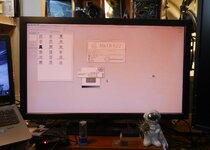
Accursed MDD'03 just took another step backward on day twelve! USPS dropped off the Amazon package with a pair of the same DVI -> HDMI cables I'm using for the two HP Docking Station on the KVM Switch. I'm not getting video from either monitor on the KVM switch from either of the two position I've tried.

Hooked up VGA to the old 4:5 panel and I get a signal there and eventually flashing question mark and finally it booted from the MacOS9Lives installer. Set that as the boot drive and I'm back to waiting interminably in front of a blank screed . . .

. . . so it goes.
 
  • Haha
Reactions: phunguss

Trash80toG4

Active Tinkerer
Apr 1, 2022
1,160
343
83
Bermuda Triangle, NC USA
LOL! Yep, it's hilarious, buddy. But I think I've noodled it out. Having VGA hooked up to the the 4:5 panel and DVI running through pestiferous ADC(?) via converter looks to have been the problem. DVI output to HDMI cable was creating a "ghost screen" along with VGA output to the 4:5 panel, whilst defaulting to DVI as the (Blank) startup screen #1. Hence the forever wait on the blank VGA driven 4:5 panel.

Wanted to troubleshoot the system's problems before moving on to the most generous Christmas gift from obsolete over at the MLA.
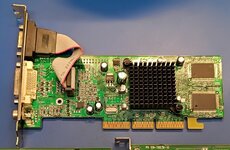
Swapping in the AGP Radeon 7000/32MB has done the trick!

MDD-03-New_VidCard-Day_12.JPG

AGP Radeon 7000-32MB.jpg

It'll drive the 1440p (currently at 1080p) or the 1920x1200 vertical (likely @1080p) panel from DVI through the switchbox!

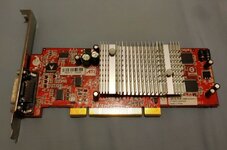
Obsolete is currently working over a VTK-400125 VisionTek ATI Radeon 9250 DMS59 PCI VidCard for me to drive the second display over DVI to HDMI converter cable on the USB3/HDMI KVM Switch.

VTK-400125 VisionTek ATI Radeon 9250 DMS59 PCI VidCard.jpg

Hoping the 128MB PCI card will drive the 1440p screen at a higher resolution than the 32MB AGP card. According to the RADEON 7000 MAC EDITION (32MB) user Guide, that one tops out at a 1920x1440 pillared at the screen's native resolution? Right now it's stuck at 1920x1080 before driver installation, but may be a problem when installed:

The easy-to-access, easy-to-use ATI Config Menu (available
only with Mac OS 9.2.1), on the menu bar, provides access to
ATI Guide, giving you instant access to help, and the ATI
Displays control panel, providing quick access to all of
RADEON 7000 MAC EDITION easy-to-use features such as
TV/Video Out. Specific help in Mac OS 9 can be accessed from
the Apple Help in the menu bar.


Hopefully that only means a MINIMUM of OS9 2.1.1?

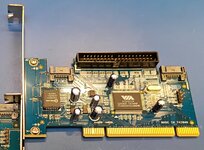
Also installed the flashed Kuroutoshikou SAPARAID-PCI SATA/PATAcard I bought from him, gotta find some cables now!

SATA-PATA-PCI-Card-cc.jpg

Feeling a bit better about this machine's prospects. May close out Day 12 on a high note . . .


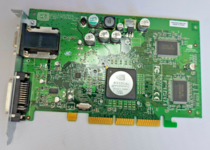
. . . back to identify the culprit: Apple 600-9144 630-3799 NVIDIA P40 32MB

Apple 600-9144 630-3799 NVIDIA P40 32MB-c.png

Not my card, but this one's missing the heatsink, revealing the nVIDIA controller info. ADC port on that card with Apple DVI Converter Cable is incompatible with my specific, known good DVI->HDMI cables or the KVM Switchbox intermediary? Point of info, card seems to be fine otherwise. Never gave me a problem in the QS.

Hope nobody buys that one off eBay and runs it sans heatsink! 😮
 
Last edited:

Certificate of Excellence

Active Tinkerer
Nov 1, 2021
782
543
93
48
United Sates
LOL! Yep, it's hilarious, buddy. But I think I've noodled it out. Having VGA hooked up to the the 4:5 panel and DVI running through pestiferous ADC(?) via converter looks to have been the problem. DVI output to HDMI cable was creating a "ghost screen" along with VGA output to the 4:5 panel, whilst defaulting to DVI as the (Blank) startup screen #1. Hence the forever wait on the blank VGA driven 4:5 panel.

Wanted to troubleshoot the system's problems before moving on to the most generous Christmas gift from obsolete over at the MLA.


Swapping in the AGP Radeon 7000/32MB has done the trick!

View attachment 26011

View attachment 26016

It'll drive the 1440p (currently at 1080p) or the 1920x1200 vertical panel from DVI through the switchbox!

Obsolete is currently working over a VTK-400125 VisionTek ATI Radeon 9250 DMS59 PCI VidCard for me to drive the second display over DVI to HDMI converter cable on the USB3/HDMI KVM Switch.

View attachment 26012

Hoping the 128MB PCI card will drive the 1440p screen at a higher resolution than the 32MB AGP card. According to the RADEON 7000 MAC EDITION (32MB) user Guidethat one tops out at a 1920x1440 pillared at the screen's native resolution? Right now it's stuck at 1920x1080 before driver installation, but may be a problem when installed:

The easy-to-access, easy-to-use ATI Config Menu (available
only with Mac OS 9.2.1), on the menu bar, provides access to
ATI Guide, giving you instant access to help, and the ATI
Displays control panel, providing quick access to all of
RADEON 7000 MAC EDITION easy-to-use features such as
TV/Video Out. Specific help in Mac OS 9 can be accessed from
the Apple Help in the menu bar.


Hopefully that only means a MINIMUM of OS9 2.1.1?

Also installed the flashed Kuroutoshikou SAPARAID-PCI SATA/PATAcard I bought from him, gotta find some cables now!

View attachment 26014

Feeling a bit better about this machine's prospects. May close out Day 12 on a high note . . .
Neat Pata/Sata card. I've never seen one before. I have a Visiontek 7000 pci in my B&W running Tiger. Ive not played with that ATI config menu before. Sounds like a fun reason for installing & dual booting os9lives 9 dmg in my B&W.
 

iBookSpeedster88

Tinkerer
Jan 1, 2024
42
42
18
Soon after I had installed and retired Lubuntu 12.04 Remix on my Mac Mini G4, I continued seeing why hubbub continued surrounding it and Lubuntu 16.04 Remix by installing Lubuntu 16.04 Remix for myself for reasons I already listed in my previous post. While Lubuntu either moved or killed off their old repositories for the 12.04, 14.04, and 16.04 releases, one can still connect to a functioning mirror of Void Linux's software repository, meaning the software that you get prepacked with these elder releases of Lubuntu leaves the user dead in the water, whereas with Void Linux, the mirrors are still operational, so you can continue installing "new" (new to you) software just as normal. I really wish Void Linux had continued to be maintained for PowerPC, but seeing that the "16.04" in "Lubuntu 16.04" is in reference to its release date of April of 2016 and Void Linux for PowerPC was maintained from 2021 to 2023, there's therefore no contest as to which is newer, more up-to-date, and secure, if that is a concern to any one, but the fact that we all use 15+ year old versions of Mac OS X online goes to show that security isn't in the forefront of our minds, but an argument can made for the concept of "security through obscurity". An up-to-date version of the SeaLion web browser is also continuing to be made and hosted on GitHub for Void Linux, so web browsing is covered. The same cannot be said for any Lubuntu Remix, as Arctic Fox, for example, will not compile for it. Cobbling together an instance of Debian or Arch for PowerPC is not for the faint of heart, either, and since both distributions use systemd as the default init system, I refuse to even attempt to drag my feet into such a deep trench of sleepless nights compiling in dependency hell. It's the same reason I and many others don't bother with MacPorts for Mac OS X, either.

powerpc-challenge-4.jpeg


Here is an image of me burning Lubuntu 16.04 Remix to an optical disc and the readme file w1ckn1x included. I can't remember if I followed it or not, but I think the recommendations were temporary/timed, meaning that they were only relevant when it was new and can no longer be replicated.
Moving on, Lubuntu 16.04 Remix presented an initial obstacle to the installation that was not present in Lubuntu 12.04 Remix. As many within the Linux world are aware, this is not because of something w1ckn1x did to it. Rather, as I recall, it is because of something deprecation is graphics drivers in subsequent versions of the Linux kernel that are present in Lubuntu 16.04 onward, I think. In practice, at the yaboot prompt, one must type "radeon.agpmode=-1" (without quotations). If not, then the installation process will freeze every time.

powerpc-challenge-5.jpeg


I apologize, but I can't remember the context behind this image of mine. From what I can gleam, I appear to be applying 2021 ca-certificates for Arctic Fox. In any case, I enjoyed using Lubuntu 16.04 Remix more than my short time with Lubuntu 16.04 Remix. To clarify what I meant earlier about the user experience being sluggish on Lubuntu 12.04 Remix, I'm certain it was something to do with the graphical acceleration. Dragging windows left a "trail" of sorts and the CPU bore the grunt of having to redraw windows. That wasn't the case in Lubuntu 16.04 Remix. I don't know if anything was to be done about it on my end.

Attempting to connect to the Debian Sid software repository to install new software, as was claimed possible in the same MacRumors thread about Lubuntu 12.04/16.04 Remix, my entire installation ran into software/dependency incompatibilities and resulted in Lubuntu 16.04 Remix being in an utterly unusable and un-bootable state. How lovely. Granted, w1ckn1x warned that this was a possibility, but don't we welcome challenges? You know, like POWERPC CHALLENGES? I'm bad with humor, sorry. Unaware of what software would result in a broken system, I went ahead and installed icewm, which gave me a rather new version. Satisfied, I continued, but, if I recall correctly, I didn't get far before I was given a broken system. Well, bummer. So, no, unfortunately neither Lubuntu 12.04 Remix nor Lubuntu 16.04 Remix may be used in any sort of serious manner. Until Adelie Linux finally gets out of Beta development, there is essentially NO up-to-date Linux distribution for PowerPC owners.

powerpc-challenge-6.jpeg


Speaking of Adelie Linux (how do you pronounce it?), last year I also attempted to installed the latest Beta (warning: you must be connected to Ethernet to install it, just like with Void Linux), and....

powerpc-challenge-7.jpeg


Installing the latest Beta of Adelie Linux results in an un-bootable system. See what I mean? Apparently, after I scoured MacRumors forums for answers that day, a user by the name of "Doq" warned others that the latest Beta is SUPPOSED to result in an un-bootable system and recommends that we use the PREVIOUS Beta release of Adelie Linux. Good night, folks, isn't that swell? Well, regardless, I don't normally meddle with software clearly marked as "Alpha" or "Beta", since it's not expected to work flawlessly, but after trying to install Debian 7/8/Sid, Lubuntu 12.04/16.04, and Fienix Linux (it refuses to install on both my PowerBook G4 DLSD and my Mac Mini G4 even with typing radeon.agpmode=-1), it was looking more and more dire. Out of maybe 9 PowerPC Linux distributions (there aren't that many at all to begin with), only w1ckn1x's Lubuntu and Void Linux actually installed successfully to a bootable and usable state. That's .... pretty sad.

Spoiler alert: Fienix Linux did end up surprisingly installing on my iMac G5 iSight, but I'll save that day in 2025 for another future post.

I ended up stepping away from PowerPC Linux and switched focus toward OpenBSD! I'm surprised OpenBSD on PowerPC isn't talked about as frequently as I would think it to be amongst our small PowerPC Mac community, as OpenBSD 7.7 proved to be not only easy to install (the command-line installation sequence is very straightforward and, with a tutorial, is practically foolproof), but it ACTUALLY installed CORRECTLY, period! It's sad that that's actually a proverbial selling point that must be made, but that's the world we live in. Yes, I am unaware whether you, reader, know or not, but you are more likely than not to run into broken operating systems for your Mac than functioning ones.

powerpc-challenge-9.jpeg
powerpc-challenge-8.jpeg


Not pictured are the finnicky commands you have to feed Open Firmware to make it automatically boot into OpenBSD 7.7 once installed from the CD. I do believe OpenBSD 7.8 has since been released after I installed to my PowerBook last year. I followed the "OpenBSD Wiki" provided by z970 on the MacRumors forums (https://forums.macrumors.com/threads/the-openbsd-wiki.2196940/) and got icewm installed so I can boot into a graphical environment upon logging in to OpenBSD. A few command-line sequences later and presto!

powerpc-challenge-10.jpeg


Here is my obligatory neofetch screen.

OpenBSD on PowerPC isn't all sunshine and rainbows, unfortunately. A big issue for many is the complete lack of FireWire support and the paltry selection of software, even less so than PowerPC Linux, if you can believe it. Another, which DroneCatcher noted in that thread I just linked, is the total lack of audio support, which irritates me the most to the point that OpenBSD just isn't an option on PowerPC at all, at least for my use case. I'm sure as a server, OpenBSD excels at that. To avoid myself from making this post any longer, here is my sorrowful end with OpenBSD in the following photograph with an angry note of grievances:

powerpc-challenge-11.jpeg


STAY TUNED NEXT TIME TO SEE IF MY SITUATION IS MET WITH A HAPPY ENDING!

 
  • Wow
Reactions: phunguss

iBookSpeedster88

Tinkerer
Jan 1, 2024
42
42
18
Now for a little diversion!

The following was performed in August of 2025:

I wanted to test out the capabilities of a set of powerline adapters I once purchased to see what speeds I could get for my PowerPC Macs, considering their wireless networking caps out at 802.11g at 54mbps. I already have a couple of Wi-Fi USB dongles with the newer faster 802.11n standard that also have PowerPC-compatible drivers and software (see the Ra-Link and Realtek drivers on Macintosh Garden)(https://macintoshgarden.org/apps/ralink-usb-wifi)(https://macintoshgarden.org/apps/realtek-rtl8188cu-usb-wireless-mac-drivers), but if I could get comparable or even better performance out of Ethernet-over-powerline then that would be awesome, plus I would free up an extra USB port on these Macs that already have too few USB ports for my needs anyways. If you're NOT using Apple's Mighty Mouse plugged in to the side of Apple's wired keyboard, then you pretty much have only 1 remaining USB port on the iMac G5 and all PowerMac G5s except for the final late-2005 PCIe models. If you're a Mac Mini user, you just lost all of your USB ports and can't plug in anything else. Thankfully, other manufacturers like Macally and Matias have made keyboards with USB ports on their sides, as well, so you're not actually limited to using Apple's wired keyboards, but I digress. Equal or faster internet connection speeds AND freeing up a USB port? Let's dig out these powerline adapters and see what can be done.

I and many others are already well aware of the massive limitations of Ethernet-over-powerline. The reported speeds claimed by manufacturers are borderline false advertising and it all depends upon the wiring of your home, whether or not the room in which your router resides in is on the same circuit as the room your powerline adapter resides in and yadda yadda.

powerpc-challenge-12.jpeg


They claim to be Gigabit Ethernet speeds, but obviously in practice you're lucky if you get even a third of that speed. Essentially, in the era of 400+mbps 802.11ac Wi-Fi and even better 802.11ax Wi-Fi (or, "Wi-Fi 6"), powerline adapters are pretty much a rip-off and a straight-up downgrade in every case. But, since all PowerPC Macs came with 54mbps 802.11g Wi-Fi, or older 802.11, or no Wi-Fi at all, Ethernet-over-powerline is a great option if your Mac isn't in the same room as your router and you don't want to string long Ethernet cables around your house.

Let's get to the point. I had my 2010 polycarbonate MacBook running 10.6.3 Snow Leopard help me out in this test to use as a baseline benchmark for comparison. On older versions of Mac OS X (I think pre-Lion or pre-Mountain Lion?), one must open System Preferences, navigate to the "Network" section, then click on "Advanced" in the bottom right corner, then in the TCP/IP section turn off "Configure IPv6", then under the "DNS" section click the + symbol to add a new DNS server and type 8.8.8.8 in the box. Otherwise, your Mac will freeze up and force you to restart the computer.

Manufacturers recommend against plugging in your powerline adapter into an extension cord or powersurge protector instead of directly into the socket in your wall, but since I'm curious, I did it anyway to see what speeds I could get. Below you will see the stock 802.11n Wi-Fi speeds my MacBook gets and the slower speed is the speed the powerline adapter permits when NOT plugged directly into the wall socket:

powerpc-challenge-13.jpeg

powerpc-challenge-14.jpeg


Still faster than 802.11g Wi-Fi, but slower than 802.11n Wi-Fi by a large margin.

Alright, enough fooling around. What do we get when the powerline adapter is plugged directly into the wall socket and connected to my router, with the other powerline adapter connected to my MacBook?

powerpc-challenge-15.jpeg

powerpc-challenge-16.jpeg


The 120mbps speed you see was the first test and the 130mbps was the second test I did. So, when plugged directly into the wall as it should be, Ethernet-over-powerline yields a connection speed marginally slower than 802.11n's 160mbps connection speed, at least in my house. Your mileage may vary in your case, and maybe even wildly so. So, is the 30/40 mbps shrinkage worth it for a more stable wired connection and a free USB port not taken up by any of my 802.11n Wi-Fi dongles? I'd say so. Does it justify the ~$80 price tag for a set of powerline adapters just for this, though? You be the judge.
 
  • Wow
Reactions: Arbystpossum

Arbystpossum

Tinkerer
Jan 8, 2024
68
42
18
USA
I'm thrilled. I've been using one of those enzyme cleaners specifically for animal urine, and it's working great. Totally broke down the G4 and wiped down EVERYTHING twice for good measure. I also had to replace the fan inside, because it was absolutely unrecoverable, the smell was horrendous. The new fan isn't white plastic like the old one, it also blows at a higher RPM, a much, MUCH higher RPM, almost a leaf blower, so I'll have to figure that out. It keeps the system cool, but it's now much louder. I have thing for heatsinks and cooling on older machines, so I'll have to play something CPU/GPU taxing and decide if it's going to stay loud or do I put a resistor in to slow the fan down a bit. I know that these old machines run kinda hot.

The G4 iMac, these machines are beautiful. I try to name machines after something going on around or during the time I've acquired the machine. This one is going to be called PeeFour iMac.
 

Attachments

  • IMG_20260105_194752089 (1).jpg
    IMG_20260105_194752089 (1).jpg
    1.5 MB · Views: 13

PowerRCP-G3

Tinkerer
Jan 31, 2022
43
32
18
Sorry I'm late, but here is what happened yesterday.

Day 13: My DVD is finished and I tested Roller Coaster Tycoon 3 and the first Call of Duty game as well as the DVD itself on the Power Mac G5.
 
  • Like
Reactions: Arbystpossum

PowerRCP-G3

Tinkerer
Jan 31, 2022
43
32
18
Here is a recap on what happened yesterday.

Day 14: The first of many upgrades for the Power Mac G4 that is nicknamed Entrapta has arrived. Though, it's only a visual upgrade as it's a sticker. The real upgrade will come when it gets sent in the mail.
 
  • Wow
Reactions: Arbystpossum

phunguss

Active Tinkerer
Dec 24, 2023
542
459
63
57
Stillwater, MN
Day 15: Missed a few days

Work has been long this week, so I haven't had the desire to get into anything when I get home in the evening. I pulled a few things out to look at this weekend. I remember back in the day when 10.0 beta came out... I had some PowerMac clone with a 604e and only 8MB of ram... but it did run although slowly. Going to try to recreate that experience on either a 7600/200 or an upgraded 7100/66 with a G3 in it.
PPC2026d15-CDs.jpg


The G3 option I purchased from @This Does Not Compute
PPC2026d15-MaxPowerG3.jpg

For the 7100/66.
PPC2026d15-7100upgrade.jpg


I am also working on fixing a broken SCSI CD-RW drive. Everything seems to move fine, just the rubber band for the eject/load is dead.
PPC2026d15-scsiCD.jpg

Hopefully this 3-day weekend will be more productive.
 
  • Love
Reactions: Arbystpossum

iBookSpeedster88

Tinkerer
Jan 1, 2024
42
42
18
So, OpenBSD was a bust. It got farther than nearly all available Linux distributions in that it actually got past the installation sequence and booted, which is sadly saying a lot, but the anemic collection of software packages, the lack of any audio (and yes I checked to see if there was an audio mixer like pnmixer but there isn't one in the OpenBSD "macppc" repository), and the forgoing of FireWire doesn't make it any more desirable than some other alternative, none of which have even matched the usability and ease of Mac OS X on any PowerPC Mac.

Last August, I installed Void Linux to my PowerBook G4. A plus about Void Linux that, if using a kernel newer than 4.18, then you don't have to type "radeon.agpmode=-1" when using an ATI Radeon GPU every time you boot into the OS. Also, unlike most Linux distributions for PowerPC, full graphical acceleration is enabled out of the box, if you have a supported GPU. Here is a list of supported GPUs: https://web.archive.org/web/2023020...voidlinux-ppc.org/configuration/graphics.html. Since the operating system has since been abandoned and its main repository shut down in 2023, I had to connect to a mirror repository to get software installed. I used this Void Linux repository for the musl variant of Void Linux: https://mirrors.servercentral.com/void-ppc/archive/ppc/musl/. A repository for the glibc variant of Void Linux is NOT preserved, so Arctic Fox, for example, cannot be compiled as it requires the glibc library. In order to add this mirror repository so you can install software from it, you can follow this official guide: https://voidlinux-ppc.org/docs/documentation/project-organization/sources-and-mirrors/. Essentially, what you must do is copy 00-repository-main.conf found in /usr/share/xbps.d directory to the /etc/xbps.d directory. Add the line “https://mirrors.servercentral.com/void-ppc/archive/ppc/musl/“ to 00-repository-main.conf in your /etc/xbps.d directory, then open a terminal and type "sudo xbps-install -Su" (without quotations). What that will do is sync your Void Linux installation with that mirrored repository.

powerpc-challenge-17.jpeg


Important to my PowerBook was the installation of pbbuttonsd and mouseemu from the mirror repository so I can use both the function keys and the right-click ability by pressing F11. Unlike in OpenBSD, there is a plethora of software to choose from with PowerPC Void Linux. For whatever reason, only the musl version of Void Linux had its repository preserved by others online, meaning I cannot install this to my Mac Mini G4 if I wanted to, as the Void Linux official GPU guide explains that the Mac Mini's ATi Radeon 9200 GPU produces glitches on the musl variant.

Also, PowerPC Void Linux does not provide a graphical partitioning tool, so the installation sequence is entirely manual and done from the command-line. This is the most difficult portion to installing Void Linux, and I have yet to be able to install a swap partition, so tools like htop report the system as having 0KB of swap space. The reason why I always have no swap space on Void Linux is because the installer keeps giving me errors about the block size while I try to create a partition for swap no matter the amount of space I suggest for it, so I'm left without swap, but 2GB of RAM is plenty for any PowerPC Linux or BSD distribution. At idle, Void Linux with XFCE uses about 200MB of RAM. Very efficient.

The lack of sound is a known issue in PowerPC Linux, and Void Linux was no different. I installed alsa-utils, qastools, and PNMixer, but none of them enabled audio when I tested audio playback using the qmmp program. It turns out that the mixers weren't the problem at all, but with qmmp itself! Audio got unmuted with pnmixer, but qmmp continued being silent! I found out when trying a different audio program. In my case, I tried Audacious and audio playback was normal!

powerpc-challenge-18.jpeg


Void Linux PowerPC also lacks an unzipping tool for .zip, .7z, and other archive file types, so I installed unzip from the command line to remedy that.
I tried a video playback test of a DVD-rip featuring a 200kbps video bitrate. Videos encoded in h.264 (MPEG-4 Part 10) rather than contemporary formats like MPEG-2 or DIVX are taxing on all but the dual PowerMac G5 models, so the results of my testing may or may not surprise you to find that the PowerPC 7447B in this PowerBook G4 DLSD was pegged at nearly 100% playing this 640x480 h.264-encoded ~200kbps DVD-ripped video in the .mkv container format. I tested playback in 4 different video players available to PowerPC Void Linux:

  1. VLC Media Player
  2. SMPlayer
  3. Parole
  4. Gnome-MPlayer

1. VLC Media Player faired the worst. Total CPU usage was at a constant ~100% and you get zero visuals. Audio plays, but you're presented with a black screen during playback. FAILURE

2. SMPlayer at least gave you visuals and audio playback at the same time, but the video stutters quite a bit. Total CPU usage was constant at about 85%. This faired inbetween VLC and Gnome-MPlayer.

3. Parole is the native video player bundled with the XFCE desktop environment. It was hard to decide if this was worse or better than VLC Media Player. Total CPU usage was pegged at a constant ~100%. You can video visuals, but strangely the colors are glitched with a blue overlay. Both the video framerate and audio stuttered considerably and it felt like watching a slideshow. FAILURE

4. To no surprise, the oldest and most lightweight option ended up being the best option. Gnome-MPlayer is a lightweight GTK2 frontend for MPlayer, arguably the least resource-hungry video player. It's invoked from the command-line and Gnome-MPlayer just gives it a GTK2-based GUI skin. Total CPU usage hovered around 75% and the user experiences minimal stuttering. Every 2 seconds or so, a frame is dropped and the video and/or audio skips a beat.

Also, I noticed that certain programs like HardInfo and htop reported this PowerBook's speed as being 833MHz instead of 1.67GHz. You can configure htop to show the current CPU frequency after pressing F2 and, sure enough, after configuring htop, it also reports that my G4 is running at 833MHz - half of the maximum clock speed. I couldn't surmise if it was because of the lack of a functioning battery or not, but I was sure that the CPU throttling to half-speed only affected the Titanium PowerBooks and the Early Intel MacBooks.

powerpc-challenge-20.jpeg
powerpc-challenge-19.jpeg
 

phunguss

Active Tinkerer
Dec 24, 2023
542
459
63
57
Stillwater, MN
So, OpenBSD was a bust. It got farther than nearly all available Linux distributions in that it actually got past the installation sequence and booted, which is sadly saying a lot, but the anemic collection of software packages, the lack of any audio (and yes I checked to see if there was an audio mixer like pnmixer but there isn't one in the OpenBSD "macppc" repository), and the forgoing of FireWire doesn't make it any more desirable than some other alternative, none of which have even matched the usability and ease of Mac OS X on any PowerPC Mac.

Last August, I installed Void Linux to my PowerBook G4. A plus about Void Linux that, if using a kernel newer than 4.18, then you don't have to type "radeon.agpmode=-1" when using an ATI Radeon GPU every time you boot into the OS. Also, unlike most Linux distributions for PowerPC, full graphical acceleration is enabled out of the box, if you have a supported GPU. Here is a list of supported GPUs: https://web.archive.org/web/2023020...voidlinux-ppc.org/configuration/graphics.html. Since the operating system has since been abandoned and its main repository shut down in 2023, I had to connect to a mirror repository to get software installed. I used this Void Linux repository for the musl variant of Void Linux: https://mirrors.servercentral.com/void-ppc/archive/ppc/musl/. A repository for the glibc variant of Void Linux is NOT preserved, so Arctic Fox, for example, cannot be compiled as it requires the glibc library. In order to add this mirror repository so you can install software from it, you can follow this official guide: https://voidlinux-ppc.org/docs/documentation/project-organization/sources-and-mirrors/. Essentially, what you must do is copy 00-repository-main.conf found in /usr/share/xbps.d directory to the /etc/xbps.d directory. Add the line “https://mirrors.servercentral.com/void-ppc/archive/ppc/musl/“ to 00-repository-main.conf in your /etc/xbps.d directory, then open a terminal and type "sudo xbps-install -Su" (without quotations). What that will do is sync your Void Linux installation with that mirrored repository.

View attachment 26126

Important to my PowerBook was the installation of pbbuttonsd and mouseemu from the mirror repository so I can use both the function keys and the right-click ability by pressing F11. Unlike in OpenBSD, there is a plethora of software to choose from with PowerPC Void Linux. For whatever reason, only the musl version of Void Linux had its repository preserved by others online, meaning I cannot install this to my Mac Mini G4 if I wanted to, as the Void Linux official GPU guide explains that the Mac Mini's ATi Radeon 9200 GPU produces glitches on the musl variant.

Also, PowerPC Void Linux does not provide a graphical partitioning tool, so the installation sequence is entirely manual and done from the command-line. This is the most difficult portion to installing Void Linux, and I have yet to be able to install a swap partition, so tools like htop report the system as having 0KB of swap space. The reason why I always have no swap space on Void Linux is because the installer keeps giving me errors about the block size while I try to create a partition for swap no matter the amount of space I suggest for it, so I'm left without swap, but 2GB of RAM is plenty for any PowerPC Linux or BSD distribution. At idle, Void Linux with XFCE uses about 200MB of RAM. Very efficient.

The lack of sound is a known issue in PowerPC Linux, and Void Linux was no different. I installed alsa-utils, qastools, and PNMixer, but none of them enabled audio when I tested audio playback using the qmmp program. It turns out that the mixers weren't the problem at all, but with qmmp itself! Audio got unmuted with pnmixer, but qmmp continued being silent! I found out when trying a different audio program. In my case, I tried Audacious and audio playback was normal!

View attachment 26127

Void Linux PowerPC also lacks an unzipping tool for .zip, .7z, and other archive file types, so I installed unzip from the command line to remedy that.
I tried a video playback test of a DVD-rip featuring a 200kbps video bitrate. Videos encoded in h.264 (MPEG-4 Part 10) rather than contemporary formats like MPEG-2 or DIVX are taxing on all but the dual PowerMac G5 models, so the results of my testing may or may not surprise you to find that the PowerPC 7447B in this PowerBook G4 DLSD was pegged at nearly 100% playing this 640x480 h.264-encoded ~200kbps DVD-ripped video in the .mkv container format. I tested playback in 4 different video players available to PowerPC Void Linux:

  1. VLC Media Player
  2. SMPlayer
  3. Parole
  4. Gnome-MPlayer

1. VLC Media Player faired the worst. Total CPU usage was at a constant ~100% and you get zero visuals. Audio plays, but you're presented with a black screen during playback. FAILURE

2. SMPlayer at least gave you visuals and audio playback at the same time, but the video stutters quite a bit. Total CPU usage was constant at about 85%. This faired inbetween VLC and Gnome-MPlayer.

3. Parole is the native video player bundled with the XFCE desktop environment. It was hard to decide if this was worse or better than VLC Media Player. Total CPU usage was pegged at a constant ~100%. You can video visuals, but strangely the colors are glitched with a blue overlay. Both the video framerate and audio stuttered considerably and it felt like watching a slideshow. FAILURE

4. To no surprise, the oldest and most lightweight option ended up being the best option. Gnome-MPlayer is a lightweight GTK2 frontend for MPlayer, arguably the least resource-hungry video player. It's invoked from the command-line and Gnome-MPlayer just gives it a GTK2-based GUI skin. Total CPU usage hovered around 75% and the user experiences minimal stuttering. Every 2 seconds or so, a frame is dropped and the video and/or audio skips a beat.

Also, I noticed that certain programs like HardInfo and htop reported this PowerBook's speed as being 833MHz instead of 1.67GHz. You can configure htop to show the current CPU frequency after pressing F2 and, sure enough, after configuring htop, it also reports that my G4 is running at 833MHz - half of the maximum clock speed. I couldn't surmise if it was because of the lack of a functioning battery or not, but I was sure that the CPU throttling to half-speed only affected the Titanium PowerBooks and the Early Intel MacBooks.

View attachment 26129View attachment 26128
What is your impression of MorphOS? Not exactly linux but more Amiga like. And not free.
 

PowerRCP-G3

Tinkerer
Jan 31, 2022
43
32
18
Here is what happened on Day 15

Day 15: I bought two 512mb RAM sticks for my Power Mac G4. The RAM that I took out of the G3 B&W was meant as a stopgap until the RAM that's actually meant for this build arrives. Aside from that, I got a PowerPC Inside sticker and I tested out Google Sketchup on the Power Mac G5.