
How do I enable debug logging?If the file is there I'd be logged - can you please validate in the terminal what the actual contents are? You could do something like "ls -lah /Volumes/sdcardnamehere/" - also please enable debug logging.
You are using an out of date browser. It may not display this or other websites correctly.
You should upgrade or use an alternative browser.
You should upgrade or use an alternative browser.

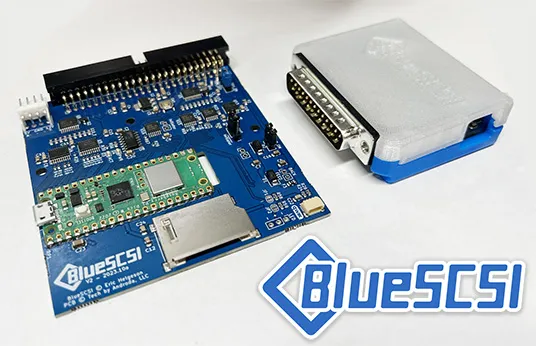
I feel like I'm getting so close... Almost success! Log shows I've successfully connected to WiFi (via the WiFi DA; it didn't recognize my bluescsi.ini file).
Here is the latest log - I still can't ping bluescsi.com and I can't use the preconfigured CQ II Black Night software. No success actually accessing anything online yet.
Platform: BlueSCSI (Pico2/W)
FW Version: 2026.04.27-rel Apr 28 2026 00:34:35
Flash chip size: 4096 kB
=== Bootloader Log ===
[0ms] Bootloader version: Apr 28 2026 00:34:19 BlueSCSI
[0ms] Looking for firmware: BlueSCSI_Pico_2_DaynaPORT*.bin
[26ms] Bootloader continuing to main firmware
=== End Bootloader Log ===
Reclock Pico 2/2W based boards to standardized speed
Initial Clock set to 150MHz
Reclocking the MCU to 155MHz
Setting the SDIO clock to 26MHz
After reclocking, system reports clock set to 155MHz
=== SD Card Info ===
SD card detected, FAT32 volume size: 15192 MB
SD Name: SD, MID: 0xFE, OID: "42" (0x34 0x32)
=== Global Config ===
Reading configuration from bluescsi.ini
=== Finding images ===
=== Finding images in / ===
== Opening /NE4.hda for ID:4 LUN:0
---- Configuring as network based on image name
== Opening /HD0-OpenRetroSCSI-7.1.hda for ID:0 LUN:0
---- Configuring as disk drive
== Opening /HD1 BlueSCSI Bootstrap.hda for ID:1 LUN:0
---- Configuring as disk drive
== Platform supports ROM drive up to 2848 kB
=== Configured SCSI Devices ===
ID: 0, BlockSize: 512, Type: Fixed, Quirks: Apple, Size: 512000kB
ID: 1, BlockSize: 512, Type: Fixed, Quirks: Apple, Size: 524336kB
ID: 4, Type: Network
=== Network Initialization ===
Wi-Fi MAC: 00:80:19:FE:2A:1E
No Wi-Fi SSID or Password found. Use the BlueSCSI Wi-Fi DA to configure the network.
Clock set to: 155MHz
Initialization complete!
Disabling status LED
INFO: Pico Voltage: 3.310V.
Connecting to Wi-Fi SSID "Deco Home" with WPA/WPA2 PSK
Successfully connected to Wi-Fi SSID "Deco Home"
Here is the latest log - I still can't ping bluescsi.com and I can't use the preconfigured CQ II Black Night software. No success actually accessing anything online yet.
Platform: BlueSCSI (Pico2/W)
FW Version: 2026.04.27-rel Apr 28 2026 00:34:35
Flash chip size: 4096 kB
=== Bootloader Log ===
[0ms] Bootloader version: Apr 28 2026 00:34:19 BlueSCSI
[0ms] Looking for firmware: BlueSCSI_Pico_2_DaynaPORT*.bin
[26ms] Bootloader continuing to main firmware
=== End Bootloader Log ===
Reclock Pico 2/2W based boards to standardized speed
Initial Clock set to 150MHz
Reclocking the MCU to 155MHz
Setting the SDIO clock to 26MHz
After reclocking, system reports clock set to 155MHz
=== SD Card Info ===
SD card detected, FAT32 volume size: 15192 MB
SD Name: SD, MID: 0xFE, OID: "42" (0x34 0x32)
=== Global Config ===
Reading configuration from bluescsi.ini
=== Finding images ===
=== Finding images in / ===
== Opening /NE4.hda for ID:4 LUN:0
---- Configuring as network based on image name
== Opening /HD0-OpenRetroSCSI-7.1.hda for ID:0 LUN:0
---- Configuring as disk drive
== Opening /HD1 BlueSCSI Bootstrap.hda for ID:1 LUN:0
---- Configuring as disk drive
== Platform supports ROM drive up to 2848 kB
=== Configured SCSI Devices ===
ID: 0, BlockSize: 512, Type: Fixed, Quirks: Apple, Size: 512000kB
ID: 1, BlockSize: 512, Type: Fixed, Quirks: Apple, Size: 524336kB
ID: 4, Type: Network
=== Network Initialization ===
Wi-Fi MAC: 00:80:19:FE:2A:1E
No Wi-Fi SSID or Password found. Use the BlueSCSI Wi-Fi DA to configure the network.
Clock set to: 155MHz
Initialization complete!
Disabling status LED
INFO: Pico Voltage: 3.310V.
Connecting to Wi-Fi SSID "Deco Home" with WPA/WPA2 PSK
Successfully connected to Wi-Fi SSID "Deco Home"

Maybe you could tell us what was wrong with the original NE4.hda file. This may be helpful for others in the future.I feel like I'm getting so close... Almost success! Log shows I've successfully connected to WiFi (via the WiFi DA; it didn't recognize my bluescsi.ini file).
Here is the latest log - I still can't ping bluescsi.com and I can't use the preconfigured CQ II Black Night software. No success actually accessing anything online yet.
The issue was a hidden extension. I only noticed because the icon was showing RTF. Eliminated the extension, ensured no conflicting position, and voila! It worked. Now to just get the WiFi functional.Maybe you could tell us what was wrong with the original NE4.hda file. This may be helpful for others in the future.

Looks like I'm having the same exact issue that Jason was having back in 2023. I'll give this a try when I get home. I am successful in connecting to my home WiFi but the unit doesn't register on my list of connected devices when I look at my home Deco app.I gave the DaynaPORT emulation another shot this afternoon, and this time it worked!
Switching from “EtherTalk (A)” to “Ethernet Alternative” in the Control Panel for MacTCP made the difference. That said, I swear I tried this setting before! Maybe the BlueSCSI had trouble joining my home network for that particular boot cycle. The WiFi Desk Accessory @jcs is working on will be a tremendous convenience and a big help in troubleshooting. I look forward to its release and the finalization of this beta firmware.
FYI, I’m getting around 3,600 bytes/second between an FTP server hosted on a MacBook Pro and a volume on the BlueSCSI connected to a Mac Plus. That’s approximately the speed of a 28.8-baud modem.
So to rehash Jason's issue - Log shows connected to WiFi, but can't ping anything on home network nor can I ping anything on the outside.
For a reminder, I'm using a 4MB Mac SE (68000) with an external BlueSCSI V2 w/Wifi flashed with April 2026 firmware.

Please tell me if you figure it out! I tried to connect to wifi on my Portable with system 6.0.8, but couldn't ping either.
Sadly this apparent simple fix didn’t work for me. Back to the drawing board.Please tell me if you figure it out! I tried to connect to wifi on my Portable with system 6.0.8, but couldn't ping either.
Worked with @tiktok4321 on discord and it seems the system folder he was using might have had some conflict - a fresh 7.0.1 worked for him right away.
I don’t know the boot voodoo that goes into these compacts. With another SD card, knowing the hardware is good, trying on some different system versions.
So far, the ONLY image it works on with my 4mb SE is the OpenRetroSCSI 7.0.1 image linked from https://bluescsi.com/docs/WiFi-DaynaPORT
So far, the ONLY image it works on with my 4mb SE is the OpenRetroSCSI 7.0.1 image linked from https://bluescsi.com/docs/WiFi-DaynaPORT
The only image I got to work on my Portable for it to boot is the archive Macpack, and I am only able to edit it with SNOW. Horrible because I can't unpack anything. Would be a nice edition to SNOW if you could just drop a .sit or .hqx and SNOW unpacks it and puts it on the HD image for you. But it's hard finding things that can be put on my Portable. But totally understand your pain.