
Apple PC Compatibility Card (7" & 12") MS-DOS 6.22 / Windows 3.11 / Windows 95B / Windows 98SE Images

Ron's Computer Videos

Active Tinkerer
Oct 15, 2021
217
308
63
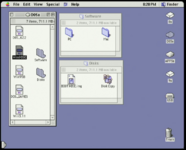
As promised, here is a collection of tools for use with both the original Apple DOS Compatibility Card and the PC Compatibility Card.

DOWNLOAD HERE:
https://macintoshgarden.org/apps/ap...2-windows-311-windows-95b-windows-98se-images

DL1: 1GB Drive container w/ DOS 6.22 + Windows 3.11 for Workgroups - includes Phil's Computer Lab's DOS Starter Pack (https://www.philscomputerlab.com/ms-dos-starter-pack.html), CD-ROM drivers, SB16 drivers, and benchmark tools (https://www.philscomputerlab.com/dos-benchmark-pack.html)

DL2: 1GB Drive container w/ Windows 95B OSR2. Includes Fraser Valley Distributed Computing Systems Inc. pcSetup 2.1.7 for updated Windows drivers and "Quality of Life" updates. (https://web.archive.org/web/20000817092205/http://www.pcsetup2x.com/prod...)

DL3: 1GB Drive container w/ Windows 98SE. Includes Fraser Valley Distributed Computing Systems Inc. pcSetup 2.1.7 for updated Windows drivers and "Quality of Life" updates. (https://web.archive.org/web/20000817092205/http://www.pcsetup2x.com/prod...)

DL4: Collection of tools for use with the Apple DOS Compatibility Card and PC Compatibility Card. Includes Apple's PC Compatibility 1.6.4, FVDCS's pcSetup 2.1.7, Apple USB Storage Drivers 1.3.5 (for Mac OS 8.6), and a Windows 98SE boot floppy image (for use on Macs with non-USB floppy drives)

DL5: 4GB Disk image of above tools for use with BlueSCSI drive emulator (https://bluescsi.com/)

Compatibility
Architecture: PPC
Mac OS 7.6.1, 8.6, 9

I hope folks find this helpful!
 

Attachments

  • Screenshot_2023-12-27_233113.png
    Screenshot_2023-12-27_233113.png
    139.9 KB · Views: 397

wottle

Active Tinkerer
Oct 30, 2021
883
620
93
48
Fort Mill, SC
This is awesome! I haven't broken out my 6115 with the DOS card in a while, but this will give me a good reason to. I know I struggled with getting Windows 3.11 / DOS on it (I think I resorted to making floppies with a USB floppy drive and then installing it that way). I decided Windows 95/98 wasn't worth the hassle, but with pre-made images, I will make some time to get it set up. Thanks!
 

wottle

Active Tinkerer
Oct 30, 2021
883
620
93
48
Fort Mill, SC
This is awesome! I haven't broken out my 6115 with the DOS card in a while, but this will give me a good reason to. I know I struggled with getting Windows 3.11 / DOS on it (I think I resorted to making floppies with a USB floppy drive and then installing it that way). I decided Windows 95/98 wasn't worth the hassle, but with pre-made images, I will make some time to get it set up. Thanks!
Sadly, my excitement was short lived. The 6115 wouldn't even power on. Likely the PSU, but waiting on some caps to see if a recap does the trick. If anyone has a good spare 61xx power supply they are willing to sell, let me know. I'd imagine running with the DOS card is harder on the PSU than just the 601... Or, even better, if one of you wizards can come up with a PicoPSU converter, or modern PSU replacement, that would be ideal!
 

Ron's Computer Videos

Active Tinkerer
Oct 15, 2021
217
308
63
Sadly, my excitement was short lived. The 6115 wouldn't even power on. Likely the PSU, but waiting on some caps to see if a recap does the trick. If anyone has a good spare 61xx power supply they are willing to sell, let me know. I'd imagine running with the DOS card is harder on the PSU than just the 601... Or, even better, if one of you wizards can come up with a PicoPSU converter, or modern PSU replacement, that would be ideal!

Don't forget that the 6100 won't power on without a working PRAM battery. However, you can encourage it to power on if you turn it off, and then hit the reset button on the back of the machine.... or quickly turn if back off, then back on again.
 

wottle

Active Tinkerer
Oct 30, 2021
883
620
93
48
Fort Mill, SC
Don't forget that the 6100 won't power on without a working PRAM battery. However, you can encourage it to power on if you turn it off, and then hit the reset button on the back of the machine.... or quickly turn if back off, then back on again.
Yeah, I put in a fresh MeowToast with new CR2032. I also tried the reset button (which immediately snapped off), and the power on / off / on trick. No signed of life. Hoping a recap does it, but may be in the market for a replacement PSU...
 

croissantking

Tinkerer
Feb 7, 2023
121
59
28
As promised, here is a collection of tools for use with both the original Apple DOS Compatibility Card and the PC Compatibility Card.

DOWNLOAD HERE:
https://macintoshgarden.org/apps/ap...2-windows-311-windows-95b-windows-98se-images

DL1: 1GB Drive container w/ DOS 6.22 + Windows 3.11 for Workgroups - includes Phil's Computer Lab's DOS Starter Pack (https://www.philscomputerlab.com/ms-dos-starter-pack.html), CD-ROM drivers, SB16 drivers, and benchmark tools (https://www.philscomputerlab.com/dos-benchmark-pack.html)

DL2: 1GB Drive container w/ Windows 95B OSR2. Includes Fraser Valley Distributed Computing Systems Inc. pcSetup 2.1.7 for updated Windows drivers and "Quality of Life" updates. (https://web.archive.org/web/20000817092205/http://www.pcsetup2x.com/prod...)

DL3: 1GB Drive container w/ Windows 98SE. Includes Fraser Valley Distributed Computing Systems Inc. pcSetup 2.1.7 for updated Windows drivers and "Quality of Life" updates. (https://web.archive.org/web/20000817092205/http://www.pcsetup2x.com/prod...)

DL4: Collection of tools for use with the Apple DOS Compatibility Card and PC Compatibility Card. Includes Apple's PC Compatibility 1.6.4, FVDCS's pcSetup 2.1.7, Apple USB Storage Drivers 1.3.5 (for Mac OS 8.6), and a Windows 98SE boot floppy image (for use on Macs with non-USB floppy drives)

DL5: 4GB Disk image of above tools for use with BlueSCSI drive emulator (https://bluescsi.com/)

Compatibility
Architecture: PPC
Mac OS 7.6.1, 8.6, 9

I hope folks find this helpful!

Thanks very much for contributing these. I have three 12” compatibility cards in my hands at the moment (they’re not mine, I’m troubleshooting them). Two of them were failed but I already fixed one after noticing an inductor had broken off the board.

So now I can’t get either of the two working ones to run properly in my Beige G3 - they’ll start up and everything, but lock up as soon as I try to do anything remotely CPU/disk intensive. For example, I cannot get Windows 95 to install - Setup always crashes. Sometimes the Mac freezes along with the PC and I have to force a restart.

FYI for anyone trying this, the procedure is to first install MS-DOS 6.2.2 from floppy disk, and then install Apple PC tools also from floppy disk. This will get the CD-ROM drive recognised, and from there you can run Windows 95 Setup. It sounds obvious, but it took me quite a while to figure out.

I did try the Windows 95B drive container (DL2) but it won’t get to the desktop - I usually get an error about not being able to access the Registry, if it even gets that far.

My initial test setup was Mac OS 9.2.2 with PC Setup 2.1.7 (what’s the story here - a third party unofficially took over development to make a bit of cash?). Suspecting that this OS might be too new, I setup a fresh installation of Mac OS 8.1 on another drive with PC Setup 1.6.4. While it is marginally more stable, it still crashes after a short time.

Neither of the two cards I’m currently testing have been recapped, so that’s the next step.
 

Ron's Computer Videos

Active Tinkerer
Oct 15, 2021
217
308
63
Thanks very much for contributing these. I have three 12” compatibility cards in my hands at the moment (they’re not mine, I’m troubleshooting them). Two of them were failed but I already fixed one after noticing an inductor had broken off the board.

So now I can’t get either of the two working ones to run properly in my Beige G3 - they’ll start up and everything, but lock up as soon as I try to do anything remotely CPU/disk intensive. For example, I cannot get Windows 95 to install - Setup always crashes. Sometimes the Mac freezes along with the PC and I have to force a restart.

FYI for anyone trying this, the procedure is to first install MS-DOS 6.2.2 from floppy disk, and then install Apple PC tools also from floppy disk. This will get the CD-ROM drive recognised, and from there you can run Windows 95 Setup. It sounds obvious, but it took me quite a while to figure out.

I did try the Windows 95B drive container (DL2) but it won’t get to the desktop - I usually get an error about not being able to access the Registry, if it even gets that far.

My initial test setup was Mac OS 9.2.2 with PC Setup 2.1.7 (what’s the story here - a third party unofficially took over development to make a bit of cash?). Suspecting that this OS might be too new, I setup a fresh installation of Mac OS 8.1 on another drive with PC Setup 1.6.4. While it is marginally more stable, it still crashes after a short time.

Neither of the two cards I’m currently testing have been recapped, so that’s the next step.

If your machine can handle it, install 7.6.1 to see if the issue is the OS or hardware.

The Windows 95 image is especially wonky... just like Windows 95. Use the Windows 98 image, it's much more stable.
 

croissantking

Tinkerer
Feb 7, 2023
121
59
28
If your machine can handle it, install 7.6.1 to see if the issue is the OS or hardware.
8.0 is the lowest you can go on a Beige G3, unfortunately.

The Windows 95 image is especially wonky... just like Windows 95. Use the Windows 98 image, it's much more stable.
Tried it, it went through all the found new hardware dialogs and then BSOD’ed.

There’s something else going on here.

I’m not sure how it can be a fault with the cards as they’re both behaving the same way even after I recapped one of them yesterday. And I’ve tried them in another Beige G3 with a good quality ATX PSU, so it’s not the host machine either.
 

Ron's Computer Videos

Active Tinkerer
Oct 15, 2021
217
308
63
Sorry to misunderstand. If you use the DOS/Win3.1 image, are you able to run any of the higher end benchmarks (like the Quake timedemo) and not have the card crash?