

Hi all,
I program a lot of ROMs and GALs for the boards I make, and I got tired of booting a Windows machine every time just to run Xgpro. minipro works on the Mac, but typing "SST39SF040@PLCC32" into Terminal 10 times a day gets old fast. So I wrapped it in a proper Mac app.
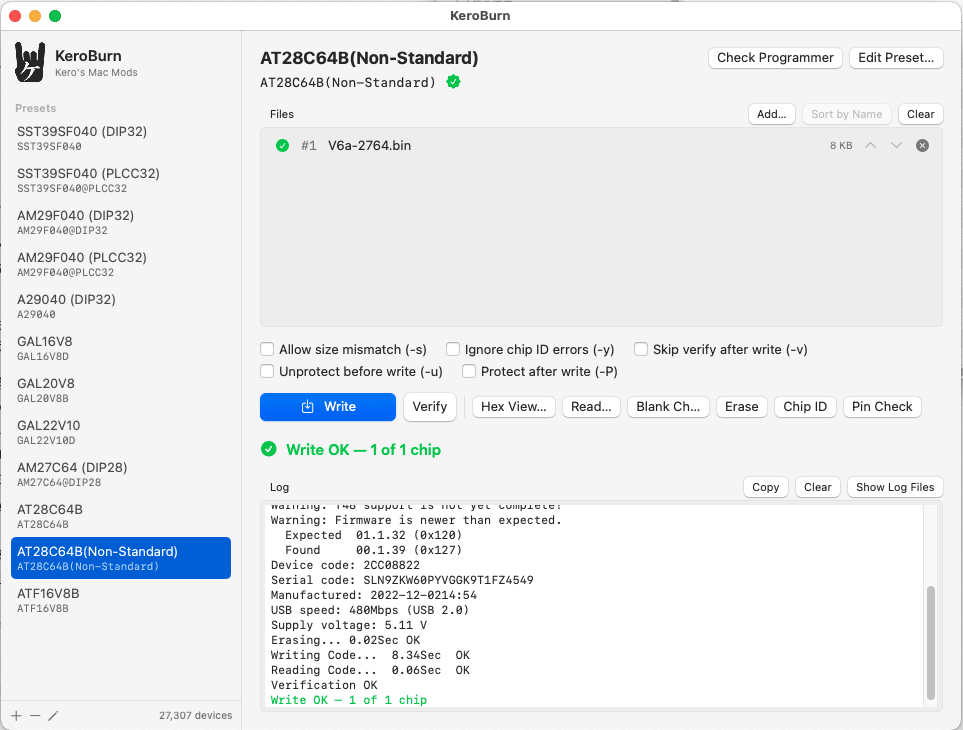
It's called KeroBurn. It's a front end for minipro, and minipro, libusb and the device database are all bundled inside, so there's no Homebrew or MacPorts to deal with. Universal binary, macOS 12 or later.
What it does:
- Presets for the chips you use. The editor searches minipro's T48 database as you type, and shows a green check if the name is valid.
- Drag a .bin (or .jed) onto the window and hit Write.
- Multi-chip runs. Drop a HI/LO pair or a 4-chip ROM SIMM set and it flashes them in order, stopping between each one so you can swap chips. Handy for ROM-inator or SMC ROM SIMM sets.
- Hex View. Load the file, read the chip back, and it shows both side by side with the mismatched bytes in red. It also tells you if the data looks shifted to a different address, or if all the errors land on even or odd bytes (which is usually a HI/LO mix-up).
- Sum and CRC32 for the file and the chip.
- A log of every chip written, with the file's SHA-256.
- Checkboxes for -s, -y, -v, -u and -P, saved per preset.
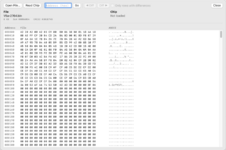
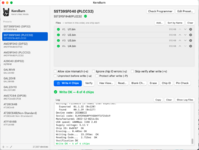
As this is still a beta version, it is being updated frequently. Please be sure to check for new releases before downloading.
https://github.com/kerokero5150/KeroBurn/releases
Download (beta):

 github.com
New
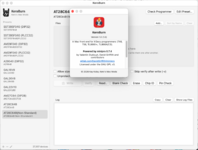
Source is on GitHub too, GPLv3 like minipro:
https://github.com/kerokero5150/keroburn
It's not notarized, so the first time you'll need to right-click it and choose Open.
What I've tested: an Intel Mac Pro with a T48 on firmware 00.1.39. SST39SF040 in PLCC32, AT28C64B, ATF16V8B and a few others all flash and verify fine.
What I haven't tested, and where I'd really like help:
- Apple Silicon. It builds as a universal binary, but I don't have an M-series Mac to run it on.
- The T56 and TL866II+. minipro supports them, I just don't own one.
One known oddity: my AT28C64Bs fail verify with the normal device name. Only the first and last byte of each 64-byte page get written. Switching to "AT28C64B(Non-Standard)" fixes it. My chips are recycled pulls though, so I'm not sure if it's the T48 or the chips. If you have genuine Atmel parts I'd like to know how they behave.
Bug reports here or on GitHub issues are both fine. Thanks for trying it.
I program a lot of ROMs and GALs for the boards I make, and I got tired of booting a Windows machine every time just to run Xgpro. minipro works on the Mac, but typing "SST39SF040@PLCC32" into Terminal 10 times a day gets old fast. So I wrapped it in a proper Mac app.
It's called KeroBurn. It's a front end for minipro, and minipro, libusb and the device database are all bundled inside, so there's no Homebrew or MacPorts to deal with. Universal binary, macOS 12 or later.
What it does:
- Presets for the chips you use. The editor searches minipro's T48 database as you type, and shows a green check if the name is valid.
- Drag a .bin (or .jed) onto the window and hit Write.
- Multi-chip runs. Drop a HI/LO pair or a 4-chip ROM SIMM set and it flashes them in order, stopping between each one so you can swap chips. Handy for ROM-inator or SMC ROM SIMM sets.
- Hex View. Load the file, read the chip back, and it shows both side by side with the mismatched bytes in red. It also tells you if the data looks shifted to a different address, or if all the errors land on even or odd bytes (which is usually a HI/LO mix-up).
- Sum and CRC32 for the file and the chip.
- A log of every chip written, with the file's SHA-256.
- Checkboxes for -s, -y, -v, -u and -P, saved per preset.
As this is still a beta version, it is being updated frequently. Please be sure to check for new releases before downloading.
https://github.com/kerokero5150/KeroBurn/releases
Download (beta):
Release KeroBurn 1.0 beta 4 · kerokero5150/KeroBurn
New Write a file at an address. Each file has an Offset… button: chip address, start in file, length, and "keep what's already on the chip". Put a few bytes of patched code in a small file, give i...
github.com
New
- Write a file at an address. Each file has an Offset… button: chip address, start in file, length, and "keep what's already on the chip". Put a few bytes of patched code in a small file, give it the address, tick Keep, and only that range changes. Same idea as the file load dialog in Xgpro.
- Presets remember their files. Line them up (offsets included), press Save to Preset, and they're loaded every time you pick that preset.
- Each preset keeps its own file list while the app is open, so switching presets doesn't lose anything.
- File rows show when the file was last modified. A saved file that's been moved or renamed shows in orange and the write won't start.
- Hex View lines up the compare when a file has an offset.
- Read… crashed when the first file in the list was smaller than the chip.
- The offset feature uses new minipro options (--offset, --file_offset, --length, --keep) from a patch in patches/. They work from Terminal too.
Source is on GitHub too, GPLv3 like minipro:
https://github.com/kerokero5150/keroburn
It's not notarized, so the first time you'll need to right-click it and choose Open.
What I've tested: an Intel Mac Pro with a T48 on firmware 00.1.39. SST39SF040 in PLCC32, AT28C64B, ATF16V8B and a few others all flash and verify fine.
What I haven't tested, and where I'd really like help:
- Apple Silicon. It builds as a universal binary, but I don't have an M-series Mac to run it on.
- The T56 and TL866II+. minipro supports them, I just don't own one.
One known oddity: my AT28C64Bs fail verify with the normal device name. Only the first and last byte of each 64-byte page get written. Switching to "AT28C64B(Non-Standard)" fixes it. My chips are recycled pulls though, so I'm not sure if it's the T48 or the chips. If you have genuine Atmel parts I'd like to know how they behave.
Bug reports here or on GitHub issues are both fine. Thanks for trying it.
Last edited:


