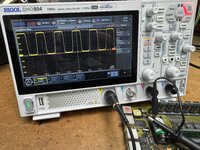
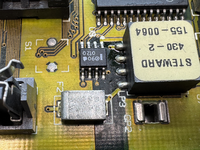
LC575 computer killed LC520 motherboard! 😭

  • Please can you read through and vote on the following proposition for changes to the board structure by clicking here.

JDW

Administrator
Staff member
Founder
Sep 2, 2021
2,600
2,017
113
54
Japan
youtube.com

Folks, I thought we could use the LC520 motherboard inside an LC575 computer body, but apparently not. My LC520 board is now dead!​


Some of you may recall my LC520 recapping video, and my 84V VGA Mod video. As you could see, I had a working LC520 board even prior to the recap, and it worked fine after recap, and I could use it on my Color Classic with the 84V Mod installed, along side the stock CC motherboard and LC575 motherboard.

In the past, my LC575 computer worked fine with the LC575 motherboard it came with, and you can see it powered in my Mystic Upgrade video. I purchased that LC575 on the cheap here in Japan for the lone purpose of extracting its motherboard, especially because the plastics were cracked, chipped, and ready to fall apart. Later, I desoldered one of the audio amplifier chips from the LC575's Analog Board in order to solder it into my Color Classic's Analog board for the Stereo Mod.

I kept the LC575 body in storage since the stereo mod. But this past week, I decided to get rid of the LC575 body, but before that I wanted to use it to check some things like the content of the spinner drive it came with. Not wanting to risk harming my precious overclocked LC575 motherboard, I decided to use my LC520 motherboard in the 575 body, because I had the understanding it was OK to do that. Sadly, it seems to have killed my LC520 motherboard.

I did the following this week, in the order listed below:​

  1. I properly removed the Analog Board in order to reinstall the two Audio Amplifier Chips. (I had two spare chips taken from an LC520 Analog Board that I later junked. And yes, I soldered them into the LC575 Analog Board correctly. I cleaned off the flux with alcohol and gave it 24 hours to fully dry before testing.)
  2. I reinstalled the Analog Board properly.
  3. I installed my LC520 motherboard properly, and yes, the bottom metal prongs make ground contact with the metal frame of the computer.
  4. I connected my ADB IIgs Keyboard and ADB Mouse to the LC520 motherboard inside the 575 body.
  5. I connected the power cable, then flipped the back side switch to ON. I could hear that the CRT circuit was powered with the normal "boom" sound. It's a bit louder and bolder than the Color Classic's sound, but perfectly normal for the 575 due to its larger CRT.
  6. I then pressed the power key. Nothing. No bong. No CRT display. No LED lit on front. No HDD spinning. No case back fan spun. No sign of life at all !!!!
  7. I measured at the LC520 motherboards connectors to see what voltages I could read:
    (a) Meter GND to SCSI pin-7 (GND) and Meter POS to SCSI pin 25 (Term. PWR). No voltage when I flipped ON the PWR SW, and nothing when I pressed the PWR key.!
    (b) Meter GND to top left pin of ADB connector, and Meter POS to top right pin of ADB. At PWR ON, voltage slowly rose to 106mV, but it should be 5V!
  8. I removed the case back from the LC575, flipped the PWR SW ON, and used my thermal meter. Various components get hot, which is what I would expect.
  9. I powered OFF, removed the LC520 motherboard, then put the LC520 board into my Color Classic (with 84V mod). I flipped ON PWR, heard the CRT power-up boom sound, then pressed the PWR key on my IIgs keyboard. No bong. 100% black CRT. My heart sank! But I do hear the case fan and see the machine is powered.
  10. I removed the LC520 motherboard and installed the LC575 motherboard into the Color Classic. It bonged and booted up perfectly.
  11. I am not seeing any visible signs of burn marks on my LC520 motherboard. No smoke, nor any bad smells on it either.

QUESTIONS:​

  1. Is it really WRONG to use an LC520 motherboard inside an LC575 body? Or have some of you done that successfully? If you have successfully done it, then it means something else inside the 575 computer body must have killed my LC520 motherboard.
  2. Any ideas what might be dead on my LC520 motherboard? Identifying that would potentially lead to a fix.

Thanks.
 
  • Sad
Reactions: YMK

Volvo242GT

Tinkerer
Feb 7, 2022
375
211
43
Currently Duvall, WA
Maybe something happened to the power supply after the initial testing. I don't think there's enough of a difference between the 520 and the 575 to make it impossible to use a 520 board in a 550 or a 575. With respect to the drive, pull it, then connect it externally to either your CC, or another Mac. That way, you don't have to worry about the 575 chassis anymore. I currently use my G4 DA with an Adaptec 29160N that has a 50 pin cable connected to it, run out one of the empty slot openings, along with a hard drive power cable. As long as I don't hot swap drives, it works fine for hard drive testing, or installing software that has been downloaded from the 'net onto one of my older Macs' hard drives.
 

JDW

Administrator
Staff member
Founder
Sep 2, 2021
2,600
2,017
113
54
Japan
youtube.com
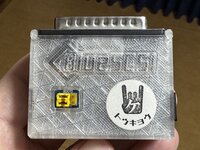
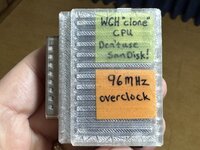
When I tested my LC520 motherboard inside the LC575 body, I had my external BlueSCSI v1 attached, but its LEDs never lit up.

IMG_7948.jpeg

IMG_7949.jpeg

I tested that BlueSCSI just now with my LC 575 motherboard inside my CC Mystic and the blueSCSI lights normally and it’s drives mount on the Desktop just fine, so it undamaged.
 

JDW

Administrator
Staff member
Founder
Sep 2, 2021
2,600
2,017
113
54
Japan
youtube.com
I put my multimeter into continuity check (beeper) mode and put the probes across each polymer tantalum capacitor. No continuous beep, which means they are not shorted. Then on the solder side, I checked the factory solid tantalums. No long beeps on any of those capacitors either.

Separately from that testing, here's a photo I shot in the past...

1770942735524.png


A single gold-finger (pad) connects tp +12V, but there are two pads for GND and another two for +5V. I used my meter in beeper mode to confirm the two GND pads are connected (as they should be), so are the two +5V pads, and GND & +5 are not connected, neither is +12V connected to GND or +5v.

And so I'm rather stuck trying to figure out what happened and what's wrong with this LC520 board.

And no, there are no noticeable burn marks on the stock solid tantalum capacitors on the solder side of the board. But if any of those had failed, they would have failed shorted, and the failure mode is to burn for those caps, and yet, there are no burn marks on them.

:cry:
 

Fizzbinn

Active Tinkerer
Nov 29, 2021
265
272
63
Charlottesville, VA
I have a Performa 575 and have successfully used both 520 and 550 logic boards in it with no problem, boards that I normally use(d) in my Color Classic. I don't think it's a fundamental incompatibility but I see how it could be some issue with your particular 575 chassis "killing" logic boards. :-/ I'd be hesitant to try any other logic board in it too.

In reading your testing summary could it also be possible that your 520 board died between the last time you last used it in your Color Classic and when you tested it in the 575? I've definitely encountered boards that work after a recap and clean and then won't work when pulled out later. IPA loosened leaked cap goo resettling after storage? I know in at least one case of mine I got the board working again after an ultrasonic cleaning. I also think I had an LC III board where it stopped working and the fix was desoldering, cleaning under and resoldering the CUDA and/or sound chip. There could also be accidental board damage from handling, it doesn't take much to damage a surface trace in handing. My 550 board was dead even after recap when I first got it until I repaired a knick on trace I initially did not see. Sorry, its likely this won't be much help.

In any case I feel your pain, this kind of thing is absolutely no fun.
 
  • Like
Reactions: JDW

JDW

Administrator
Staff member
Founder
Sep 2, 2021
2,600
2,017
113
54
Japan
youtube.com
I sadly didn’t re-test the LC520 motherboard inside my CC Mystic immediately prior to testing that motherboard in the 575 chassis, but I did test the 520 board many, many times after my recap inside the CC Mystic and it worked perfectly every since time. The last test of it inside the CC was a couple months ago. It's a very clean board and that was true even prior to the recap. That makes it all the more unsettling for me.
 

JDW

Administrator
Staff member
Founder
Sep 2, 2021
2,600
2,017
113
54
Japan
youtube.com
Whatever killed my LC520 motherboard didn't harm the Apple-branded 320MB spinning platter drive (Quantum LPS340S, which originally came with the LC575 and was connected at the time I tested the LC520 board). I put that HDD inside a PowerMac 9600 this evening and it booted the machine right away into System 7.5.5. That has some positive meaning since SCSI drives get 5V and 12V rails, and if one argues a power supply spike in the LC575 killed my LC520 board, why then was the HDD not affected?

I measured the RESISTANCE between the GND & +5V rails at the power connector on the LC520 board. It measured 1.18kΩ. Of course, I never measured that before so I don't know what is the "normal" resistance. Maybe one of your LC520 motherboard owners could check that, if you have the time and desire.

I then soldered a wire to the GND rail and another wire to the 5V rail so I could feed power to it via my bench top power supply, which has a good crowbar (short-circuit) protection feature, but it never engaged.

tempImage5gpbca.png

With the LC520 board connected, it draws about 1 Amp, which I think is about what it probably should be...

tempImageEZXHhK.png

(I did not connect +12V to the motherboard — only +5v and GND.)

I covered the shiny metal parts with black electrical tape so I could take a better thermal scan...

1770986117330.png


I left it powered about 20 seconds and shot this with my thermal camera, showing hotspots that make sense...

1770986201109.png


21.7°C was about what the ambient room temperature was at the time.
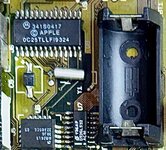
51.2°C is hotter than the CPU by a little bit. This chip...

1770986296696.png


But maybe that's normal. Not sure because I never thermal checked that motherboard before. But 51.2°C really isn't hot. Nothing abnormal there, I don't think.

The solder side shows these warm spots, and by no means hot at all...

1770986369157.png


1770986413350.png


Still not sure what to think at this point.
🤔