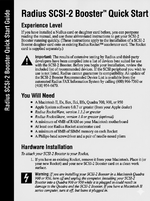
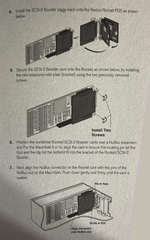
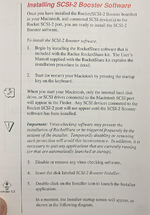
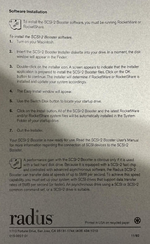
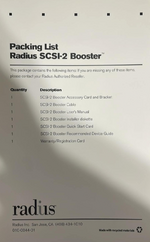
It seems to me there is an even newer version available, version 1.1. I will upload it into MG asap.
And here is the README file:
SCSI-2 Booster Software
Version 1.1 Supplementary Information
August, 1993
----------------------------------------------------------------------------
TABLE OF CONTENTS FOR THIS READ ME FILE
* New support and functionality provided by version 1.1
* Compatibility Considerations
* RocketWare vs. RocketShare
* Setting the Jumper
* Cable Considerations
* SCSI-2 Booster Recommended Device Guide
* Customer Support Information
----------------------------------------------------------------------------
NEW SUPPORT AND FUNCTIONALITY PROVIDED BY VERSION 1.1
IMPROVED RELIABILITY: Version 1.1 contains a general software fix that may improve reliability with some SCSI devices. If you have experienced problems with a particular device using SCSI-2 Booster v.1.0 software, Radius recommends using the same device with version 1.1 software to see if reliability is improved.
STORAGE DEVICES WITH MULTIPLE PARTITIONS: Now fully supported under RocketShare. SCSI-2 Booster v.1.0 provided limited support for certain hard disk partitioning packages in the RocketShare environment. If a system folder was located anywhere but on the first partition in a series of partitions, it would not be recognized by the SCSI-2 Booster as a valid startup folder. SCSI-2 Booster v.1.1 eliminates this problem. This fix provides compatibility with GCC's Drive Manager formatting software.
SUPPORT FOR BLIND WRITES: SCSI-2 Booster v.1.1 now supports ``blind write'' functionality. This corrects a data transfer limitation that restricted SCSI-2 Booster throughput with select high-performance drives.
3M RAINBOW DESKTOP COLOR PROOFING SYSTEM (V.1.5 AND LATER): Supported with SCSI-2 Booster v.1.1.
APPLE COLOR ONESCANNER: Supported with SCSI-2 Booster v.1.1.
APPLE COLOR PRINTER: Supported with SCSI-2 Booster v.1.1.
NIKON LS10 COOLSCAN: Now supported in both the RocketShare v.1.1 and RocketWare v.1.5 environments. Previous versions of RocketShare and RocketWare do not support the Nikon CoolScan. Radius has only been able to test the LS10 Coolscan but other Nikon scanners may now be compatible.
LACIE SILVERSCANNER II: SCSI-2 Booster v.1.1 software now provides better reliability for this device when scanning at resolutions greater than 300 dpi.
----------------------------------------------------------------------------
COMPATIBILITY CONSIDERATIONS
SCSI-2 CAPABILITIES NOT SUPPORTED: Some SCSI-2 disk drives require that various configuration options be set to match the capabilities of the SCSI port to which they are being connected. In general, the SCSI-2 Booster provides a SCSI-2 feature set comparable to that provided by a Quadra 700's built-in SCSI port. SCSI-2 capabilities NOT currently supported are Synchronous transfers and Fast SCSI. Due to connector limitations, Wide SCSI is also not supported.
Additionally, drives must be ``single-ended'' and not ``differential'', and must not force ``disconnect''. Drives do not need to supply termination power because the SCSI-2 Booster supplies it. If your SCSI-2 drive offers these configuration options, consult the user documentation included with it for further information.
IRIS SMARTJET PRINTER: There is an outstanding problem between the IRIS SmartJet printer and the SCSI-2 Booster. IRIS has implemented a fix in their code which will be included as part of a SmartVIP software update. This update is expected to be released in the summer of 1993. Please contact IRIS Technical Support for more information regarding software updates to support SmartJet operation with the SCSI-2 Booster.
LEAF SYSTEMS LEAFSCAN 45: There is a timing problem between the LeafScan 45 and the SCSI-2 Booster. The bug has been traced to Leaf's PhotoShop plug-in module. According to Leaf Technical Support, this problem will be fixed in their v.2.1 plug-in update. However, there is a work around for those users with v.2.0 or 2.01 of the Leaf plug-in. Set the scanner to ID 1 and the problem should disappear. Again, use of this work around will only be necessary until v.2.1 of the Leaf PhotoShop plug-in is released. This timing problem does not occur with the LeafScan 35.
ROCKETWARE v. 1.3.2: This older version of RocketWare is the minimum version of Rocket software required for SCSI-2 Booster support. It is included on the SCSI-2 Booster installer diskette (as a custom installation option) to provide users who wish to continue to run system software v.6.0.7 and the SCSI-2 Booster (RocketWare v.1.5 requires system v.7.0.1 or greater). YOU SHOULD ONLY INSTALL ROCKETWARE 1.3.2 IF YOU HAVE A VERSION OF ROCKETWARE PRIOR TO VERSION 1.3.2 AND ARE RUNNING SYSTEM 6.0.7.
Otherwise, Radius recommends using the latest software available from Radius, Apple and/or other third party developers. Use of RocketWare v.1.3.2 with the SCSI-2 Booster is only recommended if critical applications and/or utilities require System v.6.0.7.
----------------------------------------------------------------------------
ROCKETWARE VS. ROCKETSHARE
The SCSI-2 Booster daughtercard can function in two environments, RocketWare and RocketShare. When running in the RocketWare environment, a Rocket/SCSI-2 Booster enhanced Macintosh can access and control up to seven devices. It is important to note that the available SCSI ID numbers are shared between the Macintosh SCSI port and the SCSI-2 Booster. This means that no two devices connected to EITHER the Macintosh SCSI port or the SCSI-2 Booster may have the same SCSI-ID number.
When the SCSI-2 Booster is used with RocketShare, your computer can access and control an additional 7 SCSI devices for each Rocket/SCSI-2 booster boardset installed. Each boardset represents a separate SCSI bus capable of addressing the same number of devices as the host Macintosh SCSI port.
----------------------------------------------------------------------------
SETTING THE JUMPER
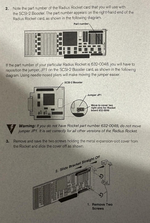
As specified in the QuickStart card and elsewhere, if you are using the original Rocket (part number 632-0048, located by the Rocket's silver end plate), you must reset the JP1 jumper on the SCSI-2 Booster board (see diagram in the QuickStart card for details). If you do not reset this jumper, and you are using the 632-0048 Rocket, the SCSI-2 Booster will not function under either RocketWare or RocketShare.
----------------------------------------------------------------------------
CABLE CONSIDERATIONS
CONNECTING THE CABLE: It is possible to accidentally unseat the Rocket/SCSI-2 Booster boardset inside the Macintosh when connecting the SCSI-2 cable.
To avoid this potential problem, try connecting the Booster cable with the lid of your Macintosh removed. Be sure your Macintosh is powered off before starting the processand to properly ground yourself before touching anything inside your Macintosh. Use one hand to connect the cable, while using the other to keep the Rocket/SCSI-2 Booster boardset firmly seated in the NuBus slot. This ensures proper cable connection and reduces the likelihood that you will accidentally unseat your Rocket/SCSI-2 Booster boardset. Also, connecting the cable to the SCSI-2 Booster connector BEFORE you connect the cable to the peripheral will reduce the likelihood that you accidentally unseat the boardset.
SHIELDED VS. UNSHIELDED: Radius strongly recommends the use of shielded cables with the SCSI-2 Booster. The high data transfer rate of the SCSI-2 Booster makes an unshielded cable much more susceptible to electrical noise. If a device does not work with the SCSI-2 Booster, try using a shielded cable. Ideally, each individual wire inside the cable should be shielded. (Such cables are generally about the same thickness as the cable supplied with the SCSI-2 Booster.) Check with your cable supplier if you have any questions regarding shielded cables.
ALTERNATE CONNECTORS: Storage devices that make use of low density 25-pin connectors require an adapter for use with the SCSI-2 Booster. Many LaCie drives, for example, require a 25-pin plug. The standard 50-pin (SCSI-2) to 50-pin (SCSI-1) cable provided with the Booster will not connect directly to such a port. To obtain a cable compatible with the 25-pin plug, contact Computer Cable at (916) 921-2243.
----------------------------------------------------------------------------
SCSI-2 BOOSTER RECOMMENDED DEVICE GUIDE
Extensive testing done by Radius and third party developers has yielded a list of devices best suited for use with the SCSI-2 Booster. A copy of this Recommended Device Guide has been included for your information. As new devices are qualified they will be added to the list.
Updated copies of the SCSI-2 Booster Recommended Device Guide can be obtained from the Radius Fax Information System. For the latest information regarding recommended devices call (800) 966-7360 or (408) 954-6670.
If a particular SCSI peripheral does not work with the SCSI-2 Booster, try updating the driver for that device with the latest utility from the manufacturer (or one of the alternate utilities listed in the Recommended Device Guide). If problems persist, contact Radius Customer Support with the manufacturer, model number and driver version. Reported incompatibilities will, whenever possible, be addressed through the release of software updates.
----------------------------------------------------------------------------
CUSTOMER SUPPORT
If you have a problem you cannot resolve through your Radius Authorized Reseller, contact Radius Customer Support by phone at (408) 434-1012, Monday through Friday, 6:00 a.m. to 6:00 p.m. Pacific Time, or fax at (408) 954-1015. Radius Customer Support can also be contacted via the following on-line information services:
AppleLink: RADIUS.TECH
CompuServe: 76004,2155
America On-line: RadiusTS
InterNet:
[email protected]
Radius BBS: (408) 954-1689
You may also contact the Radius Software Information Center at (800) 227-2795 to find the location of your nearest Radius Authorized Reseller. To obtain Radius product updates on a regular basis, please return your registration card as soon as possible.