
Hacking the Kodak Reels 8mm Film Digitizer (New Thread)
- Thread starter Mac84
- Start date
You are using an out of date browser. It may not display this or other websites correctly.
You should upgrade or use an alternative browser.
You should upgrade or use an alternative browser.
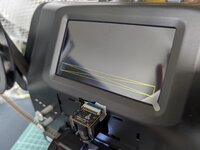
Hi ArgieBargie,Absolutely I'll share it on here as soon as I've got it off the scanner.
I'm doing at least one pass of all the films I have (now about 3/4 of the way through) before I crack this thing open, in case I manage to completely munt it. They're pretty pricey here in Aus so it's not something I want to tackle without getting mum's films all done at least as well as the crappy stock firmware can manage.
I've stepped up my scanning schedule a bit, and knocked out about 10 reels today.
I hope your film scanning is going well. I just wanted to follow up regarding the original firmware dump from your A3026 unit.
My return window is now getting quite close, so I need to decide soon whether to return my scanner or attempt another recovery method.
Have you had a chance to extract the firmware yet, or do you have an approximate idea of when you might be able to do it?
I completely understand that you need to finish your family films first, and I do not want to pressure you. I just need to know whether the dump is likely to be available before my return deadline.
Thank you again for offering to share it.
Did you end up trying out the D version? Just ordered a unit off Amazon, similar serial number: J2925148BK01099. From what I can tell it's probably a D but it hasn't been tested yet.Still curious if anyone else has a 100% confirmation on this stock number firmware version to use: J2925148BK00696
The J prefix seems extremely rare at this point, I havent seen anyone else mention having one with that prefix.

Posting a new Type D build for anyone who wants to try it. Same base as the last one, two main changes:
Also cleaned up a false "REC STALLED" that used to flash in preview after a normal stop.
Reminder: for the higher bitrate, use a FAT32 card, 32 GB or smaller, Class 10 / V10+. Big exFAT cards write too slowly and will truncate long reels.
- Manual white balance. While recording, use the arrows to pick R/G/B and +/- to adjust (±16 coarse, left/right for ±1 fine). The setting is saved and restored automatically after a power cycle. Use RST to reset back default values.
- Card-stall now stops the reel. If the SD card can't keep up and the recording stalls, you still get the on-screen
CARD SLOW / REC STALLEDwarning — and now the motor also stops, leaving the frame counter frozen on the last good frame so you can see exactly where it cut out instead of finding out at the end.
Also cleaned up a false "REC STALLED" that used to flash in preview after a normal stop.
Reminder: for the higher bitrate, use a FAT32 card, 32 GB or smaller, Class 10 / V10+. Big exFAT cards write too slowly and will truncate long reels.
Attachments
Quick update on an issue I've seen using post #616 "D" version drop on an H2825 unit. It has happened twice now so I thought it might be useful to share.
The first time it happened at about 1900 frames into a 50 foot roll of Super 8 (~3600 frames total/roll). The display froze at that frame but the film kept advancing and appeared to keep capturing. I assumed it was just a glitch so I stopped the unit and restarted. I completed about six or eight rolls before it happened again.
The second time was again with a 50 foot roll and it froze at about 2400 frames in, same behavior. I paid closer attention this time and waited for the end of the roll to move through, not knowing if it was still capturing. At the end of the roll, the OK button and power button were not responsive, and I had to unplug the unit to stop the motor. The SD card did not have a file for the capture. I was using the same 128GB FAT32 formatted SD card that I had been using successfully.
Not knowing the cause, I've reverted to the post #605 firmware and went back to the 16GB FAT32 card.
So far, so good but @melw let me know if there is anything you'd like me to do to troubleshoot or try to replicate.
Sorry for slow response - been on the road and just today got back to this. I'm tempted to try also the large SD card + FAT32 combo - large cards with exFAT are not working well, and 32GB FAT32 should work without issues. I just shared an updated Type D build (#645) that has improved stall detection + support for stopping motor when recording frame counter no longer advances.
I can feel the pain of not getting 50 foot roll recorded and only finding out at the very end. While I can't say for sure whether it's the large SD card, I'd lean toward using the 32GB one, if it's large enough to hold the recording, just to be on the safe side. Even with improved record stall detection, it's not nice if the recording cuts in the middle.
New purchase of this to scan my mother-in-laws huge stash of 8mm/Super 8mm films nobody has seen so volunteered as a tech guru to do this in house as she has almost 100 films!!
Being a tech geek for 30+ years I figured I would "tweak" this as stock was not great and hate devices that dont use all their capabilities.
M2025148BK*****
Suffice to say the B and C did not work for my device as either froze screen or inverted+color warped + froze screen
I used the D from above in #645 and it is back to working and scanning again so can start on this "stack" of up to 50 year old reels! (wife is just a toddler)
Using a 64GB PNY card (100MB/s - V30) reformatted to FAT32 for these approx 3 min films with no issue
TLDR - M2025 needs D?
Being a tech geek for 30+ years I figured I would "tweak" this as stock was not great and hate devices that dont use all their capabilities.
M2025148BK*****
Suffice to say the B and C did not work for my device as either froze screen or inverted+color warped + froze screen
I used the D from above in #645 and it is back to working and scanning again so can start on this "stack" of up to 50 year old reels! (wife is just a toddler)
Using a 64GB PNY card (100MB/s - V30) reformatted to FAT32 for these approx 3 min films with no issue
TLDR - M2025 needs D?
Attachments
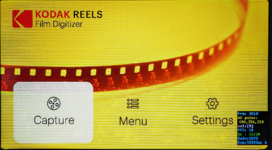
Last edited:
Posting a new Type D build for anyone who wants to try it. Same base as the last one, two main changes:
- Manual white balance. While recording, use the arrows to pick R/G/B and +/- to adjust (±16 coarse, left/right for ±1 fine). The setting is saved and restored automatically after a power cycle. Use RST to reset back default values.
- Card-stall now stops the reel. If the SD card can't keep up and the recording stalls, you still get the on-screen
CARD SLOW / REC STALLEDwarning — and now the motor also stops, leaving the frame counter frozen on the last good frame so you can see exactly where it cut out instead of finding out at the end.
Also cleaned up a false "REC STALLED" that used to flash in preview after a normal stop.
Reminder: for the higher bitrate, use a FAT32 card, 32 GB or smaller, Class 10 / V10+. Big exFAT cards write too slowly and will truncate long reels.
Thank you very much!
I confirm that it's working great on my Hardware Version D.
Fat32 formated Kingston 16 GB card, class 10.
The OSD flickers a tad now and then, but it's not bad at all. The glitches in the OSD are independent on whether I record or not. The recordings turn out very good.

I purchased a unit on Amazon as well. It arrived on June 24th. After a first round of tests with 8mm and Super8mm film, I was disappointed with the results. Luckily, I came across this forum and joined. My serial number is J2925148BK00441. There are postings that indicate that the firmware "type" of this unit is unclear. It may be D... it may be something even newer. I took the plunge and loaded the version D WIP version. The results are mixed. Yes, the scans are now 1600x1200, 18fps, and a bitrate of about 32K. They look much better than with the stock firmware. All the stock button functions continue to work as before. There is much discussion about changing the settings during recording. The settings in the lower right of the screen should display a [] around them when they are the target of the setting change. This is said to be changed with the arrow keys. This does not occur on my unit using the D WIP firmware. Maybe others can chime in as well.Did you end up trying out the D version? Just ordered a unit off Amazon, similar serial number: J2925148BK01099. From what I can tell it's probably a D but it hasn't been tested yet.
I think stock D's just record super 8 at 840x624 and artificially blow it up to a higher resolution for the sharpening processing.I purchased a unit on Amazon as well. It arrived on June 24th. After a first round of tests with 8mm and Super8mm film, I was disappointed with the results. Luckily, I came across this forum and joined. My serial number is J2925148BK00441. There are postings that indicate that the firmware "type" of this unit is unclear. It may be D... it may be something even newer. I took the plunge and loaded the version D WIP version. The results are mixed. Yes, the scans are now 1600x1200, 18fps, and a bitrate of about 32K. They look much better than with the stock firmware. All the stock button functions continue to work as before. There is much discussion about changing the settings during recording. The settings in the lower right of the screen should display a [] around them when they are the target of the setting change. This is said to be changed with the arrow keys. This does not occur on my unit using the D WIP firmware. Maybe others can chime in as well.
You would want to lower the stock lens down or change the lens for 0dan0's one to yield sharpness beyond that initial resolution.
I'm down to the last few reels. Sorry that I haven't gotten them done quicker, and what I thought was the last few of them turned out to be several large reels.Hi ArgieBargie,
I hope your film scanning is going well. I just wanted to follow up regarding the original firmware dump from your A3026 unit.
My return window is now getting quite close, so I need to decide soon whether to return my scanner or attempt another recovery method.
Have you had a chance to extract the firmware yet, or do you have an approximate idea of when you might be able to do it?
I completely understand that you need to finish your family films first, and I do not want to pressure you. I just need to know whether the dump is likely to be available before my return deadline.
Thank you again for offering to share it.
I'm itching to get this first pass done, because I'm getting plenty of the stupid flickering problems that plague these devices. I haven't forgotten about your plight, either. I'd say never mind the return deadline, because even if I get the stock firmware off this in the near future, you'll probably want to stick around until the clever folks here can finagle it. I have been doing at least one large reel each night, and I have about 4 more to go. This is on my mind each time I chuck a new reel on.
EDIT:
Also, I have a USB to TTL serial. I don't think I have an arduino handy. I have a couple of different types, including the CH340 and I can use a terminal. I might as well start preparing to retrieve the dump once I get this thing apart.
Last edited:
Hello Mike, I have a similar serial number (J2925148BK00441) and am using the latest D WIP firmware from melw and it is a definite improvement! I also am having difficulty figuring out how to change the configuration settings. For example, the FPS is set to 18. I would like to change it to 16 for some regular 8mm film. Pressing the arrow keys during recording is not moving the []. Maybe our hardware is slightly different?My serial number is J2925148BK01666. I flashed FWDV280-2 (after removing the "-2") without any issues. Seems these new numbers are D's.
Now I need to figure out how to changes the values...
Thanks , melw!
Another Type D test build. What's new since the previous build:
Using the menu (while recording): press Up/Down to move between settings — FPS, White Balance R/G/B, RST, Date Y/M/D. Use +/- to change the selected one (left/right gives fine steps on white balance). RST resets everything back to defaults. All settings persist across power cycles.
Tweaked the encoder's Qp parameter value floor to 20. Should help with rare freezes that can happen on grainy footage
- Selectable frame rate (16 / 18 fps). Toggle it in the recording menu.
- Date-setting. Set the recording date (YYYY-MM-DD). Works for 1980–2100 (per FAT32 filesystem limit)
Using the menu (while recording): press Up/Down to move between settings — FPS, White Balance R/G/B, RST, Date Y/M/D. Use +/- to change the selected one (left/right gives fine steps on white balance). RST resets everything back to defaults. All settings persist across power cycles.
Tweaked the encoder's Qp parameter value floor to 20. Should help with rare freezes that can happen on grainy footage
Attachments
Hello again, Mike... I was confused about how to change the settings in recording mode. I was expecting the [] to move to the setting to be changed. That is incorrect. After some interaction with melw, I now understand that while recording, the sel:[] display shows the target parameter. Pressing the up/down keys will cycle the targeted parameter. Then pressing the +/- keys will adjust that parameter. For example, when the UI shows sel:[FPS], the +/- keys will toggle between the values of 16fps and 18fps. Now that I understand this, life is good!Hello Mike, I have a similar serial number (J2925148BK00441) and am using the latest D WIP firmware from melw and it is a definite improvement! I also am having difficulty figuring out how to change the configuration settings. For example, the FPS is set to 18. I would like to change it to 16 for some regular 8mm film. Pressing the arrow keys during recording is not moving the []. Maybe our hardware is slightly different?
Tried this out. New device ordered from Amazon, serial # J2925148BK01099, with a SanDisk extreme 32 gb SD card C10 V30, formatted to FAT32. Worked fine, no issues I can tell. Only scanned one reel so far. Very slight/occasional flickering of the HUD during recording but not really an issue. I was able to adjust fps, date, and r/g/b while recording.Another Type D test build. What's new since the previous build:
- Selectable frame rate (16 / 18 fps). Toggle it in the recording menu.
- Date-setting. Set the recording date (YYYY-MM-DD). Works for 1980–2100 (per FAT32 filesystem limit)
Using the menu (while recording): press Up/Down to move between settings — FPS, White Balance R/G/B, RST, Date Y/M/D. Use +/- to change the selected one (left/right gives fine steps on white balance). RST resets everything back to defaults. All settings persist across power cycles.
Tweaked the encoder's Qp parameter value floor to 20. Should help with rare freezes that can happen on grainy footage
I recently inherited 200+ reels so I expect to be spending a lot of time with this the next couple months.
I did scan one reel prior to flashing this firmware, then scanned the same one after. I'm not an expert but it does look better.
Big thanks to melw and everyone else contributing to this - it's awesome.
@melw - Could you confirm the settings for this build from post # 653? Still 1600x1200, 31 mbps?
This build has worked fine for me for the most part but I just ran into an error on my latest scan attempt. Even though the film was continuing to move, the device itself seemed to have stopped scanning. The display was stuck on one frame from earlier and I couldn't hit back to end recording and cancel. I had to hold the power button for about ten seconds. to force it off After doing so, I checked the SD card but it doesn't appear to have saved a file for that recording.Another Type D test build. What's new since the previous build:
- Selectable frame rate (16 / 18 fps). Toggle it in the recording menu.
- Date-setting. Set the recording date (YYYY-MM-DD). Works for 1980–2100 (per FAT32 filesystem limit)
Using the menu (while recording): press Up/Down to move between settings — FPS, White Balance R/G/B, RST, Date Y/M/D. Use +/- to change the selected one (left/right gives fine steps on white balance). RST resets everything back to defaults. All settings persist across power cycles.
Tweaked the encoder's Qp parameter value floor to 20. Should help with rare freezes that can happen on grainy footage
The exact same issue just happened to me a second time in a row. First time it happened was after about 4000 frames, this time was a bit after 3000
Thank you so much for this update! I have been using your previous update, but the 16fps for all my regular 8mm is a god send!.Another Type D test build. What's new since the previous build:
- Selectable frame rate (16 / 18 fps). Toggle it in the recording menu.
- Date-setting. Set the recording date (YYYY-MM-DD). Works for 1980–2100 (per FAT32 filesystem limit)
Using the menu (while recording): press Up/Down to move between settings — FPS, White Balance R/G/B, RST, Date Y/M/D. Use +/- to change the selected one (left/right gives fine steps on white balance). RST resets everything back to defaults. All settings persist across power cycles.
Tweaked the encoder's Qp parameter value floor to 20. Should help with rare freezes that can happen on grainy footage
I did have one lockp issue only about 1 min into scanning. Had to pull the power plug to get it to stop, but since then, it has been working great. I have scanned three 7 inch reels so far on this firmware. It does stop at about 65% through the scan, but I think that is due to the 4G file size limit. It does stop the scanning process and start playing the scanned footage. I backup about 20 frames and start the scan again so I can edit the two clips together

Again great work and many thanks to all who have worked on this project. The modified firmware and lens mod look SO MUCH better than the stock scans!
Progress update! Another Type D test build.
What's new
How the reel-end / blank-frame detection works
When there's no film in the gate — the end of a reel, or a broken splice — the sensor just sees the bare backlight, which is bright/white. The auto-exposure reacts by dropping to its minimum exposure (~118 µs on my unit). Real footage has much higher exposure values — mostly around 300 µs and up. So the firmware just watches the live exposure value every frame:
The "no film" threshold is currently tuned to my unit's exposure values. The white level should be fairly universal (it's the sensor's minimum exposure), but if your footage or lighting is unusual it may need tweaking — treat the auto-stop as beta for now and let me know how it behaves on your reels. There is a debug "Blk" row on the OSD that shows when the blank detection has armed and when it has detected 20 frames of blank footage.
How the clean stop (motor + file) works
Getting a proper programmatic stop was the fiddly part. Just cutting the motor leaves the recording unfinalised. Pressing OK/Back to stop actually kicks off a chain of internal UI events. Tracing that chain led to the top-level stop routine that does the whole teardown in order: encoder finalise → file save → motor stop → return to the preview state. The auto-stop simply calls that same routine, so it behaves identically to a manual stop — the MP4 is properly closed, the motor stops, and you land back in the preview mode.
For anyone poking at the firmware, here's the details (for Type D device):
Menu Qp floor
There's now a menu item (
Known issue: Occasional hard freeze
The hard-freeze (screen stuck on a frame, film keeps advancing, buttons dead, no file saved, hold power to reboot) is unresolved. I suspect it's an encoder-level issue that isn't specific to the build. Best current guess is a rare buffer overrun on complex/grainy content at higher bitrates: it's rare on short reels and more likely on long ones. I've seen the freeze also few times during testing and long captures.
What helps in the meantime:
If you hit a freeze, a photo of the frozen screen (especially that Qp readout and the frame count) would be really useful data.
Feedback and bug reports very welcome!
What's new
- Reel-end auto-stop — the device detects when the film runs out (or a snapped/broken splice mid-reel) and automatically stops recording, finalises and saves the file, and halts the motor.
- The auto-stop uses the exact same finalise path as pressing OK/Back, so the MP4 file is closed correctly.
- Card-stall recovery — if a slow card can't keep up and stalls, it now does the same clean stop.
- Menu-adjustable Qp floor (range 16–26, default raised to 22) — tune the encoder's minimum Qp to your footage.
- Minor: on-screen
Qp: current/lowest, "REEL ENDED — FILE SAVED" note after an auto-stop.
How the reel-end / blank-frame detection works
When there's no film in the gate — the end of a reel, or a broken splice — the sensor just sees the bare backlight, which is bright/white. The auto-exposure reacts by dropping to its minimum exposure (~118 µs on my unit). Real footage has much higher exposure values — mostly around 300 µs and up. So the firmware just watches the live exposure value every frame:
- It first "arms" once it has seen real footage (exposure above a footage threshold).
- After it's armed, if exposure stays in the "no film" range for ~20 consecutive frames, it fires a clean stop.
The "no film" threshold is currently tuned to my unit's exposure values. The white level should be fairly universal (it's the sensor's minimum exposure), but if your footage or lighting is unusual it may need tweaking — treat the auto-stop as beta for now and let me know how it behaves on your reels. There is a debug "Blk" row on the OSD that shows when the blank detection has armed and when it has detected 20 frames of blank footage.
How the clean stop (motor + file) works
Getting a proper programmatic stop was the fiddly part. Just cutting the motor leaves the recording unfinalised. Pressing OK/Back to stop actually kicks off a chain of internal UI events. Tracing that chain led to the top-level stop routine that does the whole teardown in order: encoder finalise → file save → motor stop → return to the preview state. The auto-stop simply calls that same routine, so it behaves identically to a manual stop — the MP4 is properly closed, the motor stops, and you land back in the preview mode.
For anyone poking at the firmware, here's the details (for Type D device):
- Record vs. preview state: the movie-mode state byte at
0x80e0a624reads 10 while actively recording and 8 in preview. Handy for any mod that needs to know the current mode. - The clean stop is a single call:
0x801203a0(no arguments needed) is the top-level record-stop routine. It dispatches the stop UI event0x04000326— the same event OK/Back generate — which finalises the encoder and closes the MP4, calls the motor-stop function0x80114a88(which drives the motor register0x80ddc670), writes 8 back to the state byte0x80e0a624(return to preview), and runs the UI teardown. Calling that one function is exactly equivalent to a manual stop.
Menu Qp floor
There's now a menu item (
QpF) to set the encoder's minimum Qp, range 16–26, default 22. Higher keeps the encoder further out of the low-Qp zone that can choke on grainy content (small quality cost); lower gives a bit more detail. Tune it to your footage — it persists across power cycles.Known issue: Occasional hard freeze
The hard-freeze (screen stuck on a frame, film keeps advancing, buttons dead, no file saved, hold power to reboot) is unresolved. I suspect it's an encoder-level issue that isn't specific to the build. Best current guess is a rare buffer overrun on complex/grainy content at higher bitrates: it's rare on short reels and more likely on long ones. I've seen the freeze also few times during testing and long captures.
What helps in the meantime:
- A fast FAT32 formatted card.
- The new Qp-floor menu — raising it reduces the low-Qp bursts that possibly correlates with the freeze.
- Splitting long reels in multiple parts.
If you hit a freeze, a photo of the frozen screen (especially that Qp readout and the frame count) would be really useful data.
Feedback and bug reports very welcome!