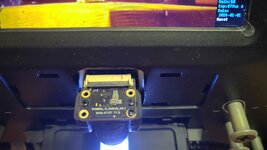
Even before I attempted my first scan, it was my impression that the take-up reel had too much pull, so I took the take-up section apart and removed a washer to increase the clutch slippage. It occurred to me that these films are a lot more fragile than they were 60 plus years ago.
John
New here so excuse me if my post is different for other versions (I have an A version per
0Dan0's list).
Popped the back off and removed the motor assy.
Removed the snap ring and the second large gear.
Removed the 4 screws and black retaining cap (I guess you could call it ) and the 3 washers (2 spring washers and a flat sandwiched between them).
Four tiny screws remove the metal plate and the whole take up reel arm comes out.
The 3 washers mentioned above have nothing to do with acting like a clutch or slippage mechanism !
With the arm completely removed, I still have the same amount of force required to make this slip.
I took apart the take up reel arm and inside there are 2 notched gears off the 2 shafts that are connected by a notched drive belt.
If you apply enough force the belt will slip and jump over a notch or two.
This is the ONLY slip mechanism in the entire take up reel arm/motor assy.
Also, the motor itself is very stiff and does not move.
After seeing this I would not recommend anyone manually move the take up reel as this will eventually damage the drive belt !
Other units may vary, but from pictures I have seen I don't think so ?
My fist scan had lots of frame jumping similar to the above video but since most my reels are 400 feet, there is no way I'm using the "let it collect in a bin" method.
Next I'll try removing the left spring from the hold down door.
I wish I had measured the voltage to the take up reel motor during a scan before putting the back cover back on.
Perhaps I can lower the voltage to the motor a bit and slow down the take up reel ?
Have not put in any modified firmware yet...