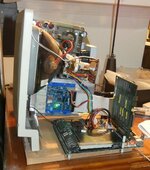
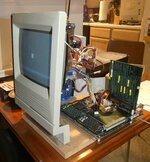
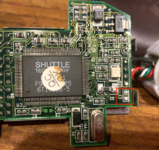
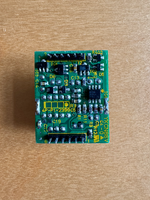
Disassembled a newly acquired QuickTake 150 and mentally prepared to desolder the dead power supply (12 normal pins and 2 humongous grounding pins).
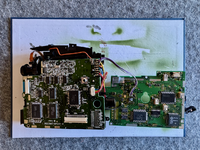


Removing the PS was not easy, but could be done, and many leaking caps were found inside. However, a complete recapping did not bring it back to life. Still suspecting voltage controller MB3776A (small IC on the right), but it could also be some external input that prevents it from working properly. What could V10K stand for, leading from the control panel to the PS? Sorely missing QuickTake schematics.Disassembled a newly acquired QuickTake 150 and mentally prepared to desolder the dead power supply (12 normal pins and 2 humongous grounding pins).
 haha so not worth my energy to investigate between firing up breakfast & lunches etc. and getting them on the school bus and off to daycare.
flatpak run --env=LIBGL_ALWAYS_SOFTWARE=1 --env=GALLIUM_DRIVER=llvmpipe ai.jan.Jan --disable-gpu --disable-gpu-sandbox flatpak override --user --env=LIBGL_ALWAYS_SOFTWARE=1 --env=GALLIUM_DRIVER=llvmpipe ai.jan.Jan