Hacking the Kodak Reels 8mm Film Digitizer (New Thread)

0dan0

Active Tinkerer
Jan 13, 2025
391
536
93
AR0330 2.2um pixels
OS04D 2.0um pixels

I'm assuming the same lens. Please do a full overscan, need to see the sprockets.

The smaller pixels will slight help the original lens, increasing your scan resolution 10%. New 12mm lens will still be a better setup.
 

videodoctor

New Tinkerer
Jan 8, 2026
50
23
8
AR0330 2.2um pixels
OS04D 2.0um pixels

I'm assuming the same lens. Please do a full overscan, need to see the sprockets.

The smaller pixels will slight help the original lens, increasing your scan resolution 10%. New 12mm lens will still be a better setup.
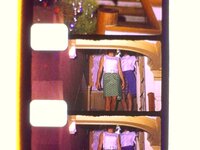
As I'm new to the community, I'm not sure if there's a documented process for doing a full overscan, but I re-installed stock firmware D and zoomed out all the way and centered the film in the frame. Is this what you want, @0dan0 ?
 

Attachments

  • stock_d.jpg
    stock_d.jpg
    245 KB · Views: 37

0dan0

Active Tinkerer
Jan 13, 2025
391
536
93
As I'm new to the community, I'm not sure if there's a documented process for doing a full overscan, but I re-installed stock firmware D and zoomed out all the way and centered the film in the frame. Is this what you want, @0dan0 ?
That is weirdly wide for a stock lens and unmodified firmware.
 

0dan0

Active Tinkerer
Jan 13, 2025
391
536
93
Perhaps they also upgraded the lens in Type D units? And/or the stock Type D firmware has been modified from A-C's to capture a wider FOV?
To be this wide, this is either downgraded the lens (even wider) or they have following this development and a planing a future lens swap.
 
Last edited:

videodoctor

New Tinkerer
Jan 8, 2026
50
23
8
From at 2019 to 2025 board date. I think I will have to get a type D unit, both to work the port, and test the quality.

What you can do, is add prints to the code, to find where it is stopping.

Type D: fileid:0 <- last message???

Type C:


The last five lines is from my code. Code at 0x339d60.
Where should I add prints to the code? As I don't know what you've added or where, I'd need some guidance from you on that, @0dan0. I did re-test the new BIN and even made a new BIN from the RBN file in your ZIP, but I got the same result.
 

0dan0

Active Tinkerer
Jan 13, 2025
391
536
93
Where should I add prints to the code? As I don't know what you've added or where, I'd need some guidance from you on that, @0dan0. I did re-test the new BIN and even made a new BIN from the RBN file in your ZIP, but I got the same result.

Anywhere you can add 34 80 04 3C 18 03 02 0C F0 B0 84 24
1769406534346.png


F0 B0 points to the string at 33B0F0. Value in a1 goes to the first %d, a2 the second %d, and so on. Add you own string messages as needed.

1769406402256.png


The first area to investigate, are the calls to setting resolution.
 

MrDan

New Tinkerer
Jan 26, 2026
1
2
3
Hi all,
New member here. Both saying hello, and expressing my amazement at all of the great work that has already been done by everyone in this community.

I have finally purchased a Kodak Reels scanner for myself after having seen @Mac84 's long form video, and then seeing @0dan0 's work (and now @videodoctor 's work and @ThePhage 's writeups!) on this forum. I am a software developer, and have been following the technical discussions with a lot of interest.

My unit is likely a D model (S/N H2825148BK009xx), but I haven't had time yet to get it out of its box and attempt some test scans.

I bought it just after Christmas from Home Depot of all places -- they had a sale on them just after Christmas for $320 + tax. This might be good source for @0dan0 to find a D model, especially since they have a 90-day return policy. I ordered mine online and it arrived at a local store in the SF Bay Area about two weeks later, shipped from (probably their warehouse in) Edison NJ.

I have about two hours of Super 8 home movies from my childhood which I've been wanting to digitize for a long time. Do not have any experience with digital printing so, while I'd be tempted to attempt the mod for the better lens, just the software mods might be sufficient for my needs.

One question: I have read that the film guides might scratch the film, and saw the recommendation of buying Pec Pads so I bought some from a camera store. How would you recommend that I attach them to the film guides?
 

WowIndescribable

New Tinkerer
Dec 17, 2025
2
1
3
I was thinking of wrapping them in Teflon plumber’s tape. Has anyone done this or any thoughts on this?

One question: I have read that the film guides might scratch the film, and saw the recommendation of buying Pec Pads so I bought some from a camera store. How would you recommend that I attach them to the film guides?
 

videodoctor

New Tinkerer
Jan 8, 2026
50
23
8
As I'm about to dive into research on the new image sensor, Claude.ai put together this comparison table for me:


OmniVision OS04D vs Aptina AR0330 - Sensor Research Summary​


Key Specification Differences​


FeatureAR0330 (Types A/B/C)OS04D10 (Type D)
Resolution3.15 MP (2304×1536)4 MP (2560×1440)
Pixel Size2.2 µm2.0 µm
Optical Format1/3"1/3"
TechnologyA-PixPureCel Plus BSI
InterfaceMIPI/HiSPi/ParallelMIPI only
Frame Rate1080p602K @ 30fps
Special FeaturesDual context switchingOn-chip AEC/AGC
 

ThePhage

Tinkerer
Oct 30, 2024
51
46
18
I was thinking of wrapping them in Teflon plumber’s tape. Has anyone done this or any thoughts on this?
I'm neither a materials expert, nor an expert in film care/handling. I liked your idea about the teflon tape (seems easier to secure to the posts than pec pads) but ChatGPT suggests that it isn't adviseable. However, the base material in teflon tape (PTFE) is often used for similar use cases, but in the form of a sleeve/tube. Perhaps better is polished steel, and/or rollers.

Personally, I'll probably stick with the "no posts are the best posts" method: letting the scanned film just spool into a bin below, and not follow the suggested path toward the take up reel. I line the bottom of the bin with some microfiber towels. I'll wrap a little pec pad material on the 1 or 2 posts that the film may glide over (closest to the gate, on either side) and secure them with very small clothes-pins from below. I'll replace those pads every so often when I start seeing some dirt/residue on them. Then, when the reel is done scanning, I use my manual film winder to take it back up onto it's reel.
 

0dan0

Active Tinkerer
Jan 13, 2025
391
536
93
Anywhere you can add 34 80 04 3C 18 03 02 0C F0 B0 84 24
View attachment 26416

F0 B0 points to the string at 33B0F0. Value in a1 goes to the first %d, a2 the second %d, and so on. Add you own string messages as needed.

View attachment 26415

The first area to investigate, are the calls to setting resolution.

Attached is an example of print added to the beginning of New Capture Res. This should be the first entry point. It will crash after the print outs.

As the sensor pixel pitch has changed, it does make some sense scanning resolution has changed, my code it likely not expecting it.

When use the new print stub code:
MULTIREC_OFF!!!!!!!!!!
pathid=0
on=1
pathid=1
on=0
ERR:NH_Custom_SetFolderPath() setFolderPath id error 2!
ERR:NH_Custom_SetFolderPath() setFolderPath id error 3!
ERR:IPL_SetDZoom() IPL_SetDZoom fail (Current Mode = 0)
ERR:ChgMode_AR0330() ChgMode_AR0330 to 4...
ERR:AF_Open() #Register AF event table.
--->>> mode=4
a1,a2:2304 1536
a1,a2:612 312
a1,a2:840 632


Example Type C:
2034x1526 <- sensor readout max-size
612x312 <- x,y and offset from the left-top corner
840x632 <- resolution of the window to scan

@videodoctor Try the attached zip, and report your three lines in yellow for Type D.
 

Attachments

  • FWDV280-D.zip
    5.5 MB · Views: 7
Last edited:
  • Like
Reactions: videodoctor

videodoctor

New Tinkerer
Jan 8, 2026
50
23
8
Attached is an example of print added to the beginning of New Capture Res. This should be the first entry point. It will crash after the print outs.

As the sensor pixel pitch has changed, it does make some sense scanning resolution has changed, my code it likely not expecting it.

When use the new print stub code:
MULTIREC_OFF!!!!!!!!!!
pathid=0
on=1
pathid=1
on=0
ERR:NH_Custom_SetFolderPath() setFolderPath id error 2!
ERR:NH_Custom_SetFolderPath() setFolderPath id error 3!
ERR:IPL_SetDZoom() IPL_SetDZoom fail (Current Mode = 0)
ERR:ChgMode_AR0330() ChgMode_AR0330 to 4...
ERR:AF_Open() #Register AF event table.
--->>> mode=4
a1,a2:2304 1536
a1,a2:612 312
a1,a2:840 632


Example Type C:
2034x1526 <- sensor readout max-size
612x312 <- x,y and offset from the left-top corner
840x632 <- resolution of the window to scan

@videodoctor Try the attached zip, and report your three lines in yellow for Type D.
ok, thanks for another build to test. here's the section with your highlights, @0dan0 :

Code:
a1-3:2564 1444 1244
a1-3:466 84 8
a1-3:1452 1076 8

Full output from Hello World to the kernel crash:

Code:
Hello, World!
> TestProtection begin
 EDesEn_Crypt pass
SC CRC PowerOnCheck: OK!
Enter DSC
bind - begin!
bind - end!
event loop - begin!
ERR:ramdsk_setParam() No Implement! uiEvt 1
Init!
System_OnStrgInit_FWS(): ^M LD_BLOCK=16384
System_OnStrgInit_FWS(): ^M FW_MAX_SIZE=003C0000
System_OnStrgInit_FWS(): ^MFW_validate-update:System_OnStrgInit_FWS():
^MFW is just updated.
System_OnStrgInit_FWS(): ^M ok
ERR:PartLoad_Init() ^RLoaded Addr 0x(80E08DAC)!= Verified Addr 0x(80106000)
ERR:xFwSrv_Err() -21
ERR:System_OnStrgInit_FWS() Init failed!
Init!
[LOAD-FW]
Total Sections = 10
   Section-01: Range[0x80000000~0x801055F0] Size=0x001055F0 (LOAD)
System_OnStrg_DownloadFW(): ^M P1_LOAD_SIZE=00E08DAC, TIME=27936371
System_OnStrg_DownloadFW(): ^MPL_check_Ld:
System_OnStrg_DownloadFW(): ^M PL_EN=00000000
System_OnStrg_DownloadFW(): ^M LZ_EN=00000000
ERR:IPL_GetCmd() -E- Cmd fail 9

---------------------------------------------------------
LD VERISON: LD658
FW --- Daily Build: Aug 22 2025, 11:52:51
---------------------------------------------------------

dispdev_openIFDsi(): Original SrcClk(297)Mhz
dispdev_openIFDsi(): DEVDSI: Chg PLL2 to(480)Mhz
ERR:DrvLCDState() state=0x06 not support!
[DOUT1]: device = [Display_LCD], state = [STOP], mode = [0x0d, 864x480]
[DOUT2]: device = [N/A], lockdevice = [N/A]
-11-GPIOMap_LCDStatus------
-22-GPIOMap_LCDStatus------
dispdev_closeIFDsi(): DEVDSI: Chg PLL2 from (480)MHz to(297)MHz
dispdev_closeIFDsi(): DEVDSI: Chg PLL2 to(297)Mhz done
dispdev_openIFDsi(): Original SrcClk(297)Mhz
dispdev_openIFDsi(): DEVDSI: Chg PLL2 to(480)Mhz
ERR:Ux_GetRootWindow() wnd not created
ERR:idec_setVideoWinAttrEx() Vertical Scaling down ratio over 2!
ERR:idec_setOsdWinAttrEx() Vertical Scaling down ratio over 2!
ERR:Ux_GetRootWindow() wnd not created
System_OnStrgInsert(): Card inserted
ERR:Ux_GetRootWindow() wnd not created
WRN:sdioHost_setBusClk() SDIO host0 : real clock (396694Hz) is not equal to desired (399000Hz)
Detected A:\NVTDELFW, delete A:\FWDV280.BIN
ERR:fs_remove() Try to delete read only file
ERR:System_OnStrgAttach() delete A:\NVTDELFW failed .
ERR:Ux_GetRootWindow() wnd not created
UINet_SetPASSPHRASE(): 12345678
 Parameter error in Get_SceneModeValue()
MULTIREC_OFF!!!!!!!!!!
pathid=0
on=1
pathid=1
on=0
SetupExe_OnWifiSetSSID CarDV_
UINet_SetSSID(): CarDV_
 UIInfo: PStore sys param not save before load pstore!!!
ERR:PStore_OpenSection() Section not found, name: SERIAL_NUM, op: 0x3
 Read SN:
 uhInfoSize:  1652
 Parameter error in Get_SceneModeValue()
MULTIREC_OFF!!!!!!!!!!
pathid=0
on=1
pathid=1
on=0
SetupExe_OnWifiSetSSID CarDV_
UINet_SetSSID(): CarDV_
DNUI_FuncADJInit FlimType 0
Mode {MAIN} Open begin
CHK: 50, ModeMain_Open
ERR:xDispSrv_Err() -29
ERR:FileDB_GetInfoByHandle() This Handle is not created(0)
fileid:0
MULTIREC_OFF!!!!!!!!!!
pathid=0
on=1
pathid=1
on=0
ERR:IPL_GetCmd() -E- Cmd fail 9
CHK: 203, UIMenuCommonItem_1x3_OnOpen
Mode {MAIN} Open end
ERR:IPL_GetCmd() -E- Cmd fail 9
Info.IdxSP8OUT=18
CHK: 234, UIMenuCommonItem_1x3_OnCustom1
CHK: 239, UIMenuCommonItem_1x3_OnCustom1
Mode {MAIN} Close begin
Mode {MAIN} Close end
Mode {MAIN} Open begin
CHK: 50, ModeMain_Open
ERR:pll_selectClkSrc() (0x0, 0x4) not supported
1.0-----------------------------true
Id=0
Mode=1
ERR:Init_OS04D10() OS04D10_init...
Init_OS04D10, DATALANE: 0 1 2 3
MULTIREC_OFF!!!!!!!!!!
pathid=0
on=1
pathid=1
on=0
ERR:NH_Custom_SetFolderPath() setFolderPath id error 2!
ERR:NH_Custom_SetFolderPath() setFolderPath id error 3!
ERR:IPL_SetDZoom() IPL_SetDZoom fail (Current Mode = 0)
ERR:ChgMode_OS04D10() ChgMode_OS04D10 to 1...
csi_setEnable(TRUE)=0
CHK: 560, ChgMode_OS04D10
csi_waitInterrupt(CSI_INTERRUPT_FRAME_END)=65536
CHK: 562, ChgMode_OS04D10
pll_setPLLEn(PLL_ID_6, TRUE)=0
ERR:AF_Open() #Register AF event table.
Id=0
Mode=1
Id=0
Mode=1
Id=0
Mode=1
a1-3:2564 1444 1244
a1-3:466 84 8
a1-3:1452 1076 8
*** CPU Exception!!! cause 0x04: Address error exception (load or instruction fetch)
epc  - 0x80339000
$ra  - 0x80338fe4
$sp  - 0x81309c80
$fp  - 0x81309c48
general registers:
     $zero : 0x00000000       $at : 0x80e10da0       $v0 : 0x00000012       $v1 : 0x0000000e
       $a0 : 0x80dfc5c8       $a1 : 0x00000fc0       $a2 : 0x00000bd0       $a3 : 0x000017a0
       $t0 : 0x0000c54c       $t1 : 0x01010101       $t2 : 0x81308640       $t3 : 0x00000012
       $t4 : 0x00000000       $t5 : 0x80f9beec       $t6 : 0x0000000a       $t7 : 0x81309b90
       $s0 : 0x00000000       $s1 : 0x00000002       $s2 : 0x00000a08       $s3 : 0x80e07b50
       $s4 : 0x00000000       $s5 : 0x81309d30       $s6 : 0x00b009c0       $s7 : 0x81309dec
       $t8 : 0x00000002       $t9 : 0x00000002      null : 0x00000434      null : 0x00000008
        gp : 0x80e10da0        sp : 0x81309c80        fp : 0x81309c48        ra : 0x80338fe4
co-processor registers:
   entrylo : 0x00000001    status : 0x00000010    vector : 0x0100c403       epc : 0x80339000
     cause : 0x00000000  badvaddr : 0x00800010    hwrena : 0x00000042      prid : 0x00019655
   entrylo : 0x014f82a5
Task(id)   :
  IPL_Tsk(26)
stack      :
    range(0x81308620 - 0x8130a37c)
call stack :
    :
  abort (failed to backtrace $pc!)
*** CPU Exception in Task[]! cause=0x00000004, addr=0x80339000

I'm continuing image sensor research with Claude.ai python scripts in Ghidra. I just had my right hand injected with Xiaflex and I can't work as fast now until Wednesday or so. Here's some initial findings from the python scripts (attached) and Claude's analysis, which helps but is no smoking gun.

🎯 Key Findings​


✅ Sensor Confirmed: OS04D10​


Multiple string hits at 0x80105de9 and throughout 0x80d97xxx confirm OmniVision OS04D10 sensor.


✅ OmniVision Exposure Registers ARE Being Used​


RegisterPurposeOccurrences
0x3500Exposure bits 19:16281
0x3501Exposure bits 15:822
0x3502Exposure bits 7:058
0x3503AEC Manual Control20
0x350AGain high3
0x350BGain low6

⚠️ Interesting: AR0330 Code Still Present​


The firmware has both AR0330 and OmniVision register patterns. This likely means:


  • Shared codebase with Types A/B/C
  • Sensor abstraction layer that handles both
  • Or conditional code paths based on detected sensor

🔧 I2C Functions Located​


Low-level sensor communication at:


  • FUN_80002384
  • FUN_800023dc
  • FUN_80002474

🎯 Key Discovery: Different Memory Region!​


Type C expo_iso was around 0x80E55xxx Type D candidates are at 0x80F82xxx


This is NOT just a +0x160 offset - it's a completely different memory region. This explains why your Type C addresses caused TLB crashes.


🔍 Top expo_iso Candidates​


AddressRegisterNotes
0x80F823A4s2, s7, a1Loaded 3+ times - HIGHEST PRIORITY
0x80F82580s7, a1Secondary candidate
0x80F82570a1Secondary candidate

The 0xAAAAxxxx values are division magic constants (for the modulo-3 frame check), not pointers. The 0x43210007 is the familiar debug/magic constant.


✅ Confirmed: frameno is nearby!​


Look at this from the disassembly:

[CODE}
lui v1, 0x80f8
lw v0, 0x2464(v1) ; Load from 0x80F82464
[/CODE}

0x80F82464 is frameno - we already knew this worked! This strongly suggests the AE-related structures are all in the 0x80F82xxx region.

 

Attachments

  • claude_kodak_reels_firmware_D_sensor_research.zip
    35.9 KB · Views: 5

0dan0

Active Tinkerer
Jan 13, 2025
391
536
93
ok, thanks for another build to test. here's the section with your highlights, @0dan0 :

Code:
a1-3:2564 1444 1244
a1-3:466 84 8
a1-3:1452 1076 8

Full output from Hello World to the kernel crash:

Code:
Hello, World!
> TestProtection begin
 EDesEn_Crypt pass
SC CRC PowerOnCheck: OK!
Enter DSC
bind - begin!
bind - end!
event loop - begin!
ERR:ramdsk_setParam() No Implement! uiEvt 1
Init!
System_OnStrgInit_FWS(): ^M LD_BLOCK=16384
System_OnStrgInit_FWS(): ^M FW_MAX_SIZE=003C0000
System_OnStrgInit_FWS(): ^MFW_validate-update:System_OnStrgInit_FWS():
^MFW is just updated.
System_OnStrgInit_FWS(): ^M ok
ERR:PartLoad_Init() ^RLoaded Addr 0x(80E08DAC)!= Verified Addr 0x(80106000)
ERR:xFwSrv_Err() -21
ERR:System_OnStrgInit_FWS() Init failed!
Init!
[LOAD-FW]
Total Sections = 10
   Section-01: Range[0x80000000~0x801055F0] Size=0x001055F0 (LOAD)
System_OnStrg_DownloadFW(): ^M P1_LOAD_SIZE=00E08DAC, TIME=27936371
System_OnStrg_DownloadFW(): ^MPL_check_Ld:
System_OnStrg_DownloadFW(): ^M PL_EN=00000000
System_OnStrg_DownloadFW(): ^M LZ_EN=00000000
ERR:IPL_GetCmd() -E- Cmd fail 9

---------------------------------------------------------
LD VERISON: LD658
FW --- Daily Build: Aug 22 2025, 11:52:51
---------------------------------------------------------

dispdev_openIFDsi(): Original SrcClk(297)Mhz
dispdev_openIFDsi(): DEVDSI: Chg PLL2 to(480)Mhz
ERR:DrvLCDState() state=0x06 not support!
[DOUT1]: device = [Display_LCD], state = [STOP], mode = [0x0d, 864x480]
[DOUT2]: device = [N/A], lockdevice = [N/A]
-11-GPIOMap_LCDStatus------
-22-GPIOMap_LCDStatus------
dispdev_closeIFDsi(): DEVDSI: Chg PLL2 from (480)MHz to(297)MHz
dispdev_closeIFDsi(): DEVDSI: Chg PLL2 to(297)Mhz done
dispdev_openIFDsi(): Original SrcClk(297)Mhz
dispdev_openIFDsi(): DEVDSI: Chg PLL2 to(480)Mhz
ERR:Ux_GetRootWindow() wnd not created
ERR:idec_setVideoWinAttrEx() Vertical Scaling down ratio over 2!
ERR:idec_setOsdWinAttrEx() Vertical Scaling down ratio over 2!
ERR:Ux_GetRootWindow() wnd not created
System_OnStrgInsert(): Card inserted
ERR:Ux_GetRootWindow() wnd not created
WRN:sdioHost_setBusClk() SDIO host0 : real clock (396694Hz) is not equal to desired (399000Hz)
Detected A:\NVTDELFW, delete A:\FWDV280.BIN
ERR:fs_remove() Try to delete read only file
ERR:System_OnStrgAttach() delete A:\NVTDELFW failed .
ERR:Ux_GetRootWindow() wnd not created
UINet_SetPASSPHRASE(): 12345678
 Parameter error in Get_SceneModeValue()
MULTIREC_OFF!!!!!!!!!!
pathid=0
on=1
pathid=1
on=0
SetupExe_OnWifiSetSSID CarDV_
UINet_SetSSID(): CarDV_
 UIInfo: PStore sys param not save before load pstore!!!
ERR:PStore_OpenSection() Section not found, name: SERIAL_NUM, op: 0x3
 Read SN:
 uhInfoSize:  1652
 Parameter error in Get_SceneModeValue()
MULTIREC_OFF!!!!!!!!!!
pathid=0
on=1
pathid=1
on=0
SetupExe_OnWifiSetSSID CarDV_
UINet_SetSSID(): CarDV_
DNUI_FuncADJInit FlimType 0
Mode {MAIN} Open begin
CHK: 50, ModeMain_Open
ERR:xDispSrv_Err() -29
ERR:FileDB_GetInfoByHandle() This Handle is not created(0)
fileid:0
MULTIREC_OFF!!!!!!!!!!
pathid=0
on=1
pathid=1
on=0
ERR:IPL_GetCmd() -E- Cmd fail 9
CHK: 203, UIMenuCommonItem_1x3_OnOpen
Mode {MAIN} Open end
ERR:IPL_GetCmd() -E- Cmd fail 9
Info.IdxSP8OUT=18
CHK: 234, UIMenuCommonItem_1x3_OnCustom1
CHK: 239, UIMenuCommonItem_1x3_OnCustom1
Mode {MAIN} Close begin
Mode {MAIN} Close end
Mode {MAIN} Open begin
CHK: 50, ModeMain_Open
ERR:pll_selectClkSrc() (0x0, 0x4) not supported
1.0-----------------------------true
Id=0
Mode=1
ERR:Init_OS04D10() OS04D10_init...
Init_OS04D10, DATALANE: 0 1 2 3
MULTIREC_OFF!!!!!!!!!!
pathid=0
on=1
pathid=1
on=0
ERR:NH_Custom_SetFolderPath() setFolderPath id error 2!
ERR:NH_Custom_SetFolderPath() setFolderPath id error 3!
ERR:IPL_SetDZoom() IPL_SetDZoom fail (Current Mode = 0)
ERR:ChgMode_OS04D10() ChgMode_OS04D10 to 1...
csi_setEnable(TRUE)=0
CHK: 560, ChgMode_OS04D10
csi_waitInterrupt(CSI_INTERRUPT_FRAME_END)=65536
CHK: 562, ChgMode_OS04D10
pll_setPLLEn(PLL_ID_6, TRUE)=0
ERR:AF_Open() #Register AF event table.
Id=0
Mode=1
Id=0
Mode=1
Id=0
Mode=1
a1-3:2564 1444 1244
a1-3:466 84 8
a1-3:1452 1076 8
*** CPU Exception!!! cause 0x04: Address error exception (load or instruction fetch)
epc  - 0x80339000
$ra  - 0x80338fe4
$sp  - 0x81309c80
$fp  - 0x81309c48
general registers:
     $zero : 0x00000000       $at : 0x80e10da0       $v0 : 0x00000012       $v1 : 0x0000000e
       $a0 : 0x80dfc5c8       $a1 : 0x00000fc0       $a2 : 0x00000bd0       $a3 : 0x000017a0
       $t0 : 0x0000c54c       $t1 : 0x01010101       $t2 : 0x81308640       $t3 : 0x00000012
       $t4 : 0x00000000       $t5 : 0x80f9beec       $t6 : 0x0000000a       $t7 : 0x81309b90
       $s0 : 0x00000000       $s1 : 0x00000002       $s2 : 0x00000a08       $s3 : 0x80e07b50
       $s4 : 0x00000000       $s5 : 0x81309d30       $s6 : 0x00b009c0       $s7 : 0x81309dec
       $t8 : 0x00000002       $t9 : 0x00000002      null : 0x00000434      null : 0x00000008
        gp : 0x80e10da0        sp : 0x81309c80        fp : 0x81309c48        ra : 0x80338fe4
co-processor registers:
   entrylo : 0x00000001    status : 0x00000010    vector : 0x0100c403       epc : 0x80339000
     cause : 0x00000000  badvaddr : 0x00800010    hwrena : 0x00000042      prid : 0x00019655
   entrylo : 0x014f82a5
Task(id)   :
  IPL_Tsk(26)
stack      :
    range(0x81308620 - 0x8130a37c)
call stack :
    :
  abort (failed to backtrace $pc!)
*** CPU Exception in Task[]! cause=0x00000004, addr=0x80339000

I'm continuing image sensor research with Claude.ai python scripts in Ghidra. I just had my right hand injected with Xiaflex and I can't work as fast now until Wednesday or so. Here's some initial findings from the python scripts (attached) and Claude's analysis, which helps but is no smoking gun.

🎯 Key Findings​


✅ Sensor Confirmed: OS04D10​


Multiple string hits at 0x80105de9 and throughout 0x80d97xxx confirm OmniVision OS04D10 sensor.


✅ OmniVision Exposure Registers ARE Being Used​


RegisterPurposeOccurrences
0x3500Exposure bits 19:16281
0x3501Exposure bits 15:822
0x3502Exposure bits 7:058
0x3503AEC Manual Control20
0x350AGain high3
0x350BGain low6

⚠️ Interesting: AR0330 Code Still Present​


The firmware has both AR0330 and OmniVision register patterns. This likely means:


  • Shared codebase with Types A/B/C
  • Sensor abstraction layer that handles both
  • Or conditional code paths based on detected sensor

🔧 I2C Functions Located​


Low-level sensor communication at:


  • FUN_80002384
  • FUN_800023dc
  • FUN_80002474

🎯 Key Discovery: Different Memory Region!​


Type C expo_iso was around 0x80E55xxx Type D candidates are at 0x80F82xxx


This is NOT just a +0x160 offset - it's a completely different memory region. This explains why your Type C addresses caused TLB crashes.


🔍 Top expo_iso Candidates​


AddressRegisterNotes
0x80F823A4s2, s7, a1Loaded 3+ times - HIGHEST PRIORITY
0x80F82580s7, a1Secondary candidate
0x80F82570a1Secondary candidate

The 0xAAAAxxxx values are division magic constants (for the modulo-3 frame check), not pointers. The 0x43210007 is the familiar debug/magic constant.


✅ Confirmed: frameno is nearby!​


Look at this from the disassembly:

[CODE}
lui v1, 0x80f8
lw v0, 0x2464(v1) ; Load from 0x80F82464
[/CODE}

0x80F82464 is frameno - we already knew this worked! This strongly suggests the AE-related structures are all in the 0x80F82xxx region.
Seem I posted a slight different build. This will match the Type C, I help me with the next steps.

I could use the shell to confirm expo control addresses, that should work for you too.
 

Attachments

  • FWDV280-D.zip
    5.5 MB · Views: 8

bRad

New Tinkerer
Jan 4, 2026
2
0
1
Great work on the version D firmware. I downloaded the latest version and here are some conclusions.

Stock firmware video attributes:
Bitrate: 8,706
Width: 1,728
Height: 1,296
Frame rate: 20 fps

New firmware video attributes:
Bitrate: 7,862
Width: 1,600
Height: 1,200
Frame rate: 18 fps

Also, I'm still getting the led strobe affect during dark scenes. The auto exposure does not seem to be working. Should I change the exposure up or down from the default setting?

Again, thanks for all the great work on this. If you need any specific testing done on straight stock scanner just let me know.
 

0dan0

Active Tinkerer
Jan 13, 2025
391
536
93
Great work on the version D firmware. I downloaded the latest version and here are some conclusions.

Stock firmware video attributes:
Bitrate: 8,706
Width: 1,728
Height: 1,296
Frame rate: 20 fps

New firmware video attributes:
Bitrate: 7,862
Width: 1,600
Height: 1,200
Frame rate: 18 fps

Also, I'm still getting the led strobe affect during dark scenes. The auto exposure does not seem to be working. Should I change the exposure up or down from the default setting?

Again, thanks for all the great work on this. If you need any specific testing done on straight stock scanner just let me know.
D-type has only 5% of the features ported. The resolution change has no benefit without the in-pinning resolution fixes, not yet ported. Only has 18fps, and lock white balance, AFAIK. No increase bit-rate.
1769472269255.png


Need a few more weeks.
 
  • Like
Reactions: bRad

videodoctor

New Tinkerer
Jan 8, 2026
50
23
8
@0dan0 here's the latest console output to your firmware D. I'm calling this test build 003:

Code:
Hello, World!
> TestProtection begin
 EDesEn_Crypt pass
SC CRC PowerOnCheck: OK!
Enter DSC
bind - begin!
bind - end!
event loop - begin!
ERR:ramdsk_setParam() No Implement! uiEvt 1
Init!
System_OnStrgInit_FWS(): ^M LD_BLOCK=16384
System_OnStrgInit_FWS(): ^M FW_MAX_SIZE=003C0000
System_OnStrgInit_FWS(): ^MFW_validate-update:System_OnStrgInit_FWS():
^MFW is just updated.
System_OnStrgInit_FWS(): ^M ok
ERR:PartLoad_Init() ^RLoaded Addr 0x(80E08DAC)!= Verified Addr 0x(80106000)
ERR:xFwSrv_Err() -21
ERR:System_OnStrgInit_FWS() Init failed!
Init!
[LOAD-FW]
Total Sections = 10
   Section-01: Range[0x80000000~0x801055F0] Size=0x001055F0 (LOAD)
System_OnStrg_DownloadFW(): ^M P1_LOAD_SIZE=00E08DAC, TIME=27920335
System_OnStrg_DownloadFW(): ^MPL_check_Ld:
System_OnStrg_DownloadFW(): ^M PL_EN=00000000
System_OnStrg_DownloadFW(): ^M LZ_EN=00000000
ERR:IPL_GetCmd() -E- Cmd fail 9

---------------------------------------------------------
LD VERISON: LD658
FW --- Daily Build: Aug 22 2025, 11:52:51
---------------------------------------------------------

dispdev_openIFDsi(): Original SrcClk(297)Mhz
dispdev_openIFDsi(): DEVDSI: Chg PLL2 to(480)Mhz
ERR:DrvLCDState() state=0x06 not support!
[DOUT1]: device = [Display_LCD], state = [STOP], mode = [0x0d, 864x480]
[DOUT2]: device = [N/A], lockdevice = [N/A]
-11-GPIOMap_LCDStatus------
-22-GPIOMap_LCDStatus------
dispdev_closeIFDsi(): DEVDSI: Chg PLL2 from (480)MHz to(297)MHz
dispdev_closeIFDsi(): DEVDSI: Chg PLL2 to(297)Mhz done
dispdev_openIFDsi(): Original SrcClk(297)Mhz
dispdev_openIFDsi(): DEVDSI: Chg PLL2 to(480)Mhz
ERR:Ux_GetRootWindow() wnd not created
ERR:idec_setVideoWinAttrEx() Vertical Scaling down ratio over 2!
ERR:idec_setOsdWinAttrEx() Vertical Scaling down ratio over 2!
ERR:Ux_GetRootWindow() wnd not created
System_OnStrgInsert(): Card inserted
ERR:Ux_GetRootWindow() wnd not created
WRN:sdioHost_setBusClk() SDIO host0 : real clock (396694Hz) is not equal to desired (399000Hz)
Detected A:\NVTDELFW, delete A:\FWDV280.BIN
ERR:fs_remove() Try to delete read only file
ERR:System_OnStrgAttach() delete A:\NVTDELFW failed .
ERR:Ux_GetRootWindow() wnd not created
UINet_SetPASSPHRASE(): 12345678
 Parameter error in Get_SceneModeValue()
MULTIREC_OFF!!!!!!!!!!
pathid=0
on=1
pathid=1
on=0
SetupExe_OnWifiSetSSID CarDV_
UINet_SetSSID(): CarDV_
 UIInfo: PStore sys param not save before load pstore!!!
ERR:PStore_OpenSection() Section not found, name: SERIAL_NUM, op: 0x3
 Read SN:
 uhInfoSize:  1652
 Parameter error in Get_SceneModeValue()
MULTIREC_OFF!!!!!!!!!!
pathid=0
on=1
pathid=1
on=0
SetupExe_OnWifiSetSSID CarDV_
UINet_SetSSID(): CarDV_
DNUI_FuncADJInit FlimType 0
Mode {MAIN} Open begin
CHK: 50, ModeMain_Open
ERR:xDispSrv_Err() -29
ERR:FileDB_GetInfoByHandle() This Handle is not created(0)
fileid:0
MULTIREC_OFF!!!!!!!!!!
pathid=0
on=1
pathid=1
on=0
ERR:IPL_GetCmd() -E- Cmd fail 9
CHK: 203, UIMenuCommonItem_1x3_OnOpen
Mode {MAIN} Open end
ERR:IPL_GetCmd() -E- Cmd fail 9
Info.IdxSP8OUT=18
CHK: 234, UIMenuCommonItem_1x3_OnCustom1
CHK: 239, UIMenuCommonItem_1x3_OnCustom1
Mode {MAIN} Close begin
Mode {MAIN} Close end
Mode {MAIN} Open begin
CHK: 50, ModeMain_Open
ERR:pll_selectClkSrc() (0x0, 0x4) not supported
1.0-----------------------------true
Id=0
Mode=1
ERR:Init_OS04D10() OS04D10_init...
Init_OS04D10, DATALANE: 0 1 2 3
MULTIREC_OFF!!!!!!!!!!
pathid=0
on=1
pathid=1
on=0
ERR:NH_Custom_SetFolderPath() setFolderPath id error 2!
ERR:NH_Custom_SetFolderPath() setFolderPath id error 3!
ERR:IPL_SetDZoom() IPL_SetDZoom fail (Current Mode = 0)
ERR:ChgMode_OS04D10() ChgMode_OS04D10 to 1...
csi_setEnable(TRUE)=0
CHK: 560, ChgMode_OS04D10
csi_waitInterrupt(CSI_INTERRUPT_FRAME_END)=65536
CHK: 562, ChgMode_OS04D10
pll_setPLLEn(PLL_ID_6, TRUE)=0
ERR:AF_Open() #Register AF event table.
Id=0
Mode=1
Id=0
Mode=1
Id=0
Mode=1
a1-3:2564 1444 1244
a1-3:466 84 8
a1-3:1452 1076 8
*** CPU Exception!!! cause 0x04: Address error exception (load or instruction fetch)
epc  - 0x80339000
$ra  - 0x80338fe4
$sp  - 0x81309c80
$fp  - 0x81309c48
general registers:
     $zero : 0x00000000       $at : 0x80e10da0       $v0 : 0x00000012       $v1 : 0x0000000e
       $a0 : 0x80dfc5c8       $a1 : 0x00000fc0       $a2 : 0x00000bd0       $a3 : 0x000017a0
       $t0 : 0x0000c54c       $t1 : 0x01010101       $t2 : 0x81308640       $t3 : 0x00000012
       $t4 : 0x00000000       $t5 : 0x80f9beec       $t6 : 0x0000000a       $t7 : 0x81309b90
       $s0 : 0x00000000       $s1 : 0x00000002       $s2 : 0x00000a08       $s3 : 0x80e07b50
       $s4 : 0x00000000       $s5 : 0x81309d30       $s6 : 0x00b009c0       $s7 : 0x81309dec
       $t8 : 0x00000002       $t9 : 0x00000002      null : 0x00000434      null : 0x00000008
        gp : 0x80e10da0        sp : 0x81309c80        fp : 0x81309c48        ra : 0x80338fe4
co-processor registers:
   entrylo : 0x00000001    status : 0x00000010    vector : 0x0100c403       epc : 0x80339000
     cause : 0x00000000  badvaddr : 0x00800010    hwrena : 0x00000042      prid : 0x00019655
   entrylo : 0x016e80c1
Task(id)   :
  IPL_Tsk(26)
stack      :
    range(0x81308620 - 0x8130a37c)
call stack :
    :
  abort (failed to backtrace $pc!)
*** CPU Exception in Task[]! cause=0x00000004, addr=0x80339000
 

videodoctor

New Tinkerer
Jan 8, 2026
50
23
8
@0dan0 it's worth mentioning that this is the module list on the Firmware D model. Note the awbOs04D10--that looks very sensor dependent. Was there an equiv for the older sensor in the A, B, and C models?

Code:
module list:
dma                 Engine DMA status
drvdump             Dump driver information
ker                 OS
mem                 Memory access
hwclk               check RTC clock function
ver                 Library version
cwp                 CPU write protection
mwp                 DMA write protection
usage               CPU/DMA Usage
gprof               gProf
dsc                 platform dsc command
dx                  driver extern debug using
mode                mode switch
user                user command
nsys                system related cmd
sxt                 SxTimer
NvtUser             NvtUser cmd
fwsrv               FwSrv
gxpower             GxPower
gxvideo             video device output control
ide                 ide command
dispsrv             DispSrv
audio               audio command
PStore              PStore cmd
lens                lens command
gxkey               GxKey
key                 key command
filesys             File System
sdio                sdio command
gxtimer             GxTimer
sensor              sensor module
ipl                 image pipeline module
ae                  auto exposure
awb                 auto white balance
af                  auto focus
smrec               smedia rec module
awbOs04D10          awb OS04D10
 

0dan0

Active Tinkerer
Jan 13, 2025
391
536
93
@0dan0 it's worth mentioning that this is the module list on the Firmware D model. Note the awbOs04D10--that looks very sensor dependent. Was there an equiv for the older sensor in the A, B, and C models?

Code:
module list:
dma                 Engine DMA status
drvdump             Dump driver information
ker                 OS
mem                 Memory access
hwclk               check RTC clock function
ver                 Library version
cwp                 CPU write protection
mwp                 DMA write protection
usage               CPU/DMA Usage
gprof               gProf
dsc                 platform dsc command
dx                  driver extern debug using
mode                mode switch
user                user command
nsys                system related cmd
sxt                 SxTimer
NvtUser             NvtUser cmd
fwsrv               FwSrv
gxpower             GxPower
gxvideo             video device output control
ide                 ide command
dispsrv             DispSrv
audio               audio command
PStore              PStore cmd
lens                lens command
gxkey               GxKey
key                 key command
filesys             File System
sdio                sdio command
gxtimer             GxTimer
sensor              sensor module
ipl                 image pipeline module
ae                  auto exposure
awb                 auto white balance
af                  auto focus
smrec               smedia rec module
awbOs04D10          awb OS04D10
smrec is the last command on older units