Released — MacDoom for SE/30

MacOfAllTrades

Active Tinkerer
Oct 5, 2022
253
254
63
I don’t know (or I would a fixed it by now :) ) but you could test your theory based on the QuickDraw things you quoted by setting the red and the green to the same luminance as the blue. Or by not zeroing out the red and green channels in that section of code (at which point honesty we are almost back to regular 8 bit color mode). But I thought you said earlier you tried something like that with no change in the darkness. Your proposals about gamma — did you mean like a gamma adjustment at the QuickDraw level somehow or just in game?
I will say when I run with the option Xceed / Bolle on even in basilisk the game (by now just blues) looks dim. So far that’s my clue that the blue only mode might be dimming the luminance by some math error etc.

Appreciate the looking into and highly support messing with the code! It’d be joyous to approve / merge someone else’s MR into the main branch :)
 

KennyPowers

Active Tinkerer
Jun 27, 2022
348
378
63
you could test your theory based on the QuickDraw things you quoted by setting the red and the green to the same luminance as the blue.

I already did that. It looked basically the same as with the Xceed/Bolle option disabled.

did you mean like a gamma adjustment at the QuickDraw level somehow or just in game?

I was just going to do it in-game with a hard-coded gamma correction value, and then maybe you could add a user option to allow changing that gamma correction value if it worked. The best solution would probably be a driver for the Xceed/Bolle cards, but that's beyond my current skillset.

I will say when I run with the option Xceed / Bolle on even in basilisk the game (by now just blues) looks dim. So far that’s my clue that the blue only mode might be dimming the luminance by some math error etc.

It's dark with red and green zeroed at the game code's level because luminance is effectively an average of the 3 color channels. When you set two of the contributors to that average to zero, that average is going to be low. With that option enabled, you're basically giving QuickDraw different shades of pure blue (so a color) and asking it to convert them to grayscale.
 

MacOfAllTrades

Active Tinkerer
Oct 5, 2022
253
254
63
I think i have the right-sized fix and TLDR it’s the same net result you’re proposing — use the luminance calc i have in there now but pass it through a gamma correction. By that I mean - rather than sorting through whether quickdraw is in the loop, whether the R and G values still affect things, and sorting through what the xceed/bolle card truly does with the blue channel or even what value of blue is given vs what the game publishes to memory — let’s apply gamma just like I have setup on the B&W path. It’ll fix it. Furthermore, i’ll enable the same keys in the B&W gamma correction path so that htey work on color and that way you can tune the gamma correction as well — lmk if you l and on a nice set of defaults that are better than what I ship with (ill tune them based on basilisk II running with the xceed option ticked on which ought to be a decent default.

give me a min here..
 

KennyPowers

Active Tinkerer
Jun 27, 2022
348
378
63
I think i have the right-sized fix and TLDR it’s the same net result you’re proposing — use the luminance calc i have in there now but pass it through a gamma correction. By that I mean - rather than sorting through whether quickdraw is in the loop, whether the R and G values still affect things, and sorting through what the xceed/bolle card truly does with the blue channel or even what value of blue is given vs what the game publishes to memory — let’s apply gamma just like I have setup on the B&W path. It’ll fix it. Furthermore, i’ll enable the same keys in the B&W gamma correction path so that htey work on color and that way you can tune the gamma correction as well — lmk if you l and on a nice set of defaults that are better than what I ship with (ill tune them based on basilisk II running with the xceed option ticked on which ought to be a decent default.

give me a min here..
I would first try getting rid of the dedicated "Xceed/Bolle" option (go back to the 1.1.0 code), and then applying the gamma correction to the color palette. Then just let QuickDraw take care of the grayscale conversion. Color output could probably benefit from gamma correction too.
 

MacOfAllTrades

Active Tinkerer
Oct 5, 2022
253
254
63
I won’t jump to removing the xceed option yet — but you can test it both ways. I’ll add gamma and wht pt / blk pt correction to all rendering paths (B&w, xceed, or otherwise). So you’ll get the desired result at the user level to make those adjustments regardless of what options you have or what hardware you ‘re running. Xceed mode will continue to lump it into the blue channel as before.

Since you have the xceed card and I don’t — if you see that you can get the desired settings without the xceed option then by all means I can dump it. If you see an advantage to the xceed setting at the user level in terms of apperance then we keep it. let me make the build here..
 

MacOfAllTrades

Active Tinkerer
Oct 5, 2022
253
254
63
Ok - same link as before (https://github.com/retrospectmike/MacDoomSE30/blob/main/DoomSE30.bin)
It has an updated binary. Give it a whirl!

As the options menu state,
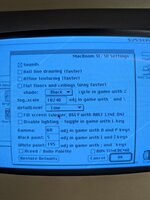
  • ‘o’ and ‘p’ keys adjust gamma (more o means lighter)
  • [ and ] keys adjust the black pt
  • ; and ‘ keys adjust the white pt

If you land on nice values, share them by all means. (quit game, launch game, go to options…, and the values will be listed there from your last run). And let me know if you’re happy with the settings with/without the Xceed/Bolle option.

Similarly, if you test on your color machines and land on happier values lmk what they are. Desired end result is to have a good set of defaults for the correction params (gamma, white, black pt) for B&W (already have those, the current defaults), Bolle/Xceed, and Regular color Macintoshes.

True do-nothing values for these options (which you can type into the Options boxes) if you want to start from what the game was before these settings did anything are:

- black pt = 0
- white pt = 255
- gamma = 100
 
Last edited:

KennyPowers

Active Tinkerer
Jun 27, 2022
348
378
63
That appears to be an unoptimized debug build with the console window enabled...I built a release build from the latest source though :)

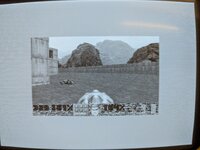
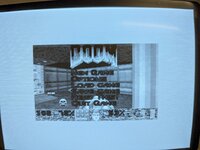
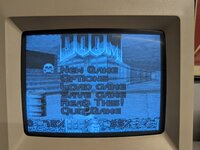
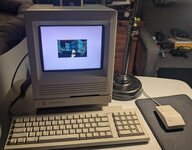
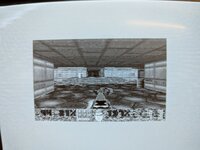
It looks like all that was needed all along was to apply gamma correction and variable white/black points to the color rendering path (and therefore the grayscale path...the game doesn't know the difference, QuickDraw handles the conversion). The default gamma/BP/WP values of 60/5/195 looked great on both my grayscale SE/30 and Color Classic...both grayscale and color rendering were much improved over the 1.1.0 release. Some photos of grayscale with the CRT brightness set to a reasonable level that made MacDoom 1.1.0 much too dark (these looked even better in person...my phone camera doesn't do them justice):

PXL_20260502_220920667.jpg PXL_20260502_221100326.jpg PXL_20260502_222041303.jpg

On an '040 SE/30, it was buttery smooth with these settings...setting detail to "High" was playable, but just slightly less smooth than "Low":

PXL_20260502_222909037.jpg

As expected, enabling the "Xceed/Bolle" option resulted in a nearly black screen because QuickDraw was internally converting a bunch of pure, dark blues to shades of gray, which are going to always be really dark shades of gray. I think you can safely ditch this option, as it's unnecessary and doesn't do what it thinks it does.

Some other nits I noticed now that the brightness issue with color/grayscale rendering is solved:

1. The status bar is still screwed up (reproduced on 3 different Macs...2 color and 1 grayscale).

2. The border in 8bit mode is still that weird pink color (converted to a really light gray in grayscale mode).

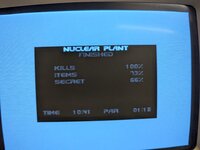
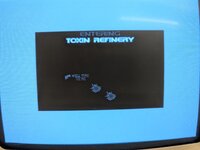
3. The between-level splash screens are black:

PXL_20260502_222011081.jpg PXL_20260502_222018087.jpg

4. Fullscreen exceeds the bounds of the screen in 8bit mode...at least on the one machine I tried. This is on a 512x384 monitor, so maybe that's just too small for fullscreen 8bit mode. It was unplayably slow on the '040 SE/30 at 8bit fullscreen with any quality settings anyways.

PXL_20260502_223253516.jpg

Still, I actually enjoyed playing Doom on a 68k Mac for the first time, and it was a compact Mac at that :). Now if I can get modern FPS mouse/keyboard controls with left-right mouselook and WASD for forward/backward and strafing, THAT would be icing on the cake :p
 
  • Like
Reactions: MacOfAllTrades

Blinkz

New Tinkerer
May 5, 2025
5
10
3
@MacOfAllTrades I gave your Doom port a try with my heavily modified SE/30.

This SE/30 has the following:
> Zigzagjoe's Booster 2.0 - ROM booster enabled
> Zigzagjoe's se/30 color Lcd kit outputting 256 colors @ 640x480 resolution
> Garrett's Workshop GW4402B ROM
> 128mb of RAM

Game runs pretty well, however, I cannot get the full screen mode to work. The game stays small in the center whether the option is checked or not. Otherwise I say it looks very sharp with the color Lcd.
 

Attachments

  • PXL_20260513_014436791.jpg
    PXL_20260513_014436791.jpg
    851.3 KB · Views: 9
  • Like
Reactions: MacOfAllTrades

MacOfAllTrades

Active Tinkerer
Oct 5, 2022
253
254
63
@MacOfAllTrades I gave your Doom port a try with my heavily modified SE/30.

This SE/30 has the following:
> Zigzagjoe's Booster 2.0 - ROM booster enabled
> Zigzagjoe's se/30 color Lcd kit outputting 256 colors @ 640x480 resolution
> Garrett's Workshop GW4402B ROM
> 128mb of RAM

Game runs pretty well, however, I cannot get the full screen mode to work. The game stays small in the center whether the option is checked or not. Otherwise I say it looks very sharp with the color Lcd.
Whew - what a cool setup. Never heard of Zigzagjoe’s brand stuff.
Try grabbing the latest development bin ffrom the repo root dir itself (unless you already did this). — https://github.com/retrospectmike/MacDoomSE30/blob/main/DoomSE30.bin

It’s a dev build so you get a console in the background but it has updates not in a Release build yet. I should update all that — but have been sidetracked since with a different project in my spare time!

p.s. thanks so much for trying it out!!