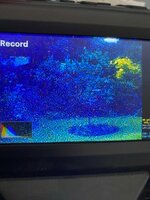
Ok, I've created a new version of Rev D firmware---thanks for the feedback,
@Hook Line and Tinker ! I wish I could test these builds first, but as I mentioned earlier, I'm traveling for a week and not gonna fly with the unit---especially on float planes.

I've made this more of a diagnostic version that allows testers to give me some answers I can work with. Thank you!
---
Diagnostic Build — Stage Progress Test (April 15)
This firmware is for Revision D models ONLY. Do not flash on Type A, B, or C units.
This build adds numbered stage markers to the screen so we can pinpoint exactly where the overlay code gets to before
stopping. It also tests whether font rendering works on Type D.
What's new in this build:
- Numbered green squares (1-7) appear on screen as the code progresses
- If a stage is blocked, it shows as a RED square instead of green
- Auto-exposure code is DISABLED in this build to prevent the lockup
- Preview buffer fix — was pointing at the wrong image pipeline
*** ADDENDUM ****
This build also includes new 4:3 sensor patches from the previous build. These are separate from the overlay/stage marker changes but could independently cause issues:
- OS04D10 sensor output changed from 1936x1076 (16:9 crop) to 1728x1296 (native 4:3)
- Sensor register table patched: y_start, y_end, x_start, x_end, output width/height
- ISP mode table updated to expect 1728x1296 input (modes 0-2)
- Framerate set to 18fps
If the unit crashes immediately on power-up (before any stage markers appear), the sensor patch may be the cause — the ISP might reject the new dimensions, or the encode pipeline might not handle 4:3. If you see at least stage 1 (a green square), the sensor init passed and the crash is in the overlay code.
*************
How to flash: Same as before — copy FWDV280.BIN to a FAT32-formatted SD card (16-32GB recommended), create an empty
NVTDELFW folder, insert and power on.
What to look for: After powering on and letting the unit initialize, look at the screen for small colored squares with
numbers.
  ┌───────┬─────────────────────────────────────────────────┐
  │ Stage │                  What it means                  │
  ├───────┼─────────────────────────────────────────────────┤
  │   1   │ Overlay code is running                         │
  ├───────┼─────────────────────────────────────────────────┤
  │   2   │ Frame counter initialized (startup complete)    │
  ├───────┼─────────────────────────────────────────────────┤
  │   3   │ Preview mode detected                           │
  ├───────┼─────────────────────────────────────────────────┤
  │   4   │ Histogram data found in image buffer            │
  ├───────┼─────────────────────────────────────────────────┤
  │   5   │ Histogram rendered to memory                    │
  ├───────┼─────────────────────────────────────────────────┤
  │   6   │ Histogram drawn to frame buffer                 │
  ├───────┼─────────────────────────────────────────────────┤
  │   7   │ Auto-exposure checkpoint (stops here by design) │
  └───────┴─────────────────────────────────────────────────┘
Please answer these questions:
- How many green squares do you see? (e.g. "I see green 1 through 5")
- Are any squares RED? If so, which number? (Red = code stopped at that stage)
- Can you see numbers inside/next to the squares? (This tells us if font rendering works on D)
- Where on the screen are the squares? (Top/bottom/left/right — helps us understand LCD rotation)
- Does the unit lock up or stay responsive? Can you navigate menus, or does it freeze?
- Does pressing OK still advance film? (Mechanical test)
- If you start a capture, do any squares change? (Stages may differ between preview and recording)
To revert: Same as before — format the SD card, or use the stock firmware .BIN to reflash.