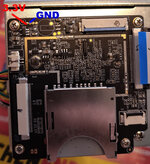
Well, I think I reached the end of the road..

I removed the hacked-in micro reader thingy and installed a new SD socket onto the main board, then installed a new SD card. The unit powered up, and this time it went to the scan screen when I pushed the OK button and it didn't ask for the card like last time.. But, then it again asked for the card. With it running (I know), I fiddled with the SD card and found that the new socket is, I believe, defective. The card won't lock into the socket - the spring inside pushes the card back out. There is no flux inside the socket as I'm very experienced with that type of repair.
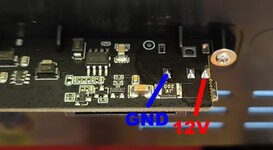
But while I fiddled with the SD card and tried to get it to lock, the Kodak shut off. I pushed the power button and no white power LED. I unplugged it for half an hour and still nothing. I disassembled and reseated all the ribbons (they are in good shape as are the ribbon sockets), but still nothing. I get 12V on the input board and 3.3VDC on the main board. I get 3.3 on the keyboard, but I don't see any SDA info on the keyboard. Under a microscope, I don't see any fuses. The board stays "cold" when power is applied.
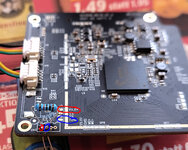
There are four pins on the SC socket reading at ground potential, which seems like two or three too many. I'll check the pinout if I can find one on line and see if that's correct, and if not, see if removing the socket will clear the shorts to ground.
EDIT: the pic of the card socket with the red pins show which pins are reading short to ground. I haven't removed the socket yet, but will. But if this is the end, then thanks everyone for the advice!!
John
View attachment 30366View attachment 30367
View attachment 30380
SECOND EDIT: I found out that pin 4 is Vdd (power source), so it should not be grounded. When I get a chance, I'll remove the socket and see if the short goes away. If it does, I'll order a socket that doesn't use a spring loaded mechanism because internet searching suggests the new socket could have failed mechanically inside shorting pins. Hopefully it didn't trash the board.